How to use Mobile targeting
The Mobile targeting feature enables you to redirect visitors of a short link to two different app URLs, one for iOS users and the second one for Android users, depending on their operating system.
For more information on mobile targeting use cases, please review the following article.
Mobile targeting is available in every price plan.
How to set up Mobile targeting
-
Sign in to your Short.io account.
-
You can either
-
shorten a link and click on Mobile targeting:
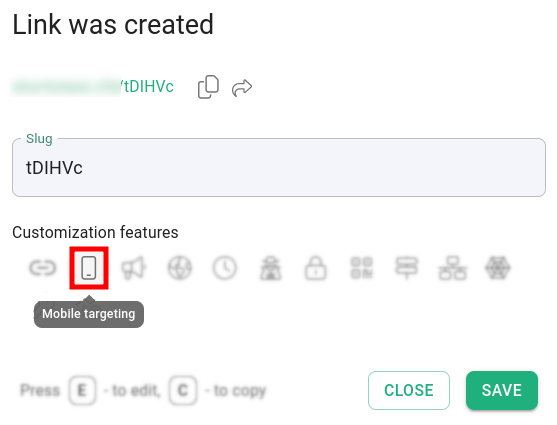
or
-
open a short link for editing and navigate to Mobile targeting:
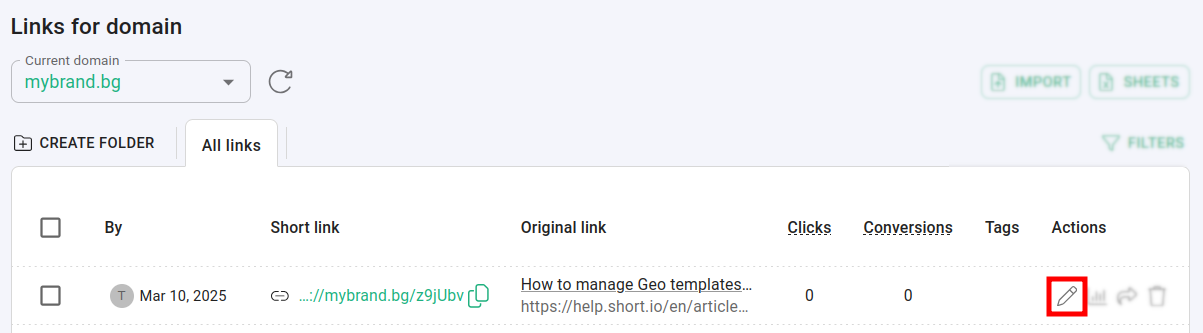
-
-
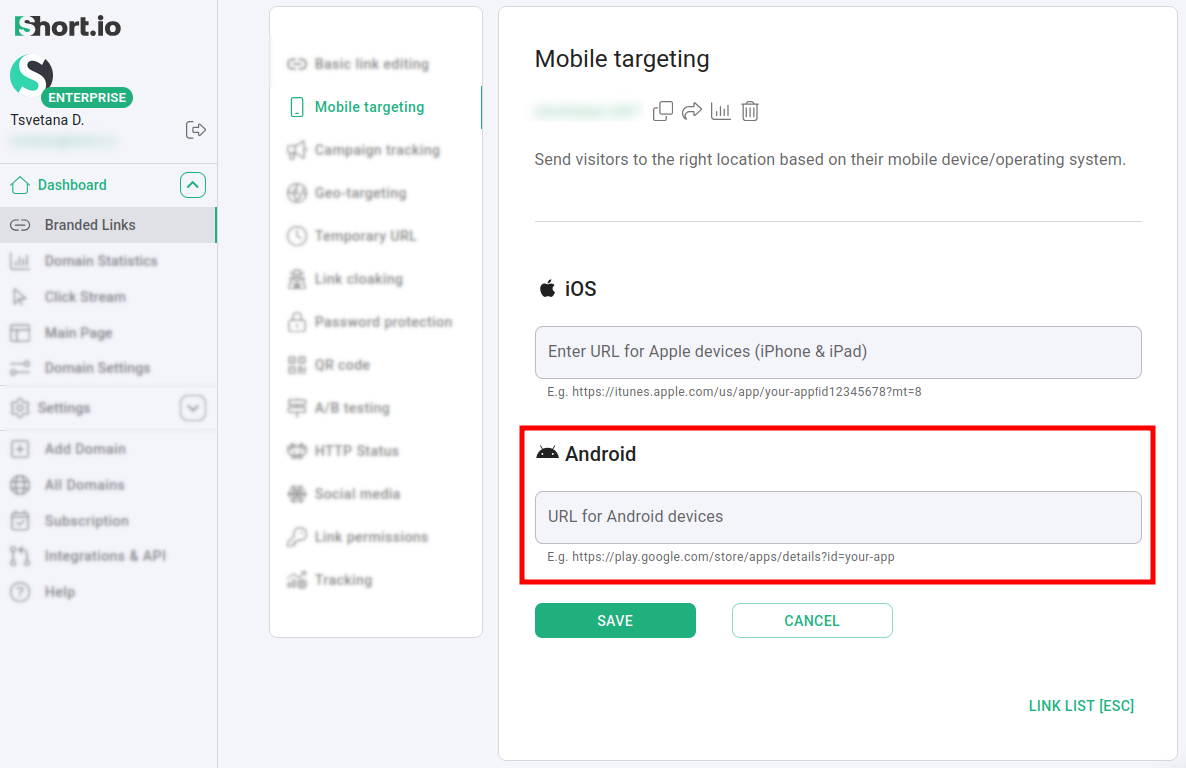
In the Mobile targeting panel provide the following information related to:
-
iOS
- URL for Apple devices (iPhone and iPad)
-
Android - you can apply advanced settings in order for your mobile app to open at the appropriate page:
-
URL for Android devices
-
Application package name
-
Action
-
Component
-
For example, when you enter an Android app URL:
the additional fields appear for you to add the required information:
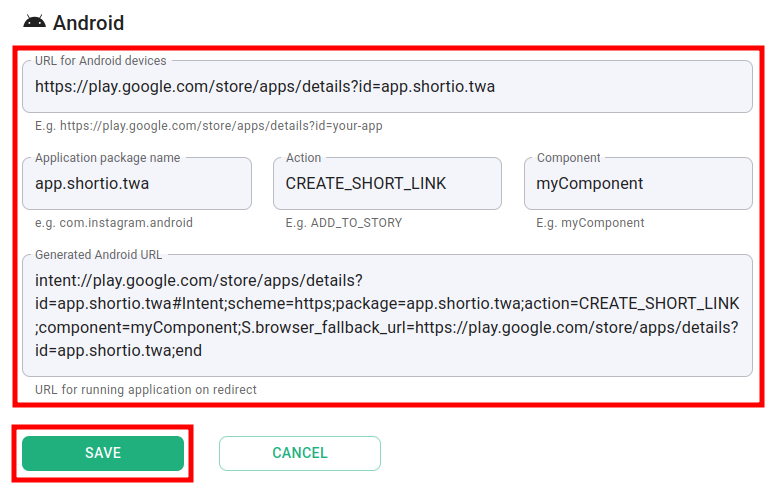
-
-
Click on Save to confirm.
Hereafter, when iOS and Android users click on the same short URL, they will be redirected to two different links.