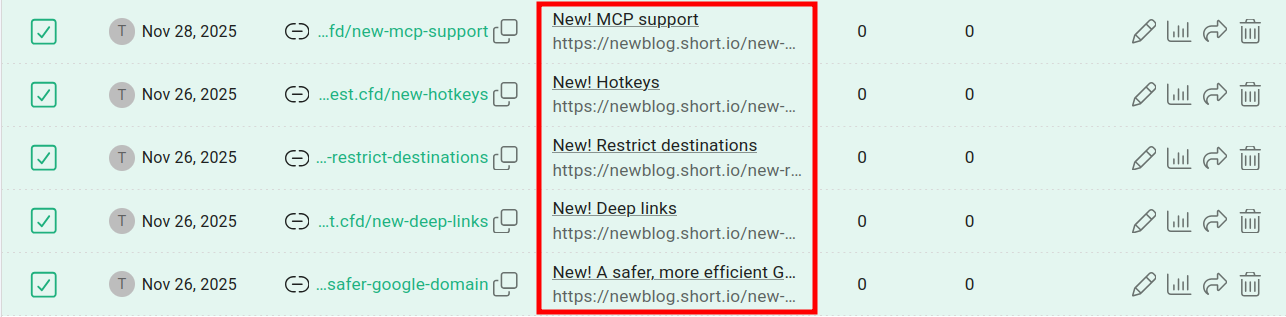
How to update link fields in bulk from Dashboard
Short.io recently introduced a new feature that allows you to edit several short link fields simultaneously.
Bulk updating link fields from the Dashboard is a simple and easy process.
To update link fields in bulk
-
Sign in to your Short.io account.
-
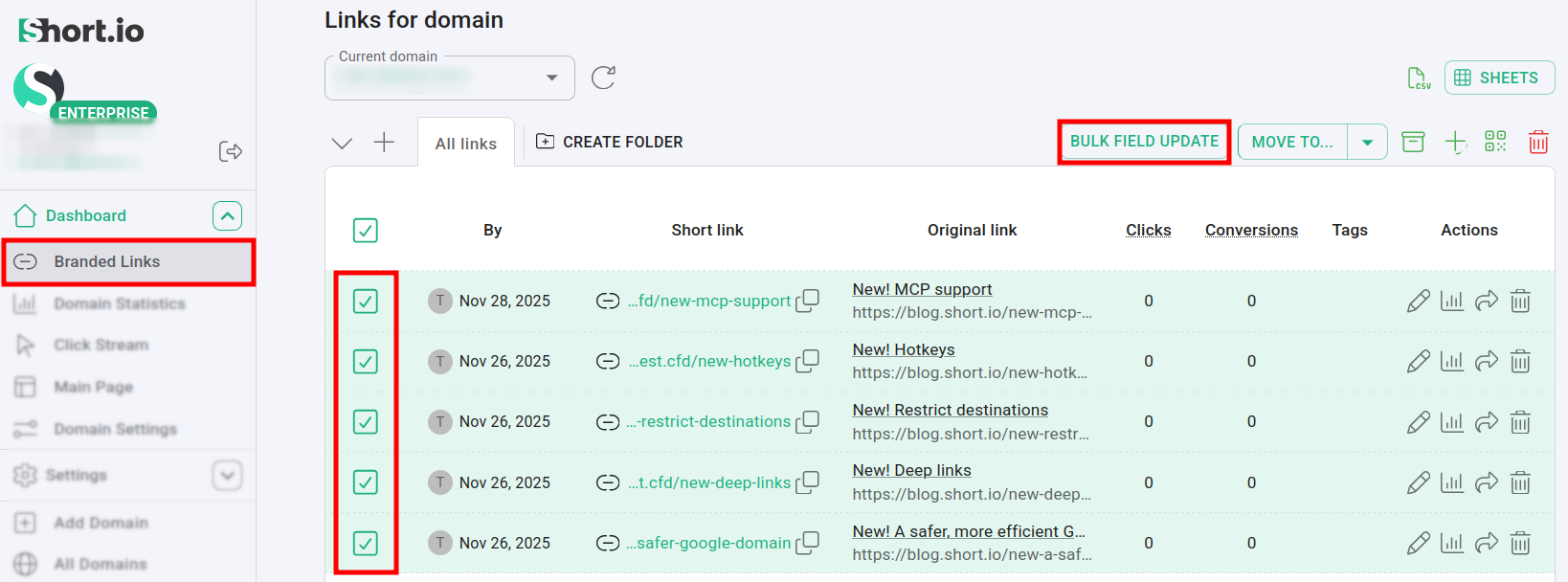
In the Dashboard navigate to your Branded links and select those which fields you want to update at once.
The Bulk field update button becomes visible:
-
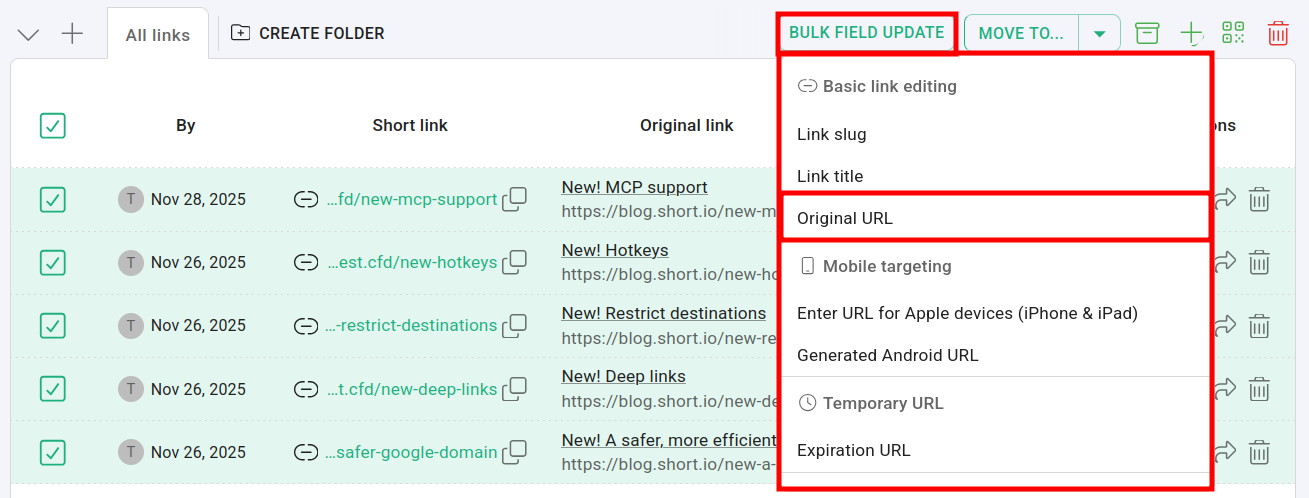
If you click on it, the fields menu appears. Select a field, for example: Original link:
-
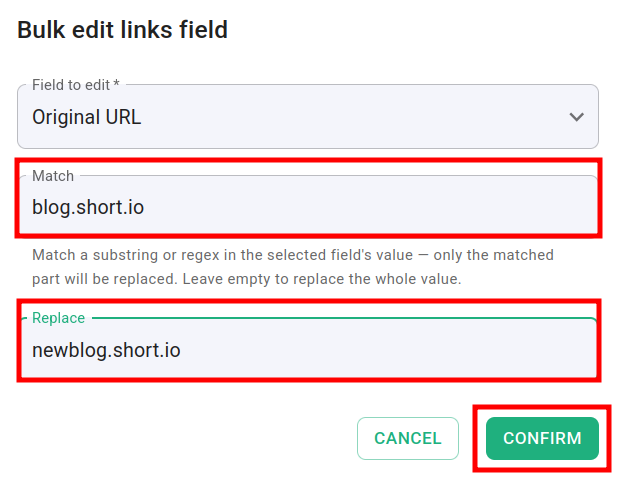
Provide the string you are looking for (or a regex expression), and the value that should replace it. Leave the Match field empty to replace the whole value:
-
Click on Confirm. Your changes are applied: