How to cloak short links or hide and mask URLs from visitors
With link cloaking feature enabled, visitors who browse your links will see the short URLs instead of the long ones in the browser address bar.
Note
Link cloaking is available starting from the Pro plan.
To cloak existing links
-
Sign in to your Short.io account.
-
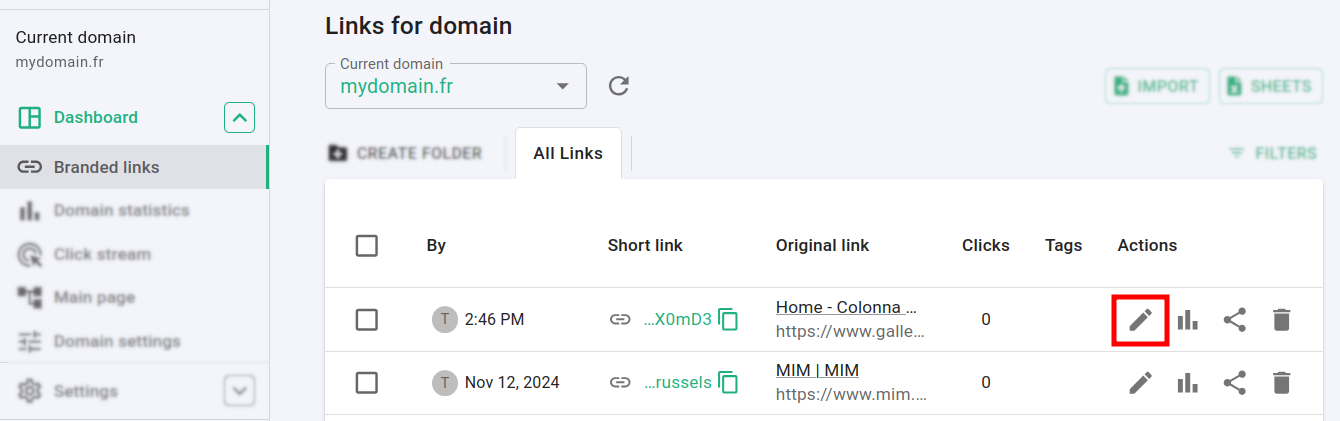
Navigate to the Branded links and click on to edit a link:
-
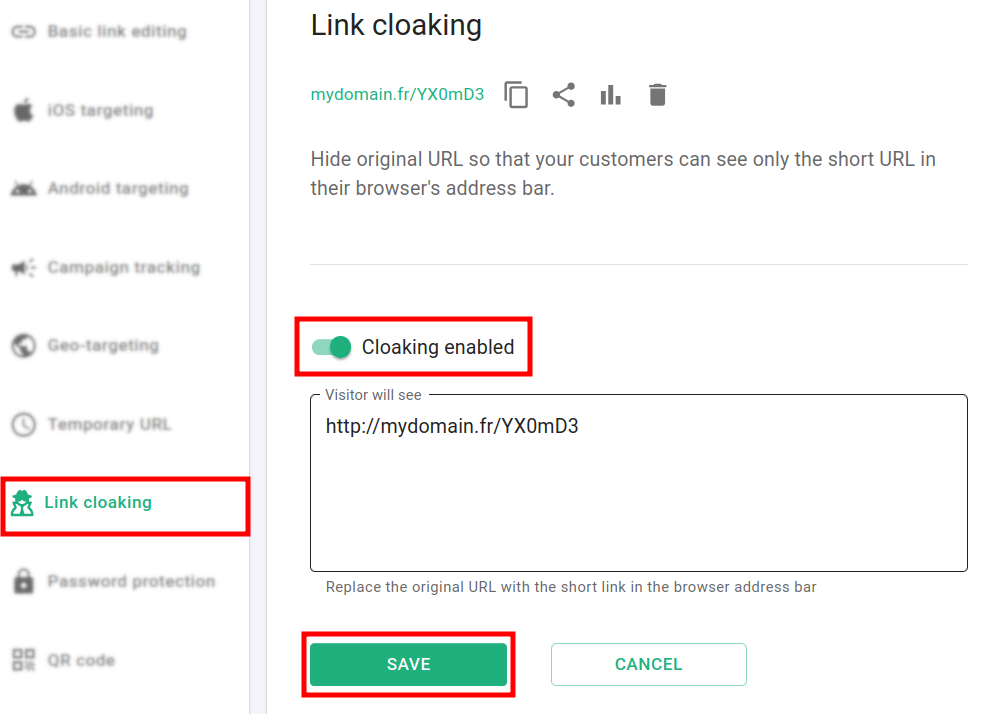
In the next screen open the Link Cloaking section and toggle Cloaking enabled:
-
Click on Save.
Hereafter, the original URL is hidden and your customers will see only the short URL in their browser's address bar.
To cloak newly created links
-
Sign in to your Short.io account.
-
Shorten a link.
-
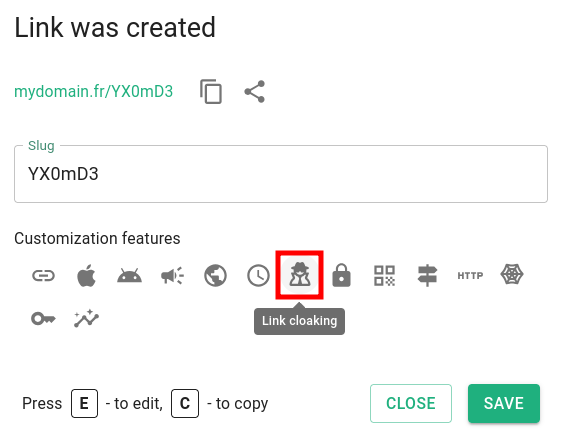
In the next dialog click on :
-
Proceed as in point 3) of the above To cloak existing links steps.