How to enable conversion tracking
Overview
A conversion happens when an interested visitor of your website or a potential customer carries out a specific action, for example, clicks on a link or on a text/video advertisement and then takes an action that is valuable to your business, such as an online purchase.
The Short.io conversion tracking functionality allows you to analyze data on conversions associated with your marketing initiatives, advertisements, and additional activities. This data can assist you in refining and enhancing your business strategies to attain exceptional outcomes.
When the conversion tracking is enabled for a given domain, we will pass a special and unique identifier (clid parameter) in every short URL, which is used by third-party analytics to detect successful customer conversions.
Some URLs are sensitive to changes in query parameters — meaning even a harmless additional parameter (like clid) can invalidate the request and cause errors. A common example of this is direct links to AWS S3 exports or other signed URLs, where:
-
The URL includes time-limited signatures or hashes.
-
The query string must remain unchanged for the resource to be valid.
When a clid parameter gets merged into such URLs, it can break access to the resource because the parameter changes the original query string that the service expects.
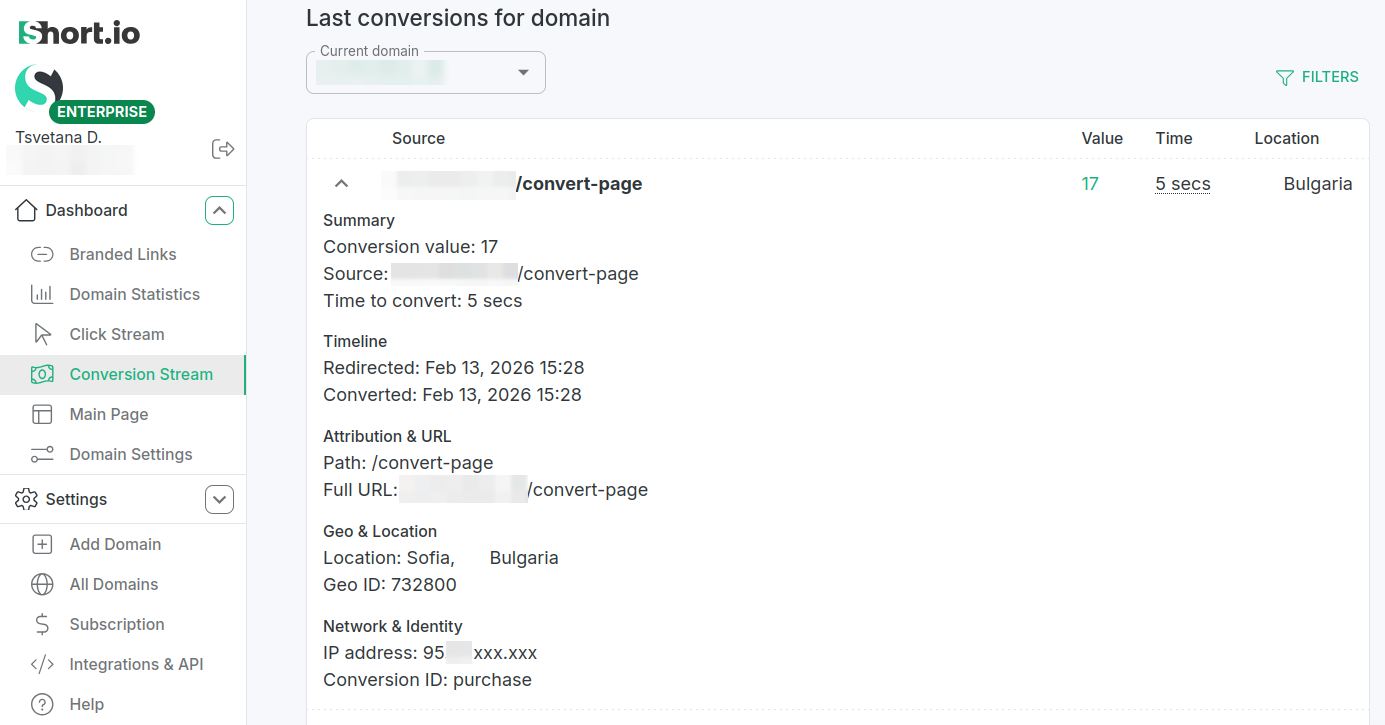
You can then review the conversion results for each link in the Branded links section of the Dashboard or for the entire domain in the Conversion Stream section.
Enabling conversion tracking
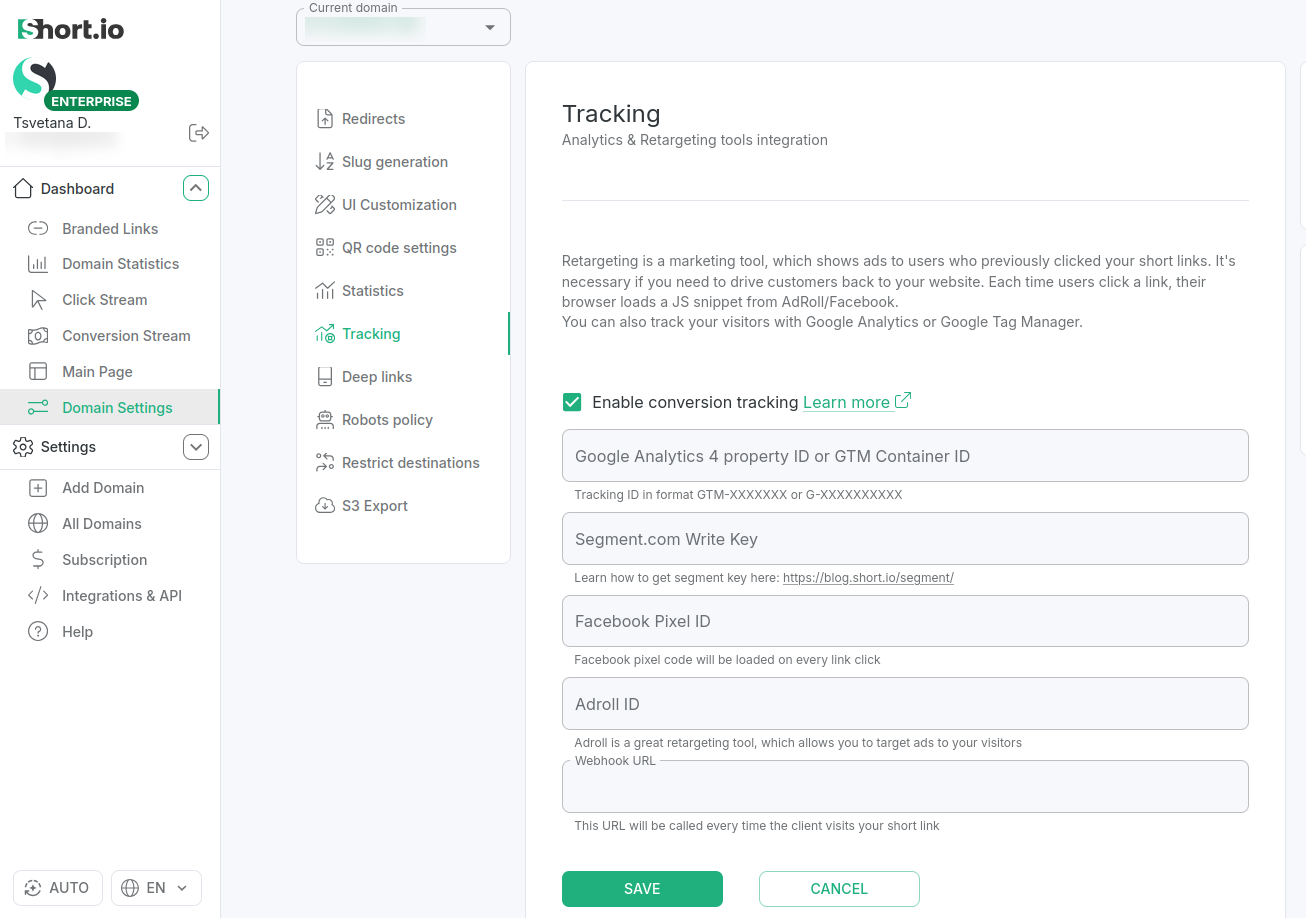
To enable conversion tracking for your domain, follow the steps below:
-
Sign in to your Short.io account and select the domain for which you want to enable conversion tracking.
-
From the Dashboard's left panel select Domain settings and then Tracking.
-
Enable Conversion Tracking.
-
Save.
-
Shorten a link and open it in a browser. In the address bar you can review the unique conversion clid parameter similar to the one below:
<long-URL>?clid=eyJlIjoiOWlIMjCXMnVDTUNcNmZsRFTPcUR0IiwiaCI6IsIsInAiOiIvU0ZSWWs4IiwiaCI6MWczNjg1OTU2YH0.klyD-7GxyRwfuWgx_bC2MkInnNTIfpSQPQFCD_Ke4vI
To ensure that conversion statistics are recorded and presented when users perform significant actions, the conversion page must send a callback request to Short.io, including the clid. The entire process for capturing the parameter and transmitting a conversion event is detailed in the following [article](/articles/api-reference/API guides/Statistics/how-to-conversion-to-shortio)
Reviewing conversion results
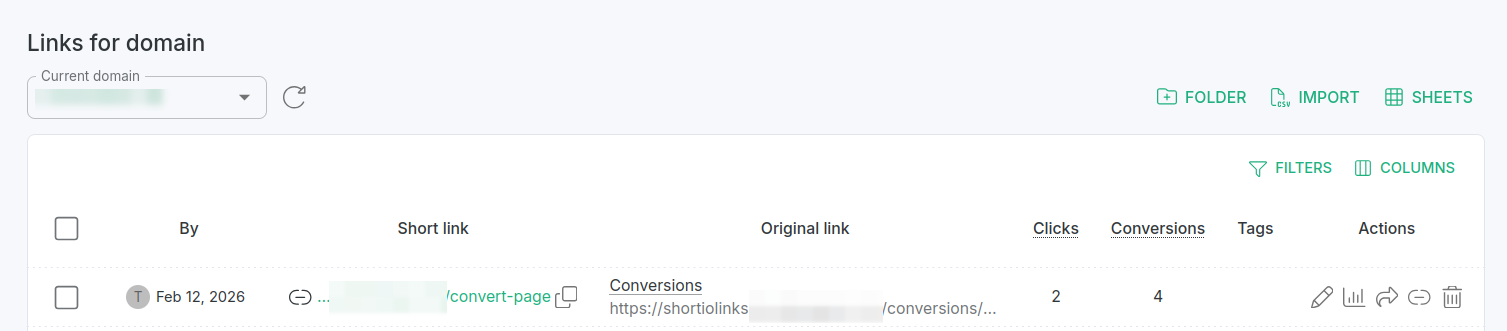
You can review the conversions for each of your short links from the Branded links panel (column Conversions):
You can also have real-time visibility into how all your domain links perform after a click from the Conversion Stream panel: