How to edit destination (original) URLs
Destination URL is the original long URL behind a short link, where users are redirected when they click it.
Editing a destination link does not affect the short slug.
Note
You can change the original URL for free an unlimited number of times.
Quick video tutorial
To edit a destination URL
-
Navigate to your Branded links.
-
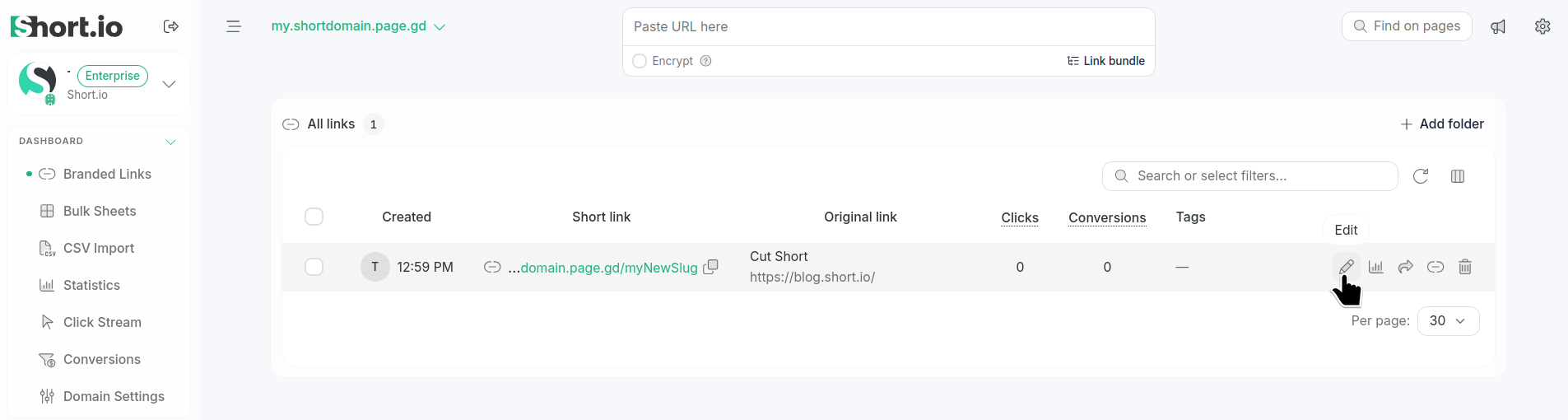
Click the icon next to the link for which you want to edit the long URL:
-
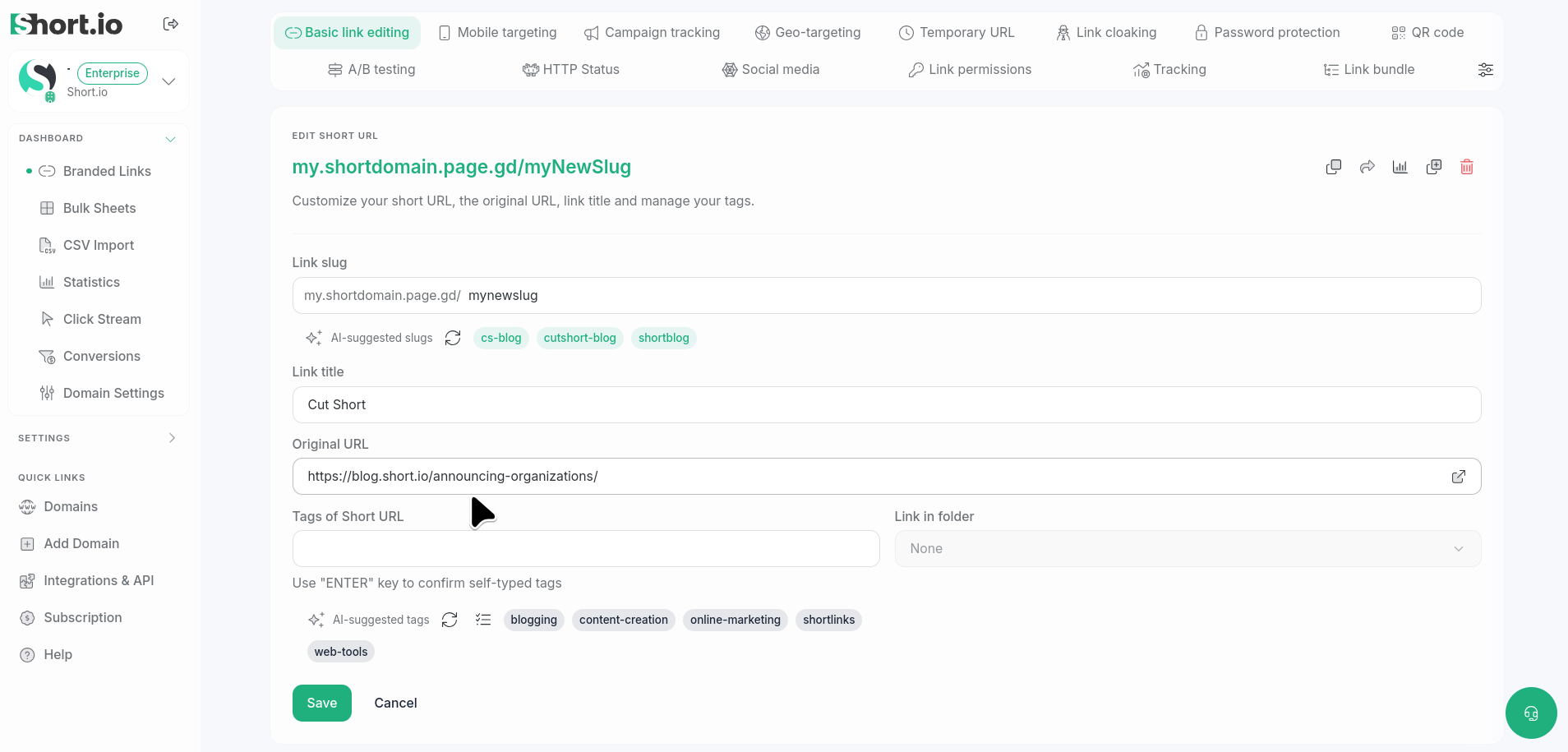
In the Basic link editing screen enter the new Original URL:
-
Save.
The new destination link is set.