How to view archived links
Archived links remain functional but are hidden from the Dashboard. You can use the search/filter field to display them.
Quick video tutorial
Steps to follow
-
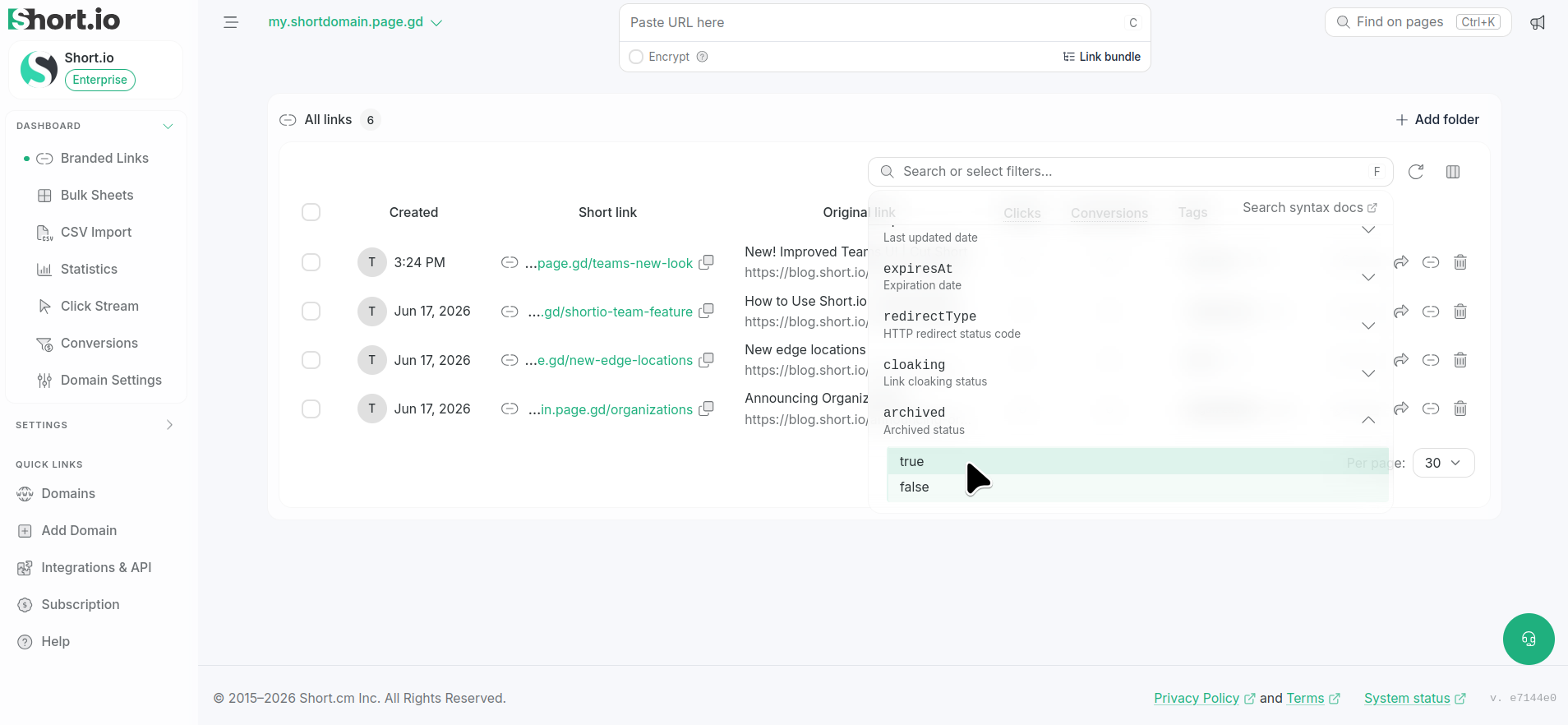
Navigate to your Branded links and click Search or select filters.
-
Scroll down to locate the archived option and select true:
-
Press Enter.
The archived short links are displayed.
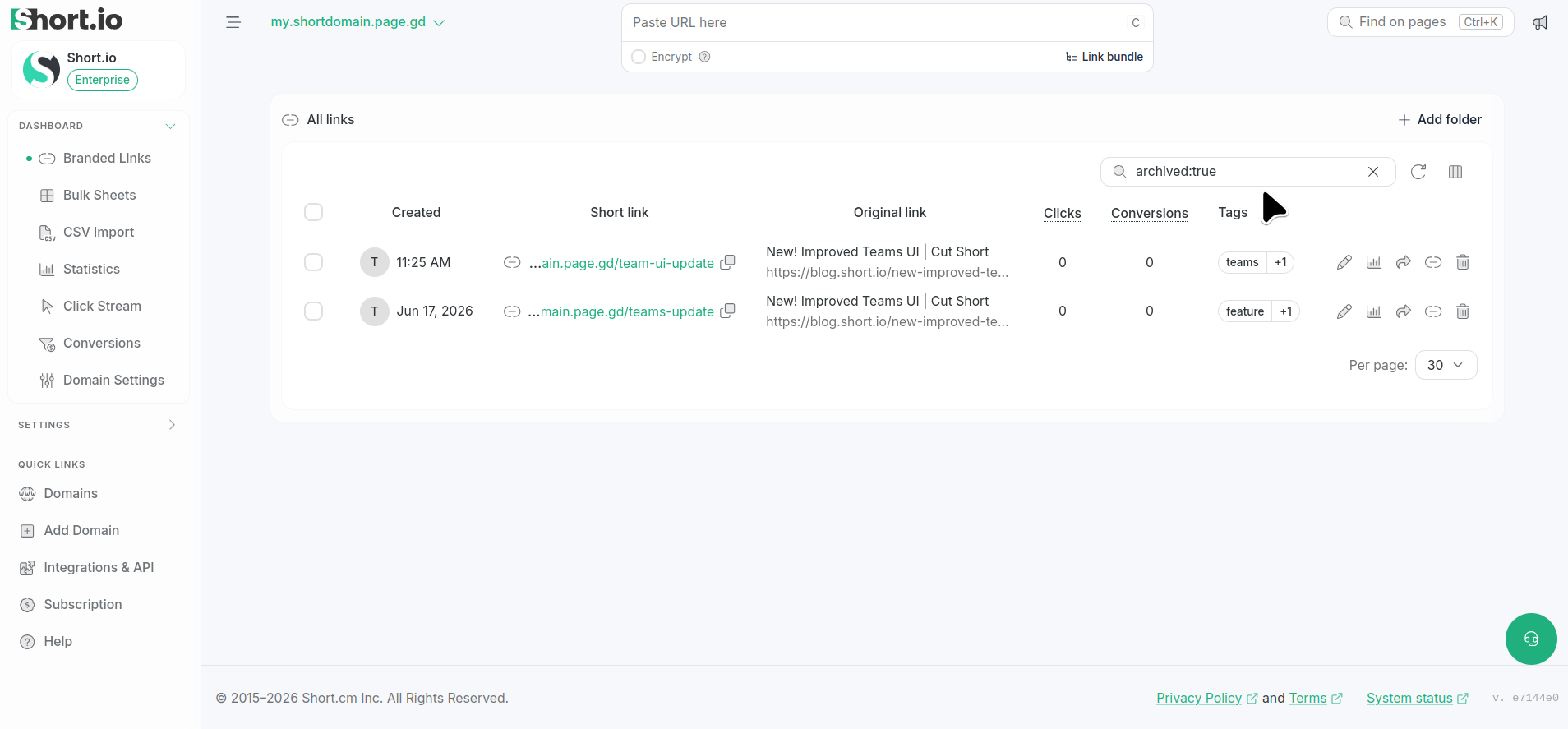
To remove the filter, click X next to archived:true.