How to create a short link with an AI-generated slug
The Short.io AI powered slug generation feature uses algorithms to assess the content of a webpage and construct a short, meaningful string of characters that serves as a unique identifier for the link.
The slugs that come out are concise, easy to remember, and designed for both readability and search engine optimization.
To ensure the privacy of our users, we have deployed an in-cloud version of Anthropic’s Claude Haiku and Sonnet models (for Mainland China we use Qwen instead of Claude).
Even though AWS is still in charge of the models, no data is sent to any third party including Anthropic and Alibaba themselves.
Generating slugs with AI
Quick video tutorial
Steps to follow
-
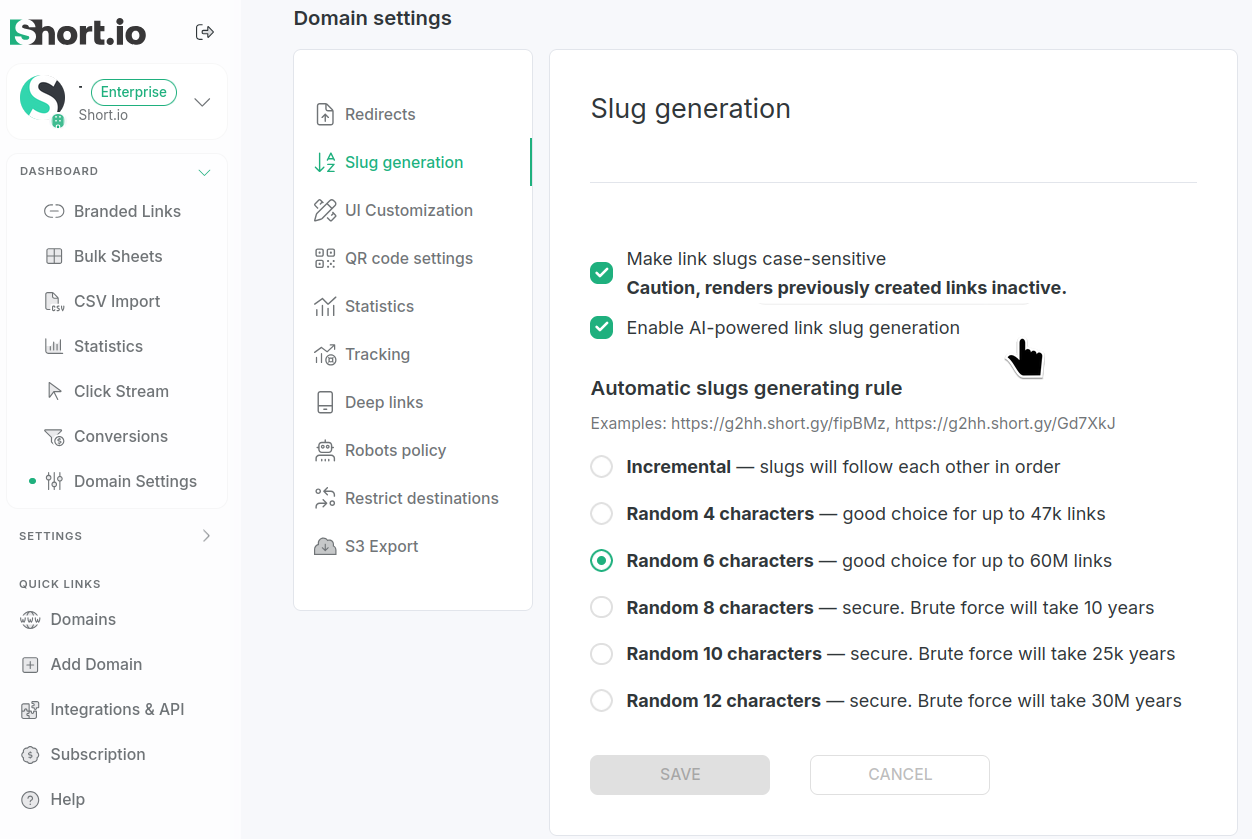
Make sure the AI slug generation feature is active for your domain. Navigate to Domain settings → Slug generation and verify that it is enabled:
 Info
InfoThe AI powered slug generation feature is enabled by default for each newly added domain to Short.io.
-
Shorten a link using this domain.
-
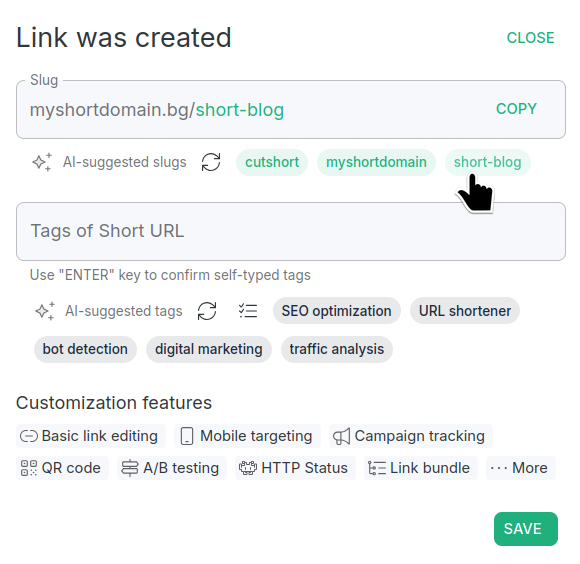
Several slugs are automatically generated. Select the one that suits you best:
-
Save to confirm.
The new slug is applied.
You still have the option to review the other available AI slug suggestions from the Edit Short URL settings and choose an alternative (or enter a different one of your choice):
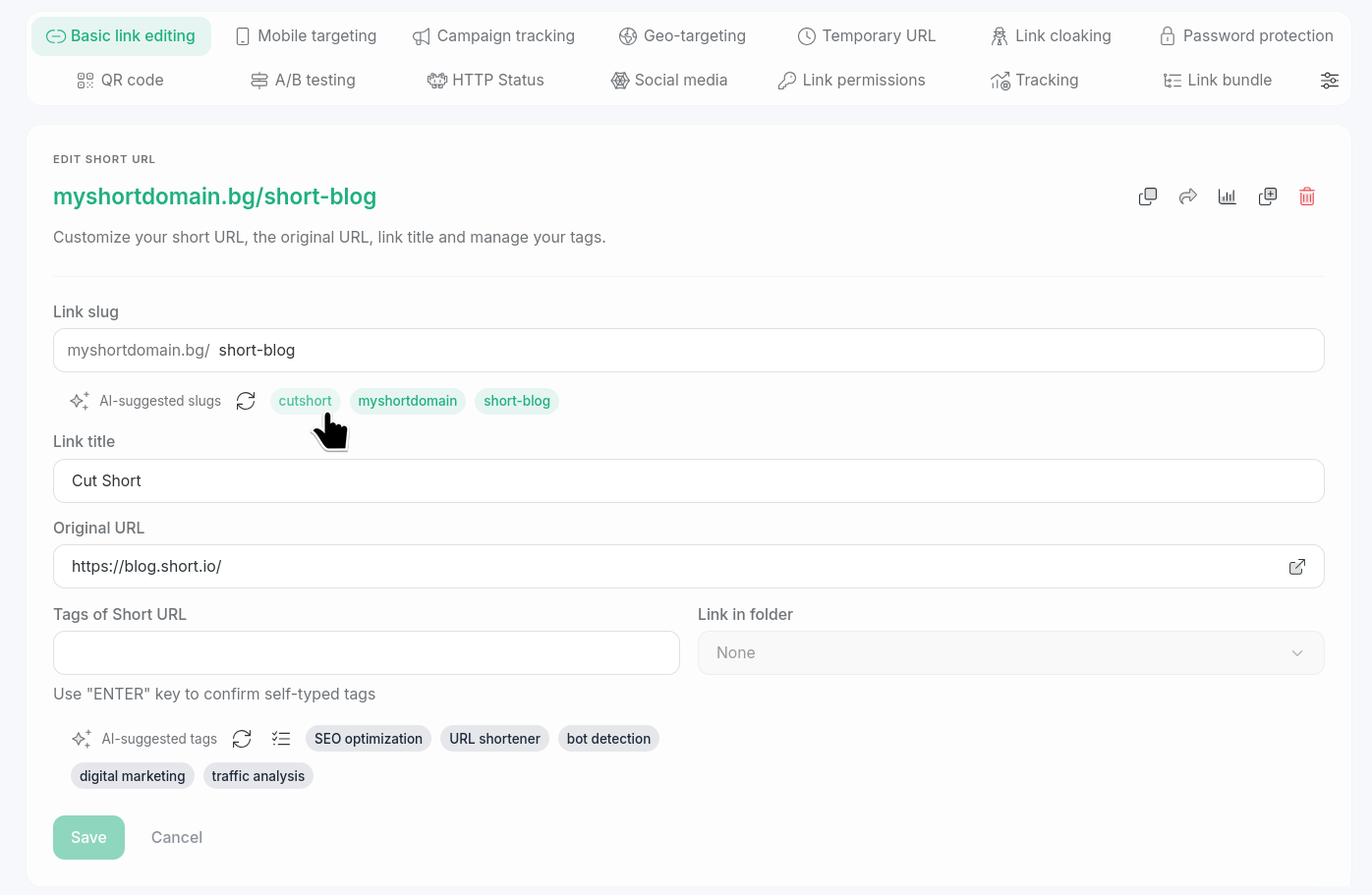
Save to apply the changes.