How to unarchive the archived links

The links which are archived are no longer listed but are still active. You can unarchive links as follows:

  1. Sign in to your Short.io account.

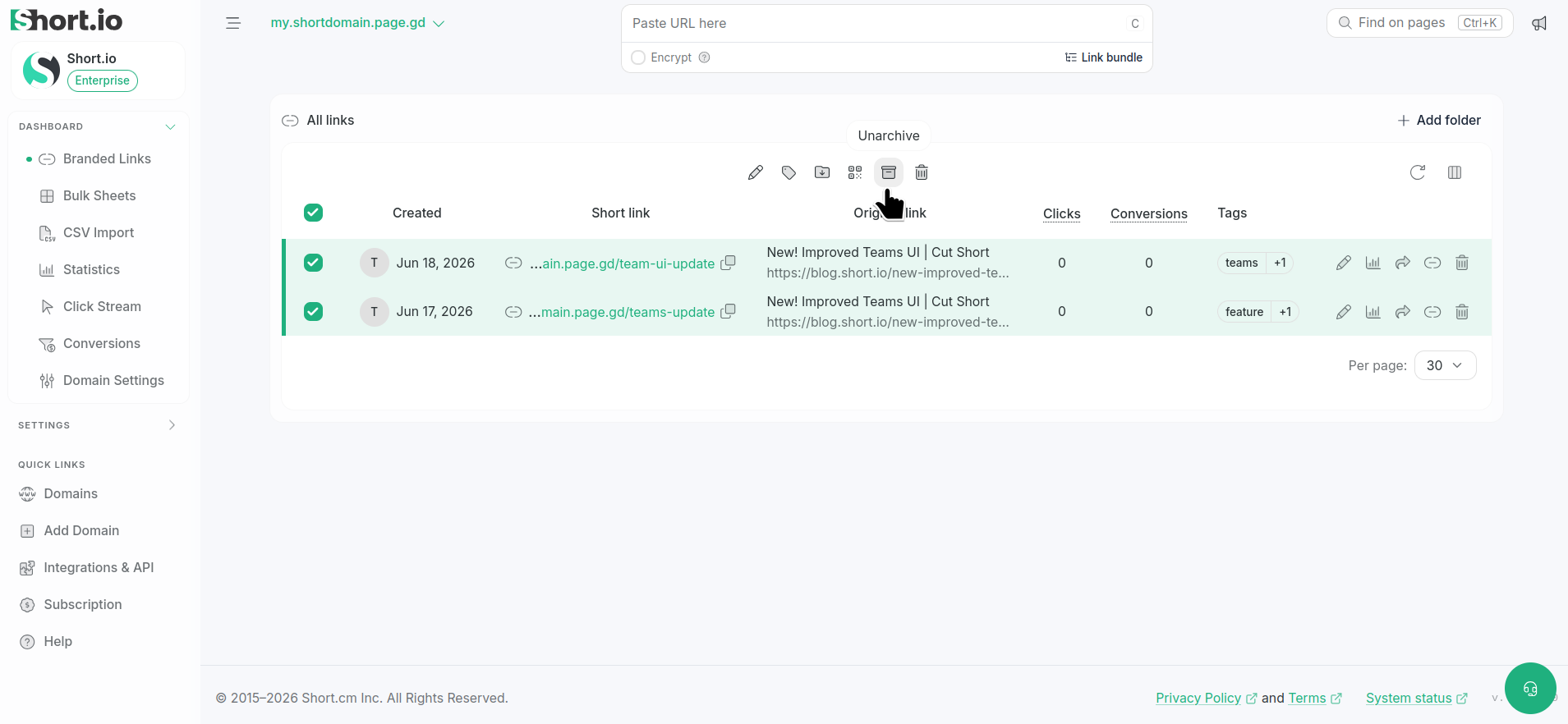
  2. Review the archived links.

  3. Select one or multiple links to unarchive:

    Archived links list with a link selected and Unarchive button in toolbar

  4. Click on Unarchive.

  5. Confirm by clicking again on Unarchive:

    Unarchive link confirmation dialog with Cancel and Unarchive buttons

The links are unarchived. You can view them by clicking on Branded links or after clearing the filters:

Links filter dialog with empty Search query field and Apply button