How to hide referrer
Short.io allows you to replace the original referrer URL with your branded short domain. This prevents destination websites from identifying the original traffic source. For example, in Google Analytics, the destination website owner will see your domain as the referrer instead of the actual source URL. This feature enhances privacy by masking referral information and giving you greater control over how traffic sources are presented.
The Free plan includes an intermediate page to hide referrer information. Upgrade to a higher plan to remove this page and redirect visitors directly to the destination URL.
Quick video tutorial
To hide the referrer
-
Navigate to your Domain settings.
-
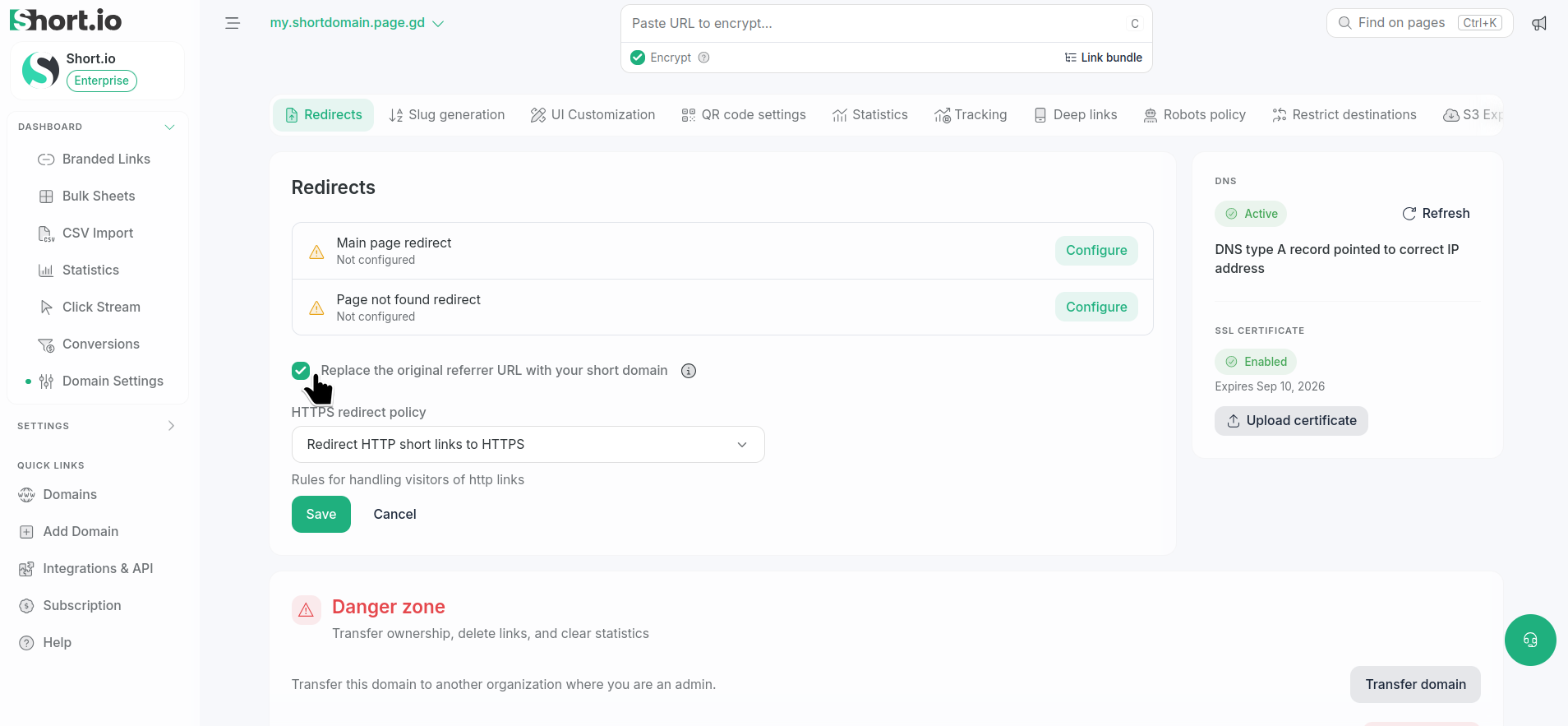
In the Redirects section click Replace the original referrer URL with your short domain:
-
Save:
The settings are updated.