How to customize URL slugs
Note
Short.io slugs are unique - you cannot have two or more with the same name. However, there is a way to avoid this restriction by using case-sensitive slugs. For example, NewSlug and newslug are regarded as distinct. To turn on/off the option Make case-sensitive the slugs of the links, navigate to the Domain settings->Slug generation tab.
Quick video tutorial
To edit a slug
-
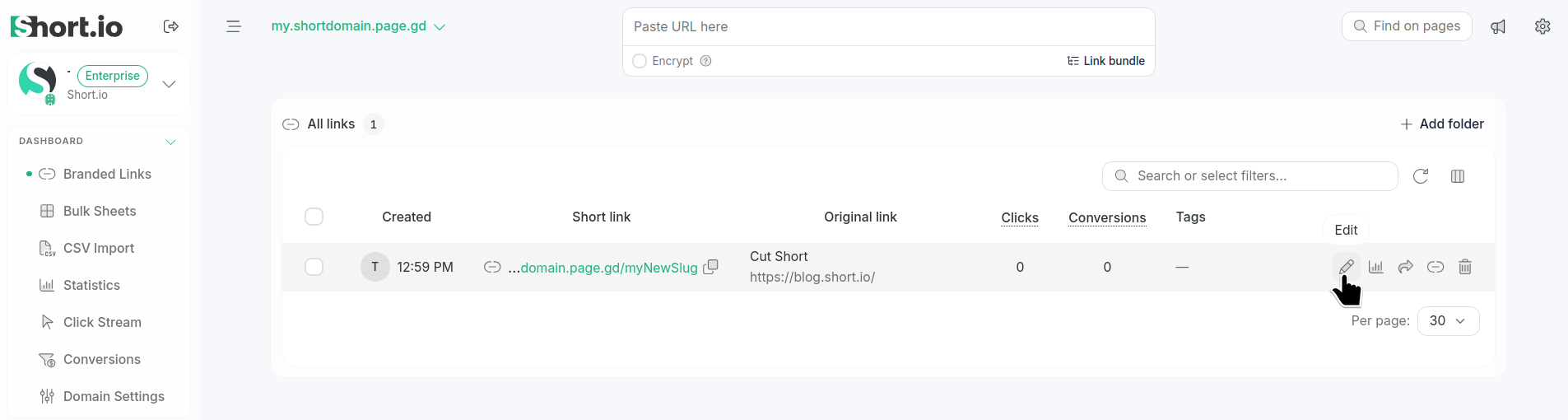
Navigate to your Branded links.
-
Click the icon next to the link for which you want to edit the slug:
-
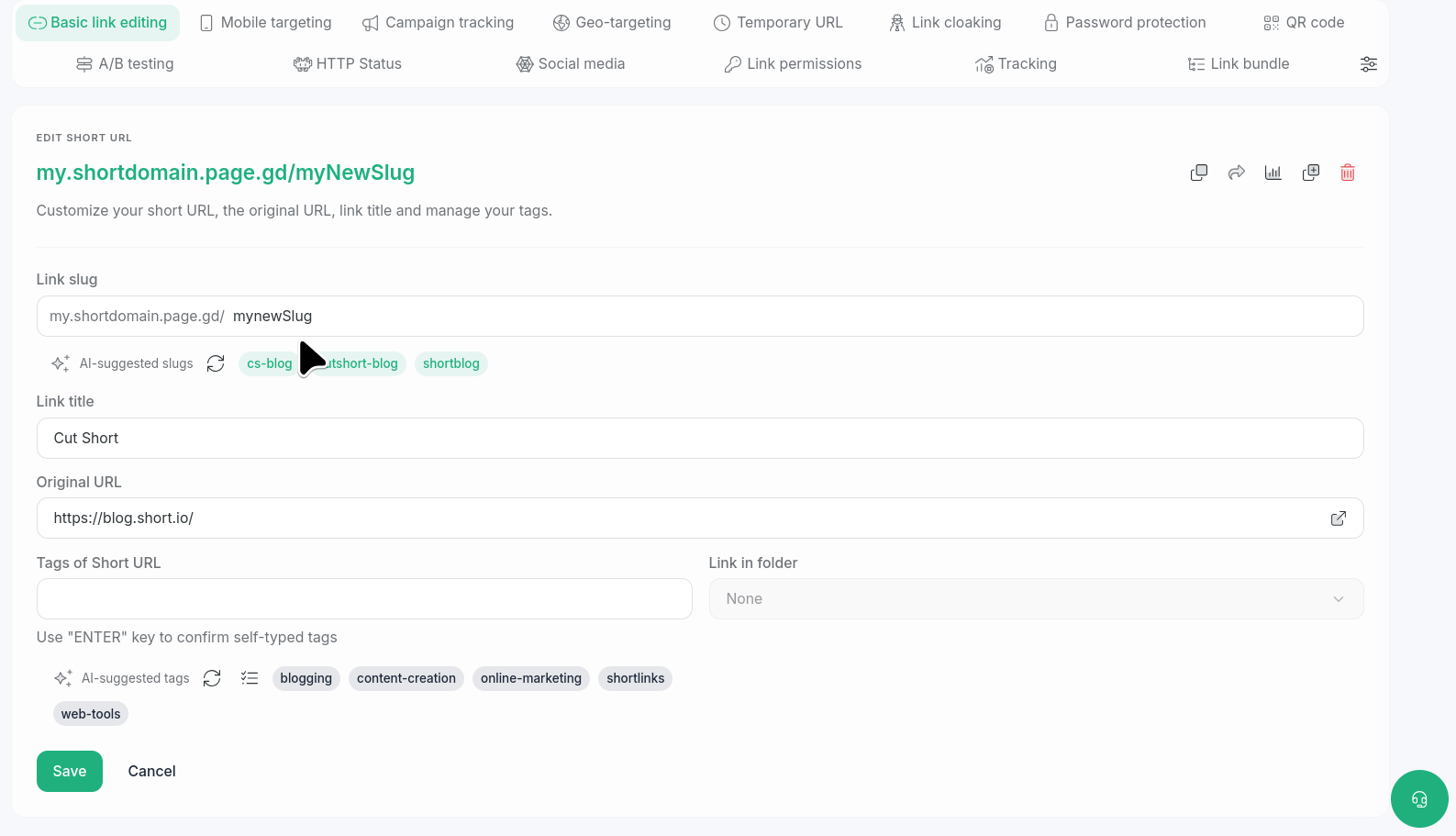
In the Basic link editing screen enter a new slug in the Link slug field or select one from the AI-generated options:
-
Save.
The slug is updated.