How to delete links
To delete one or more links (up to 150 at a time), use the Branded Links menu.
If you need to remove all links associated with a domain, you can delete the entire domain instead. Keep in mind that this action is irreversible.
Important note
The deleted short links can no longer be accessed.
Quick video tutorial
To delete a single link
-
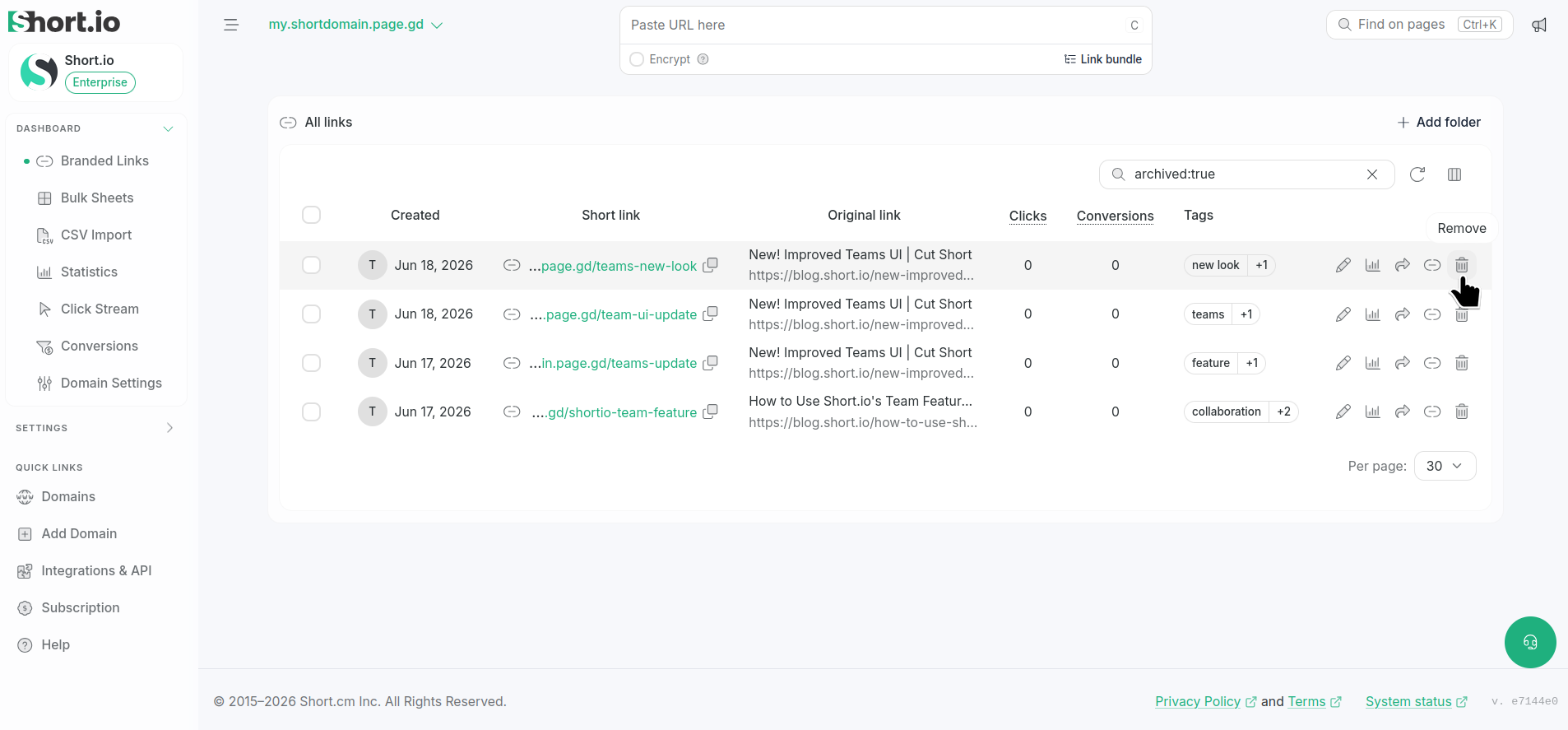
From the Branded links menu click the icon : next to the link to be removed:
-
When prompted, confirm the deletion.
The link is permanently removed.
To delete multiple links
-
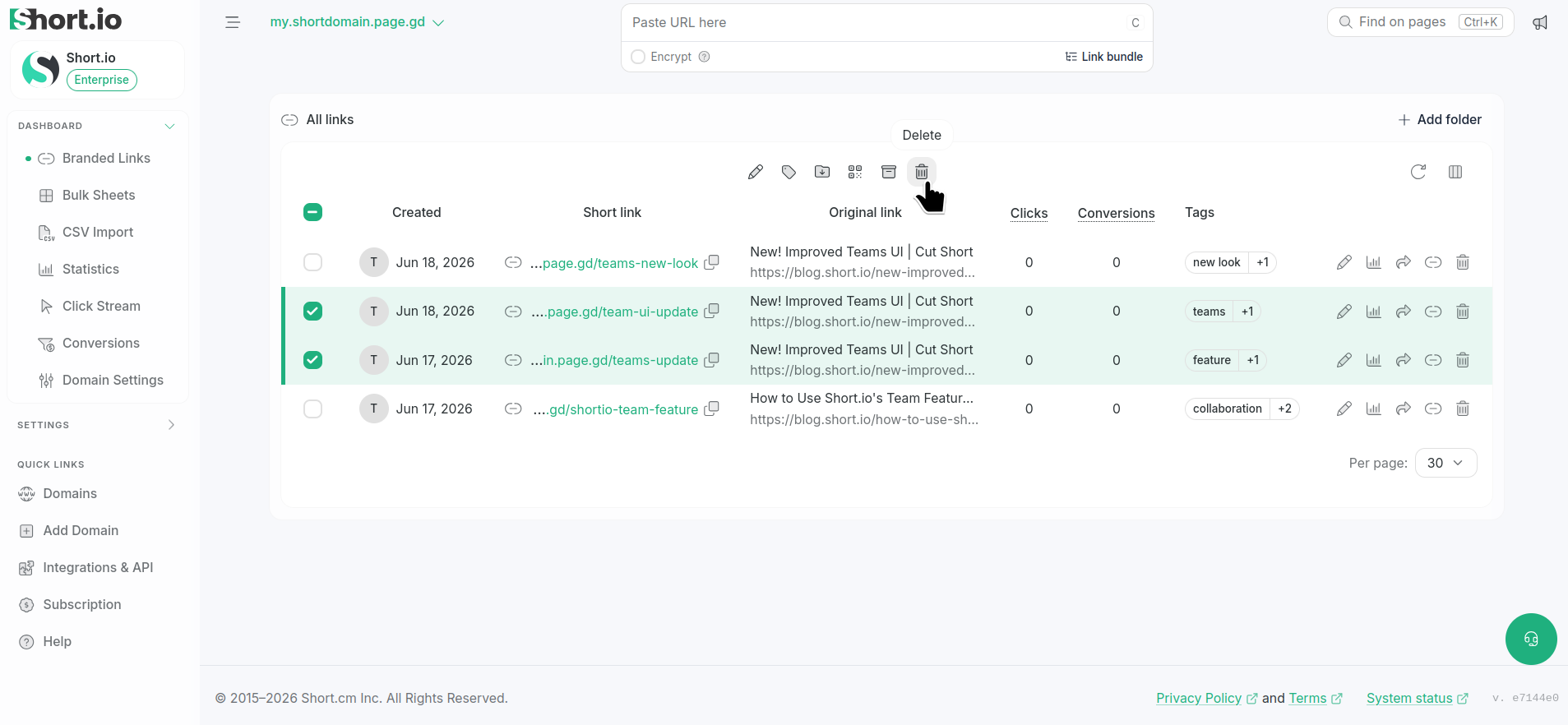
From the Branded links menu select the links to be deleted and click the icon above the links:
-
When prompted, confirm the deletion.
The links are permanently removed.