How can I add a free short.gy subdomain?
Short.io offers you the chance to register a subdomain of our short.gy domain and utilize it for link shortening at no cost.
Note
You can add up to 3 free subdomains.
To add a short.gy subdomain
-
Sign in to your Short.io account.
-
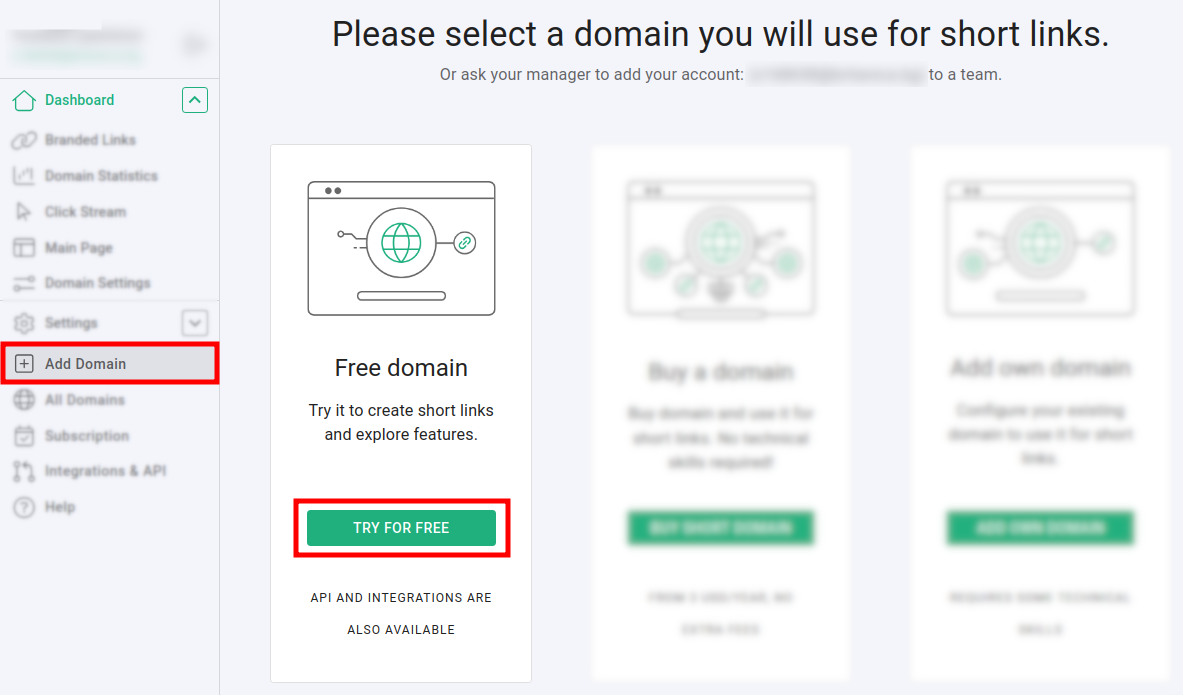
Click on Add domain:
-
Click on Try for free.
-
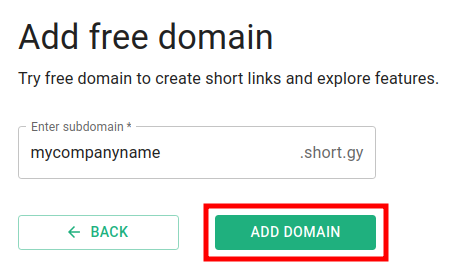
In the next screen enter a name for your subdomain.
The allowed symbols include: letters a-z (A-Z), digits 0-9 and the hyphen - :
-
Click on Add domain.
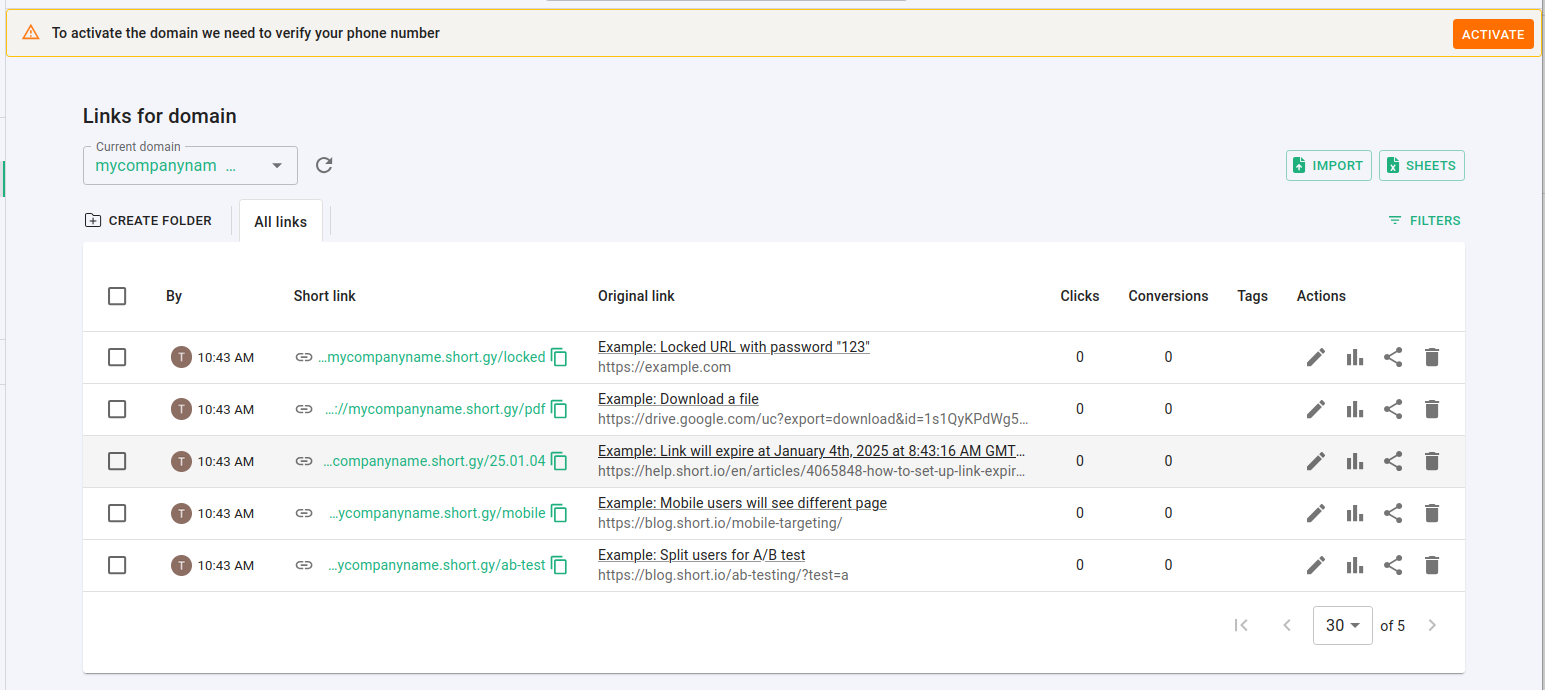
The subdomain is added and you can review the automatically created short link examples:
Note
If you have not added (and verified) your phone number in the profile settings, the following message appears: To activate the domain we need to verify your phone number. Complete the action steps as described in this article.