How to customize the 404 parameter
In case you want to safely migrate to a new domain you can customize the 404 parameter of your domain for shortening links. Therefore, when the short link is accessed, the visitors will be automatically redirected to the new domain's 404 page.
To customize the 404 parameter
-
Sign in to your Short.io account.
-
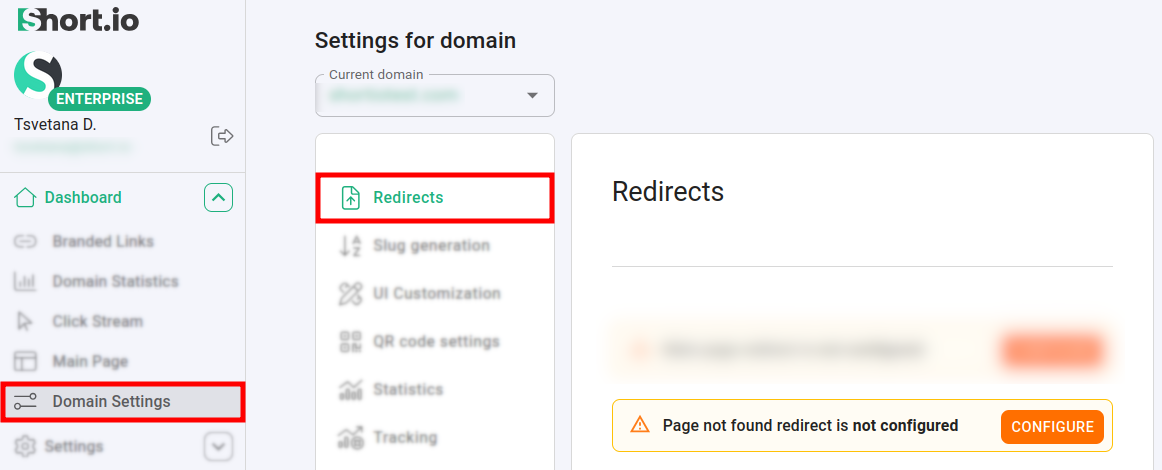
Navigate to Domain settings -> Redirects:
-
Click on Configure next to Page not found redirect is not configured.
-
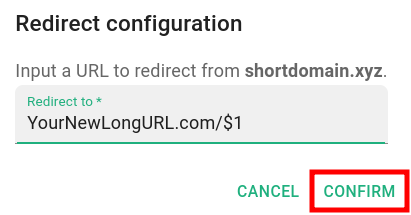
In the next Redirect configuration screen enter the long URL of your new domain followed by /$1:
-
Click on Confirm.
-
You can review the newly created short link:
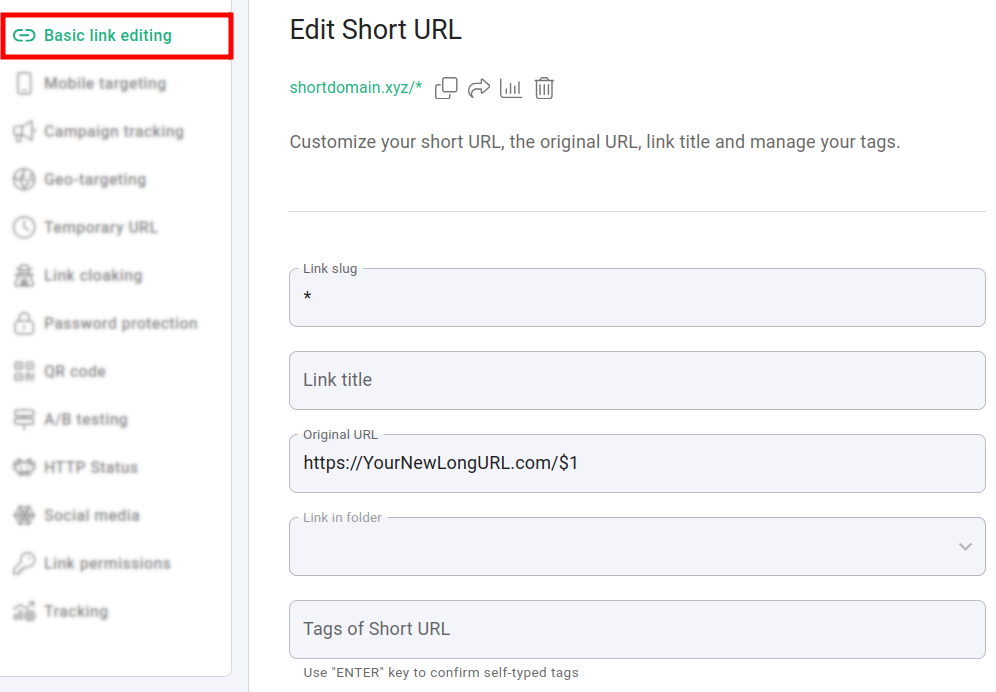
For example, if your visitors try to browse a short link pointing to your old domain:
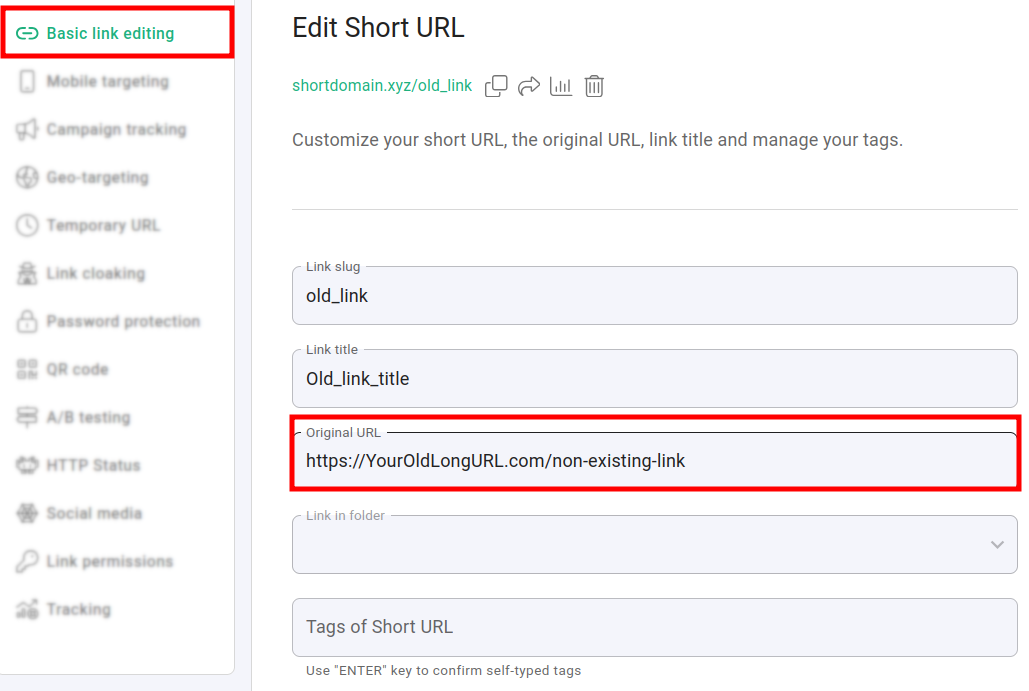
they will be redirected to your new domain's 404 page.