How to hide visitors IP addresses from the Click Stream list
In specific circumstances, you may prefer to hide the IP addresses of your visitors and prevent their recording.
Note
The option to hide IP addresses is included from the Pro Plan onward.
To hide the IP addresses
-
Sign in to your Short.io account.
-
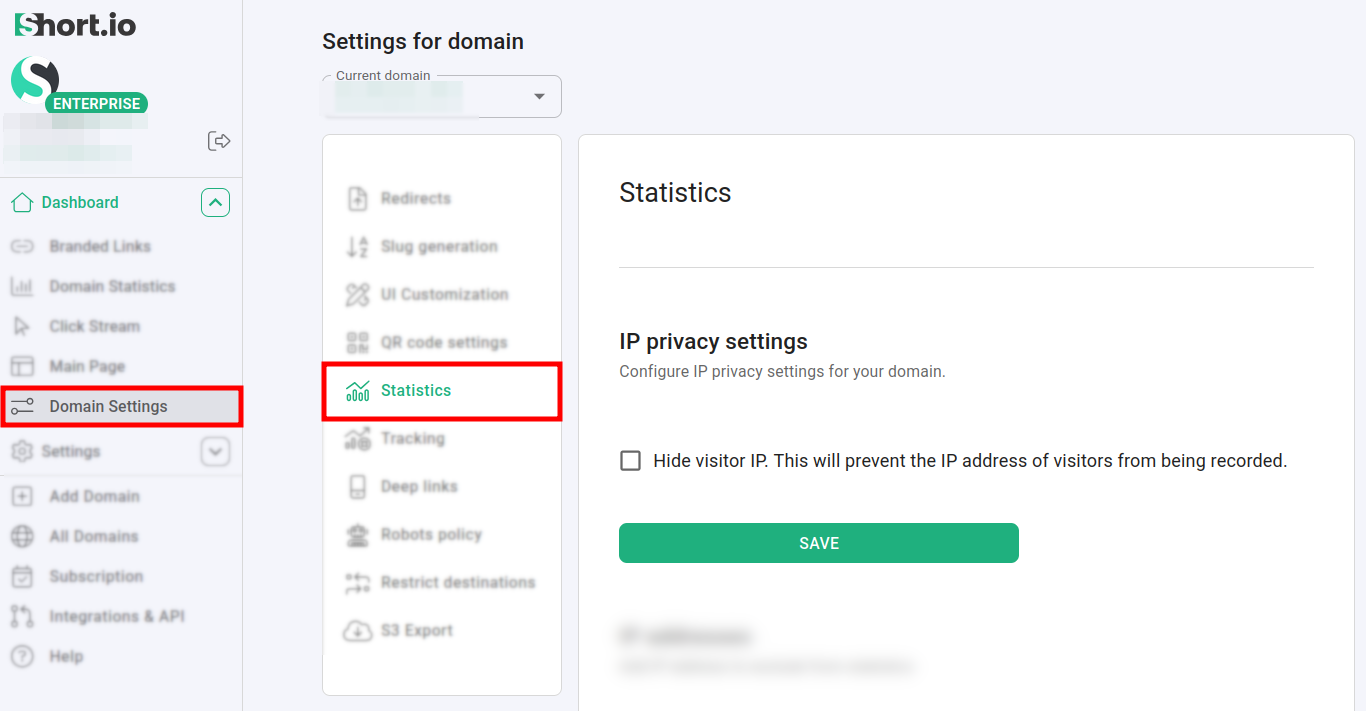
In the Dashboard navigate to Domain settings -> Statistics:
-
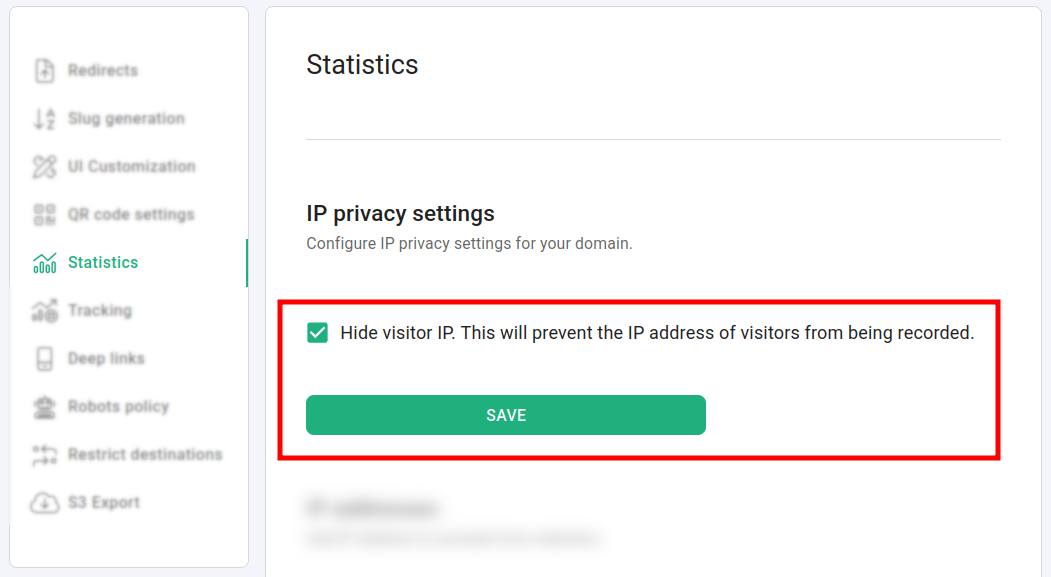
Click on Hide visitor IP. This will prevent the IP address of visitors from being recorded:
-
Save.
Before applying the setting, the IP addresses are visible from the Click Stream menu:
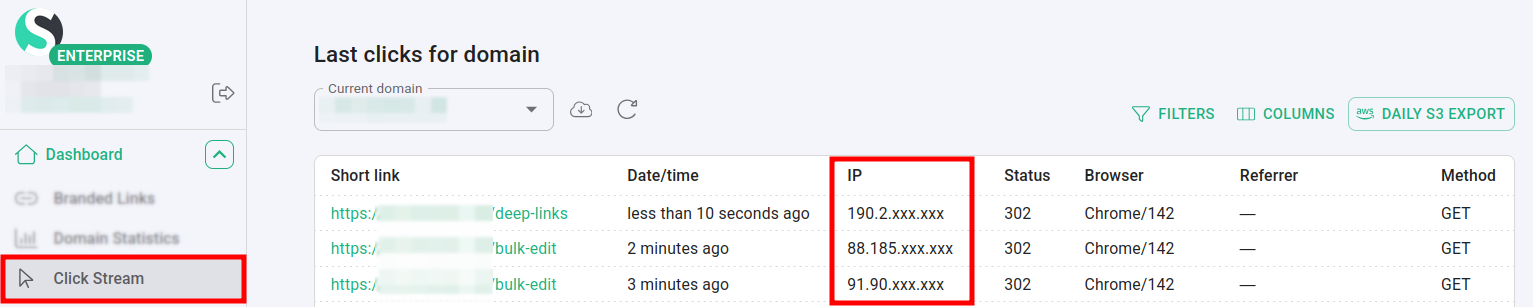
After that, the IPs are hidden:
