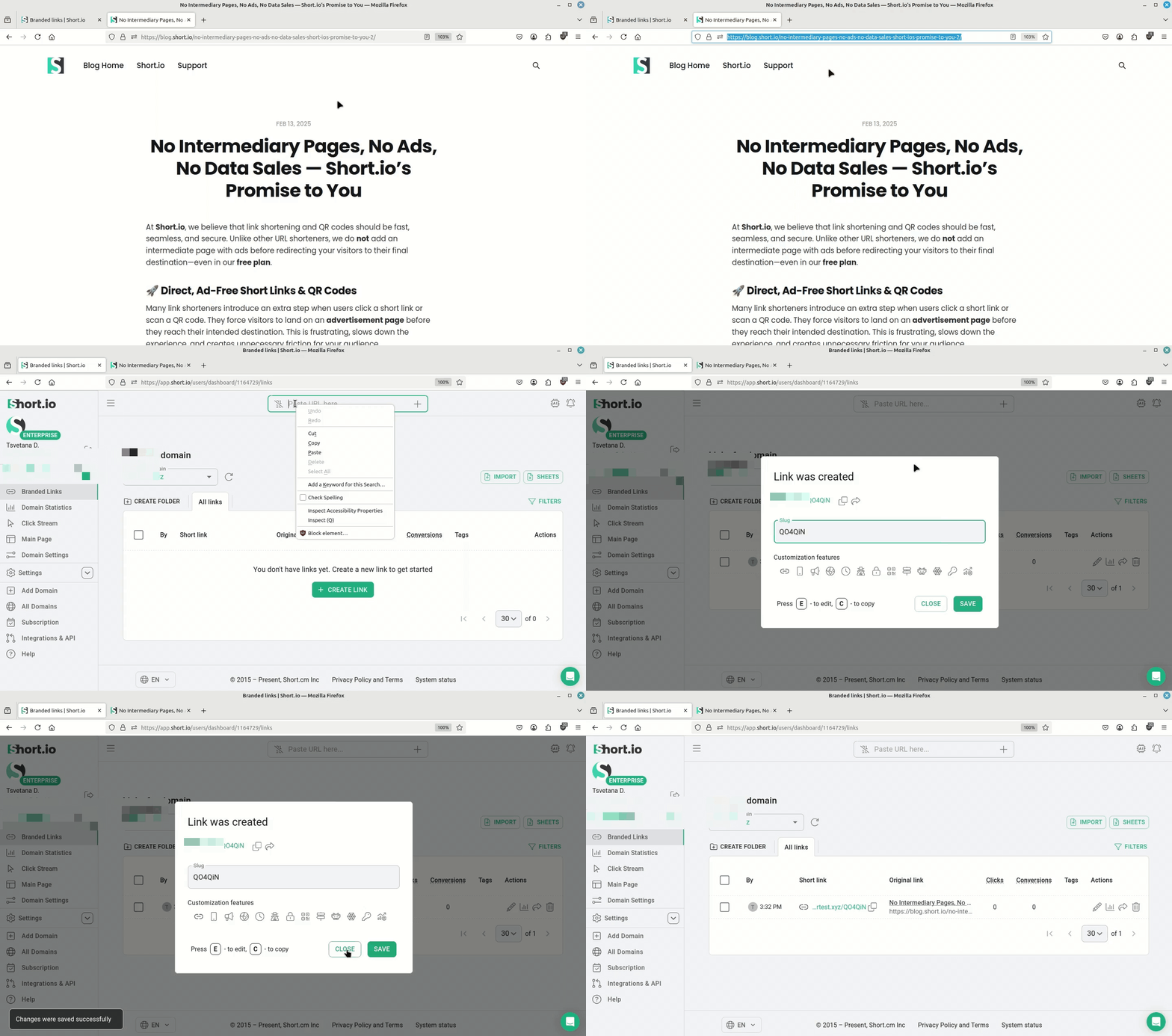
How to create a link in Short.io
To shorten links on Short.io
Proceed directly to the video tutorial or follow the provided instructions:
-
Sign in to your Short.io account.
-
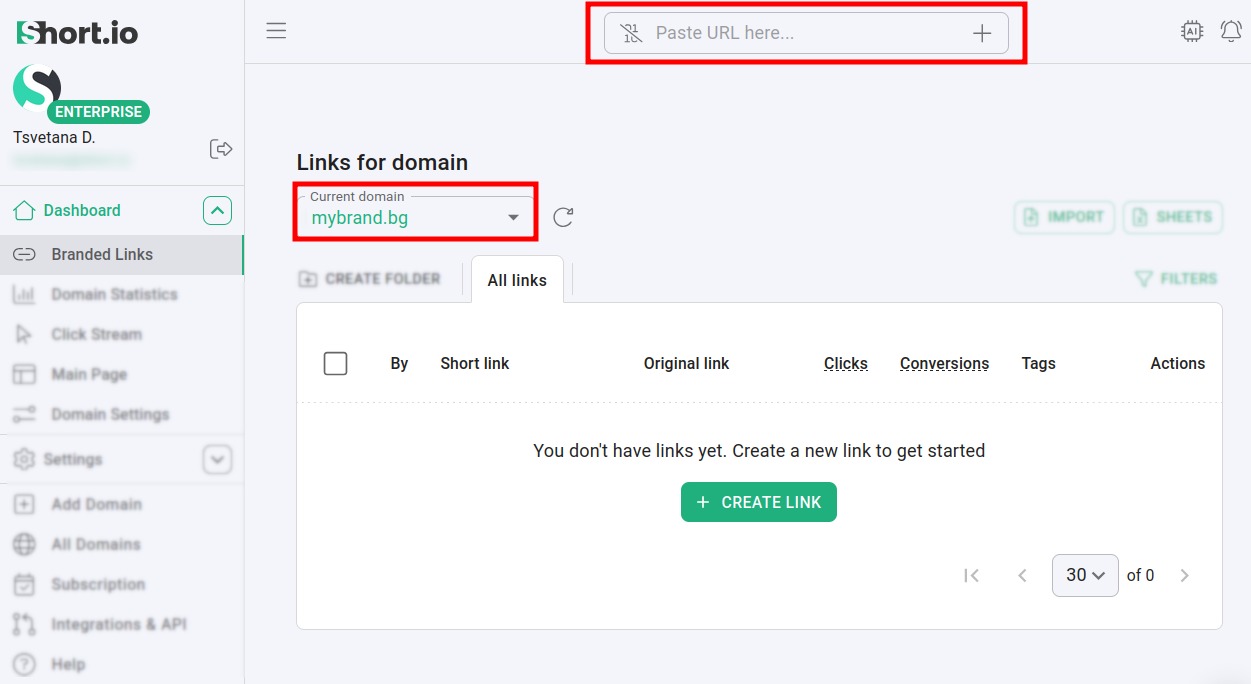
In the Dashboard, choose a domain for link shortening and paste the long URL you wish to shorten:
-
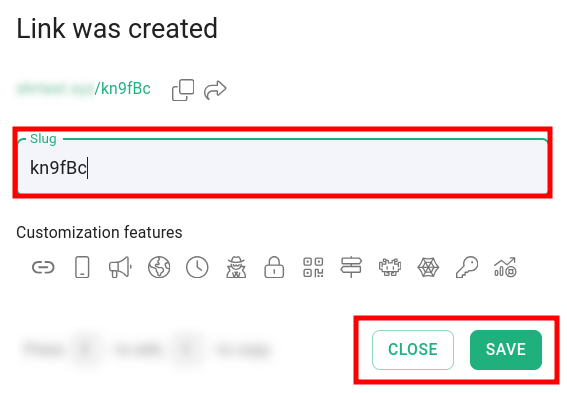
In the next dialog, you have the option to either accept the automatically generated slug or modify it to suit your preferences:
-
Save the changes and click on Close.
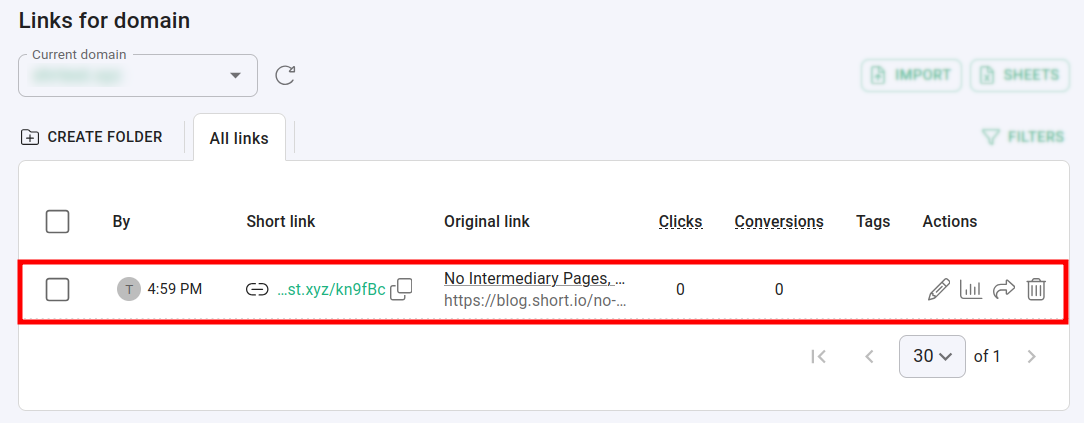
The newly created short link appears in the All links tab:
Video tutorial