How to configure Robots and search engines policies
The robots.txt file is the place where search engine bots and other crawlers (including AI/LLM ones) visit to review the rules about what they can or, more importantly, cannot crawl regarding your domain.
All websites should include this file because if it is not present there, search engines and AI crawlers will assume they can navigate the whole site without any limitations.
The robots.txt file is a standard protocol. Nevertheless, not all search engines support the directives. Some crawlers partially follow the rules and some may even intentionally ignore them.
Short.io provides you with the possibility to create a custom robots.txt or, if you already have it uploaded on your server, to configure its redirect policy.
Configuring the search engine policy
You can specify the desired behavior of search engines as follows:
-
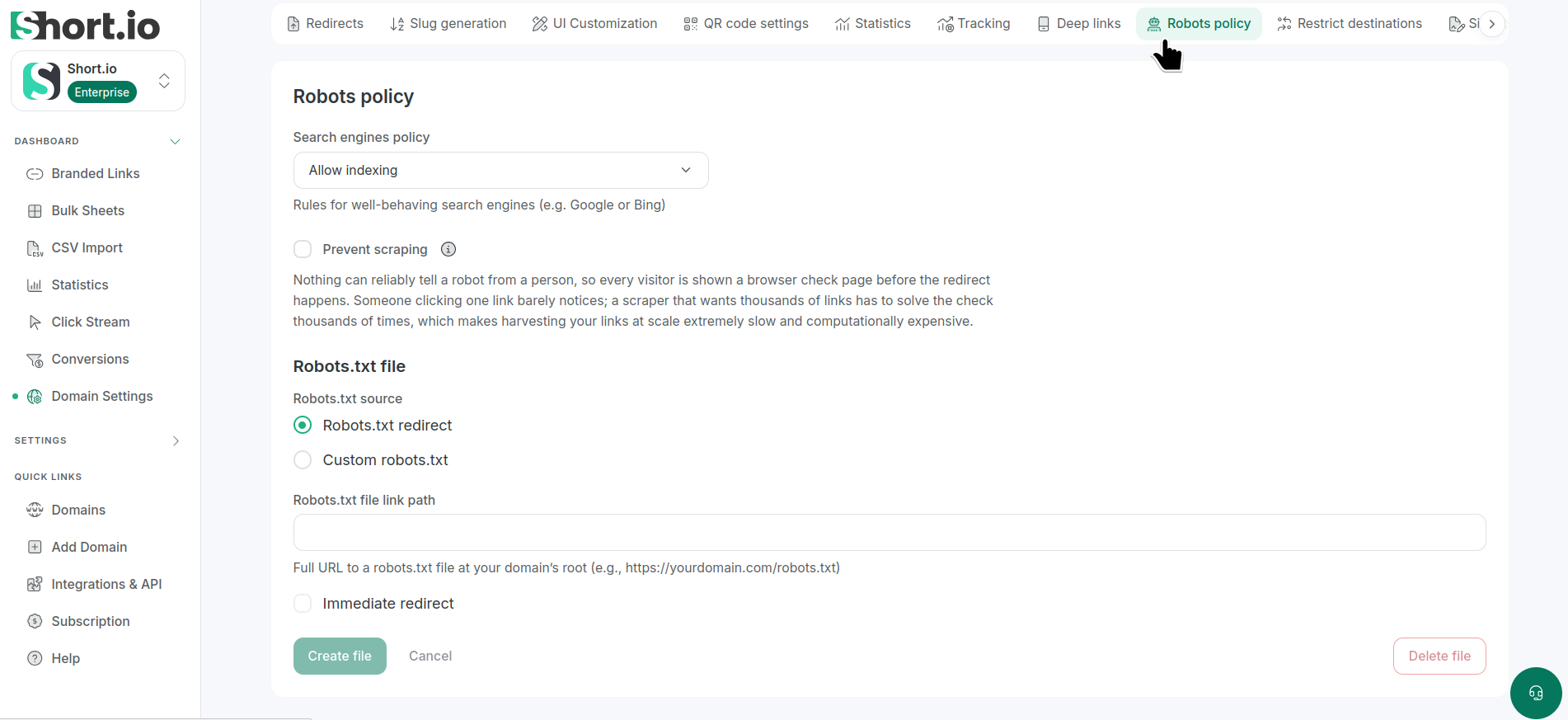
Navigate to Domain settings -> Robots policy:
-
Select one of the options:
-
Allow indexing
-
Don't follow short links
-
Don't index short links
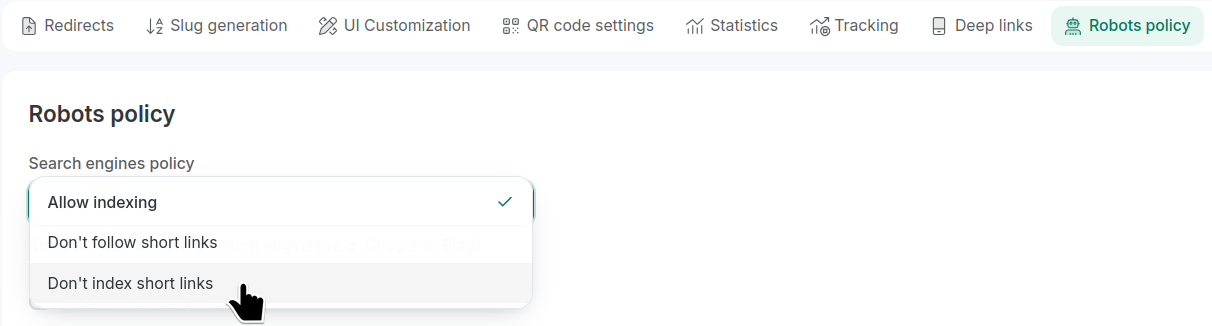
Your choice will be saved automatically.
-
-
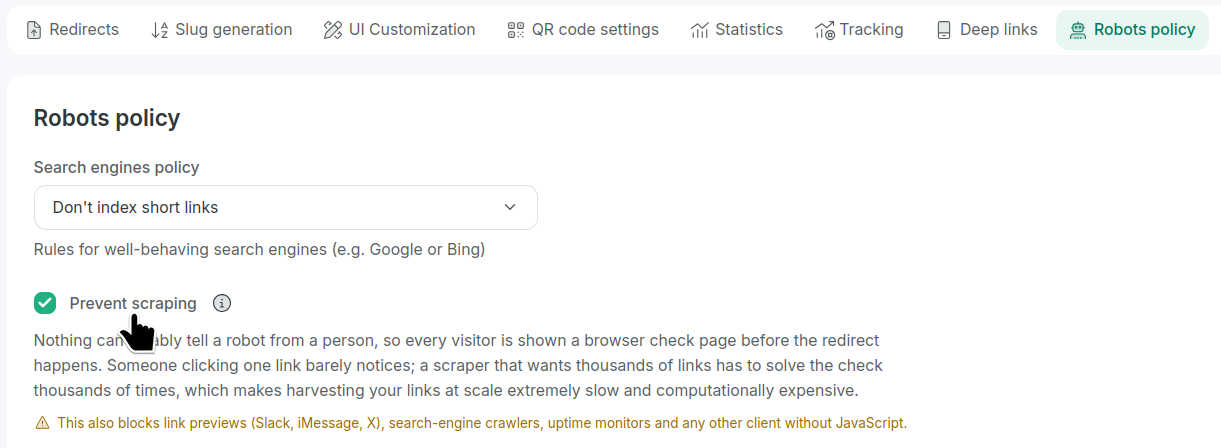
You can enable the Prevent scraping option, but have in mind that this also blocks link previews (Slack, iMessage, X), search-engine crawlers, uptime monitors and any other client without JavaScript:
 note
noteNo method can reliably distinguish bots from humans, so every visitor must pass a browser check before being redirected. For a regular user, it's barely noticeable. But for scrapers collecting thousands of links, repeated checks make large-scale harvesting slow and computationally expensive.
Configuring the robots.txt file
-
Navigate to Domain settings -> Robots policy:
-
For the given domain you can:
-
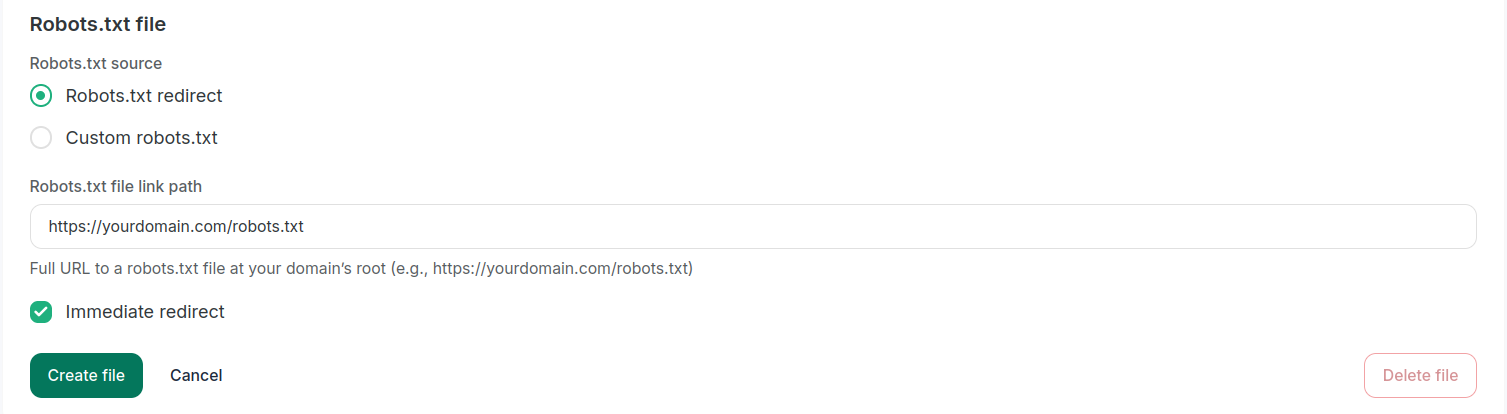
configure the redirect by entering full URL to the robots.txt file at your domain’s root, for example, https://yourdomain.com/robots.txt
And if the option Immediate redirect is enabled, the associated short links will not be taken into consideration allowing direct access to the file:
or
-
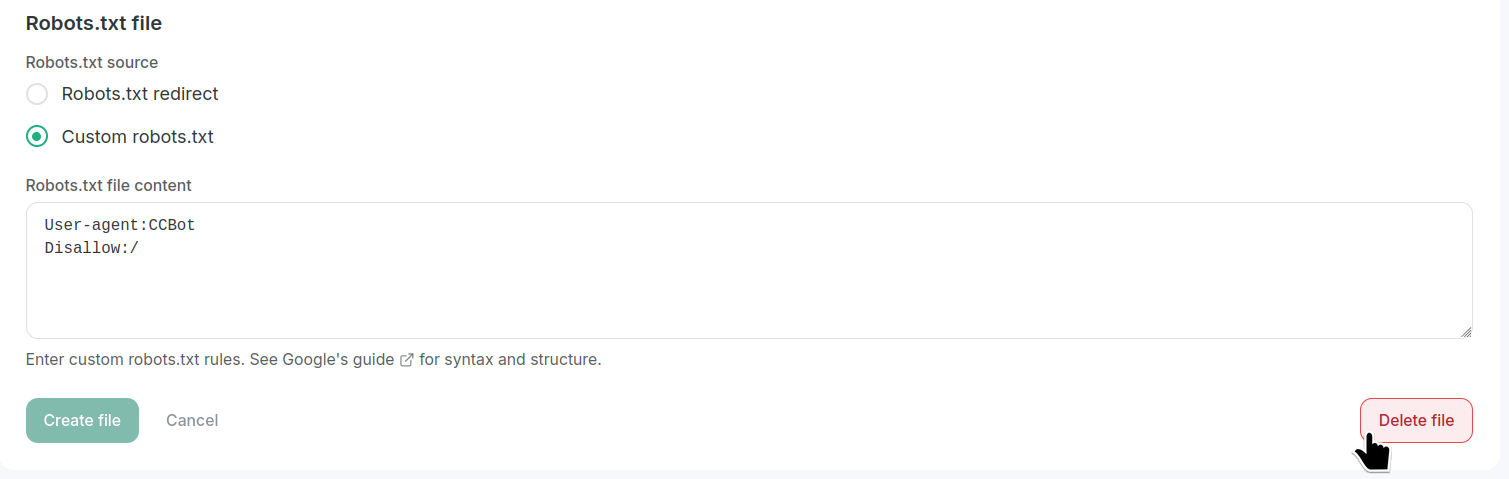
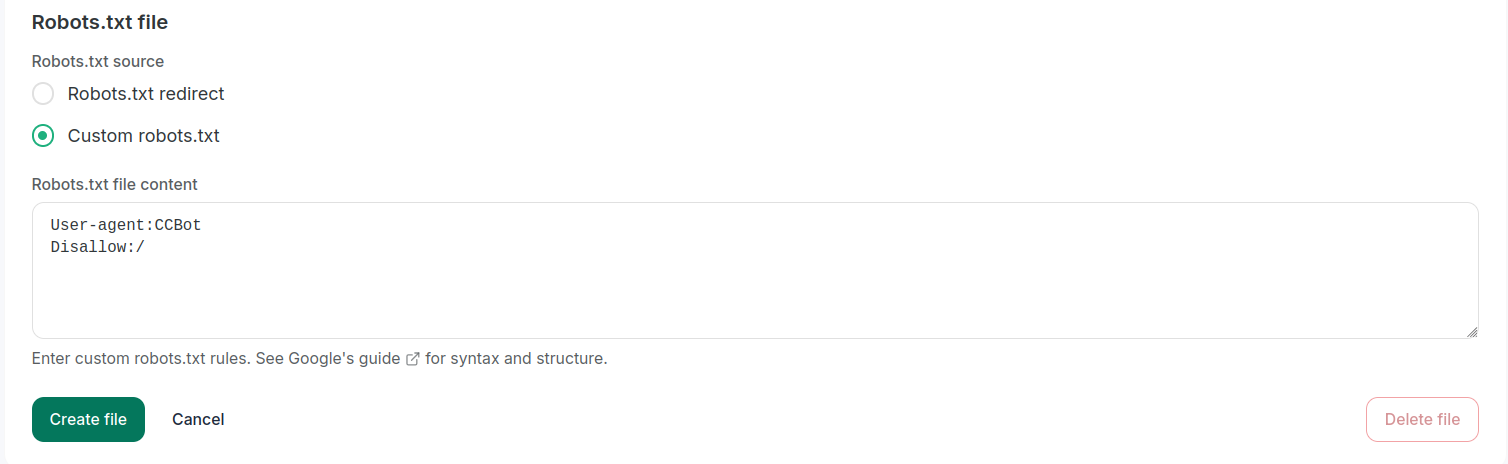
enter the file's content directly into the text area of the Custom robots.txt tab (you can find more information on the syntax and structure of the rules in this Google guide):
-
-
Click Create file.
You can now browse the full robots.txt URL to review it.
Deleting the robots.txt file
To remove the robots.txt you created, click Delete file: