How to change a team owner
At times, it may be necessary to assign the team ownership to a user who has a suitable pricing plan or simply to another member of the team.
Important note
A team can only be transferred to a user who has an Admin role and is on either Team or Enterprise pricing plan. Team members inherit the pricing plan of the team owner.
To change team owner
-
Sign in to your Short.io account.
-
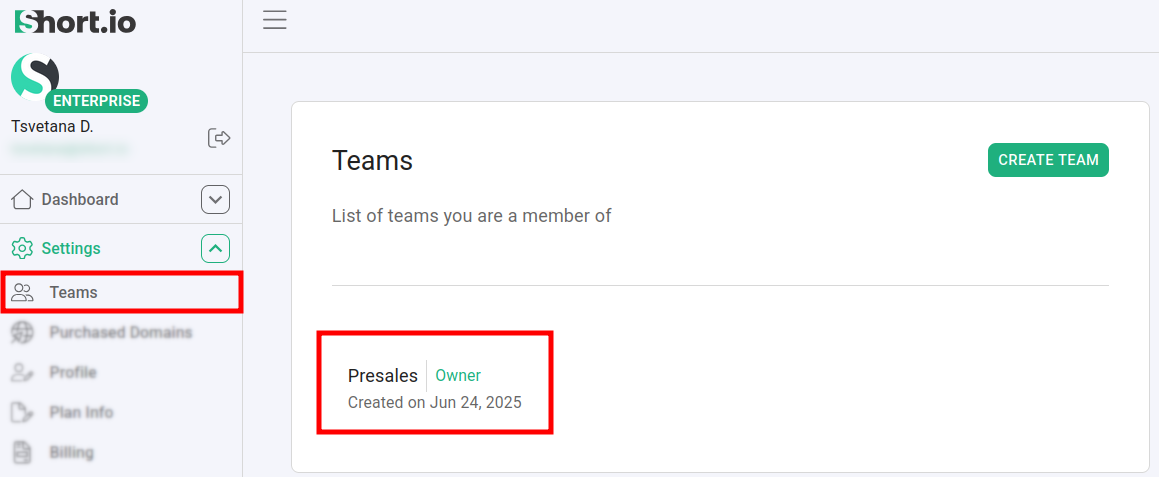
Navigate to the Settings -> Teams menu and select a team:
-
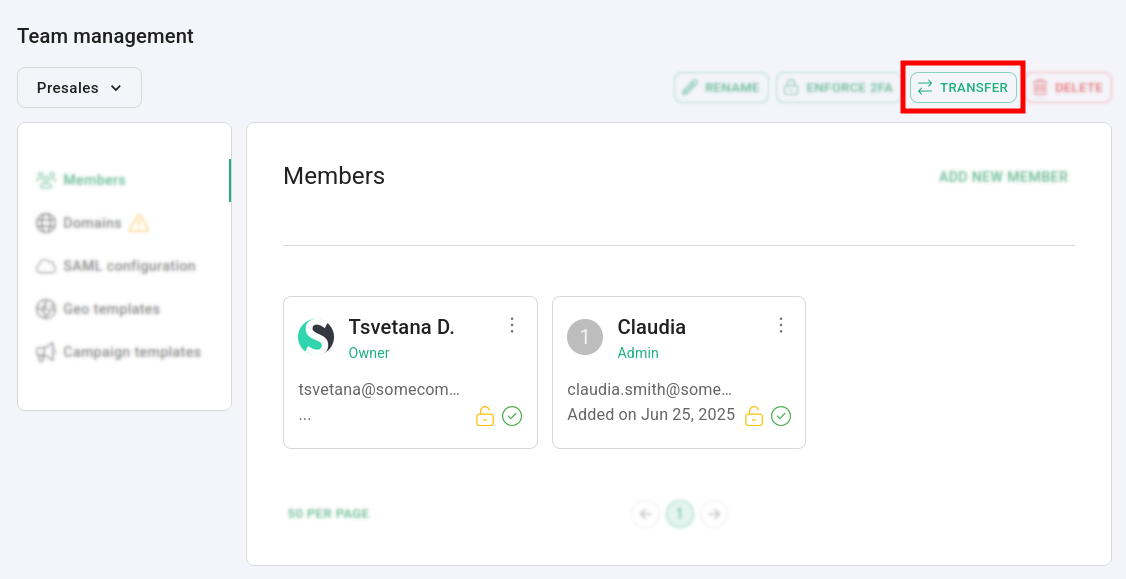
Click on Transfer.
-
In the next dialog select a user with Admin role to transfer the domain to:

The team ownership is immediately transferred to the selected team member.
Along with the team, please transfer to the new owner the domains attached.
You can find more information on how to transfer domains in the following article.