How to set a default rule for slug generation
You can set a default rule for slug generation. The options from which to choose include:
-
Incremental — slugs will follow each other in order
-
Random — slugs will contain 6 random characters
-
Secure — slugs will contain 12 random characters
To set a default slug rule
-
Sign in to your Short.io account.
-
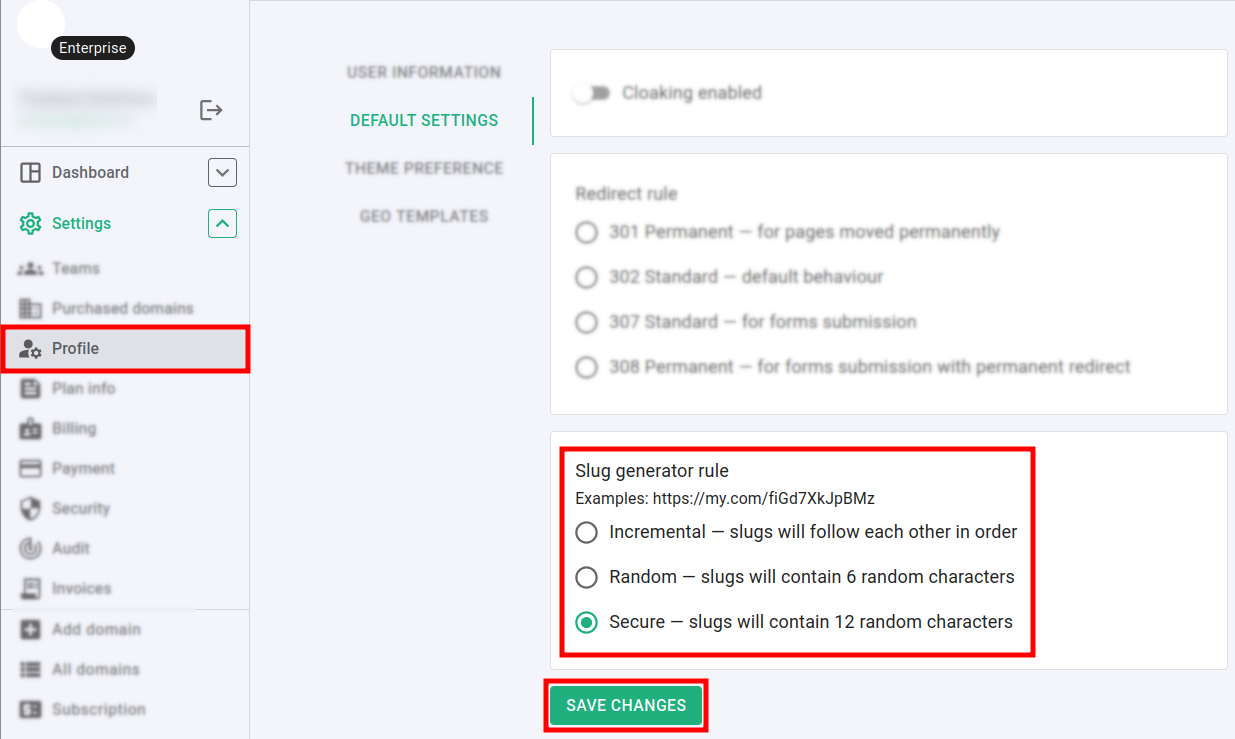
Navigate to the Settings menu and click on Profile:
-
In the Default settings section select a Slug generation rule.
-
Click on Save changes to confirm.
Hereafter, the links that you shorten will have slugs according to your preferences.