How to add/edit my billing information
You can add or edit your billing information to receive invoices with your company name and address as follows:
-
Sign in to your Short.io account.
-
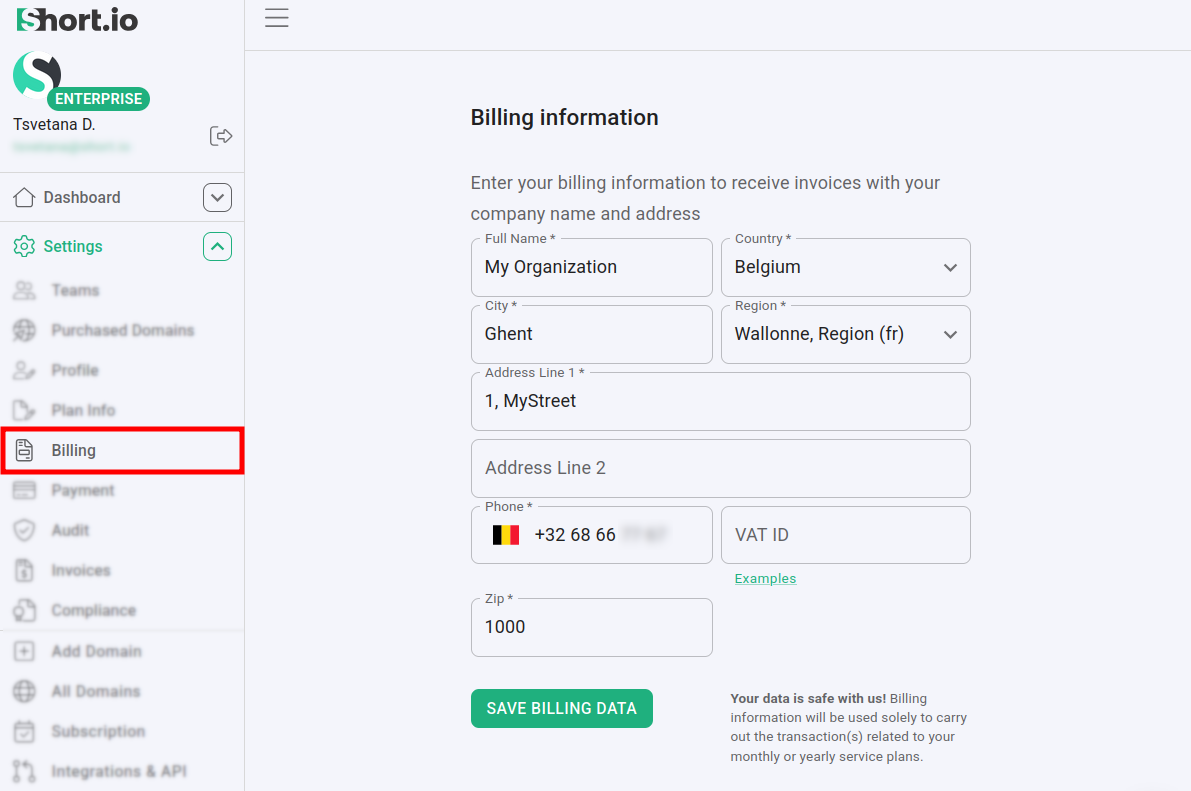
Navigate to Settings -> Billing:
-
You can provide the following billing details (mandatory fields are marked with asterisks):
-
Full name *
-
Country *
-
City *
-
Region *
-
Address line 1 *
-
Address line 2
-
Phone *
-
VAT ID
-
ZIP *
-
-
Click on Save billing data to confirm.
Your information has been recorded/updated.