How to set a default rule for redirection
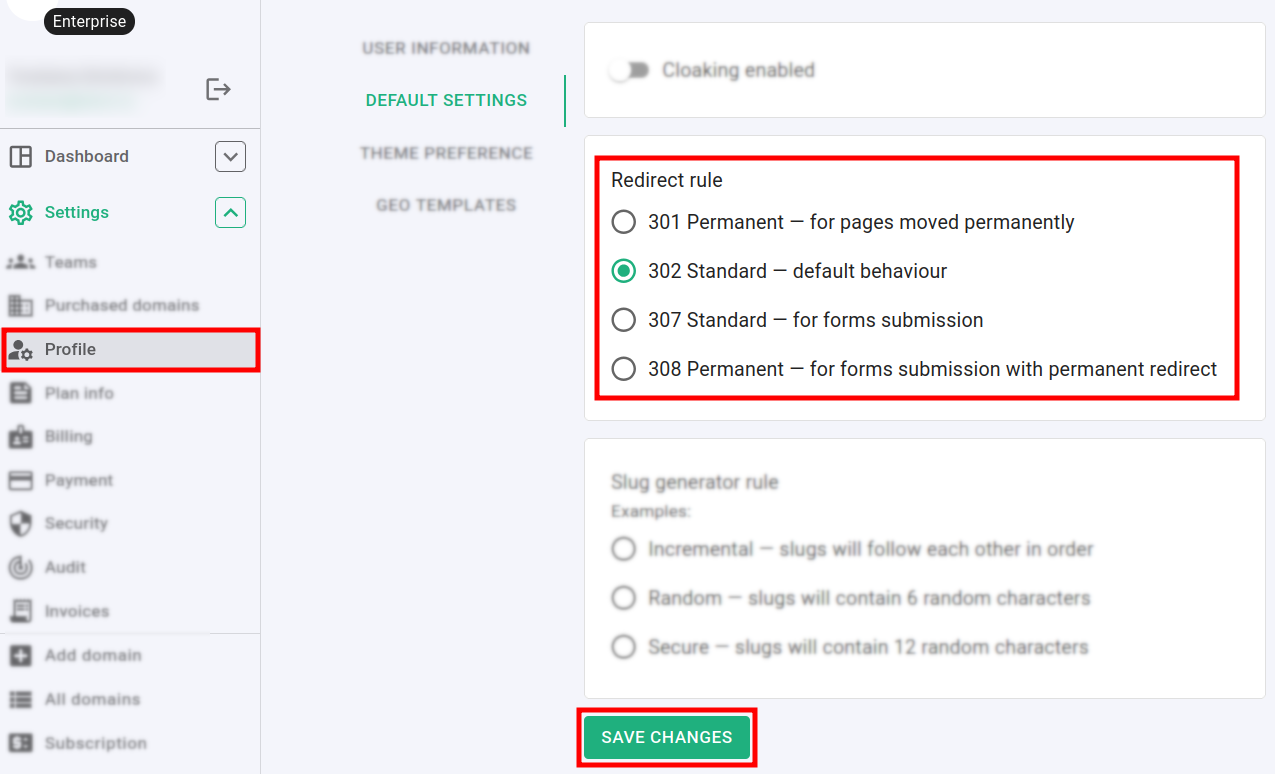
You can set the default rule for redirection for all your domains. The available choices consist of:
-
301 Permanent — for pages moved permanently. Useful when you migrate old website to a new location. Search engine will update index and the page will be permanently moved to the new URL
-
302 Standard — default behavior. User will be redirected to a new location without cache. Search engines will follow original URL
-
307 Standard — for forms submission. Useful to track form submissions. Browser will visit short URL first and then actually submits form
-
308 Permanent — for forms submission with permanent redirect. Useful for form submissions with HTTP POST/PUT redirect. All POST data, which was sent to the short URL will be submitted to the destination URL
To set a default redirection rule
-
Sign in to your Short.io account.
-
Navigate to the Settings menu and click on Profile:
-
In the Default settings section select a Redirect rule.
-
Click on Save changes to confirm.
Hereafter, the redirects will happen according to your preferences.