How to delete/deactivate my account
You can delete/deactivate your Short.io account at any time. Your personal information, domains and links will be permanently removed.
To delete an account
-
Sign in to your Short.io account.
-
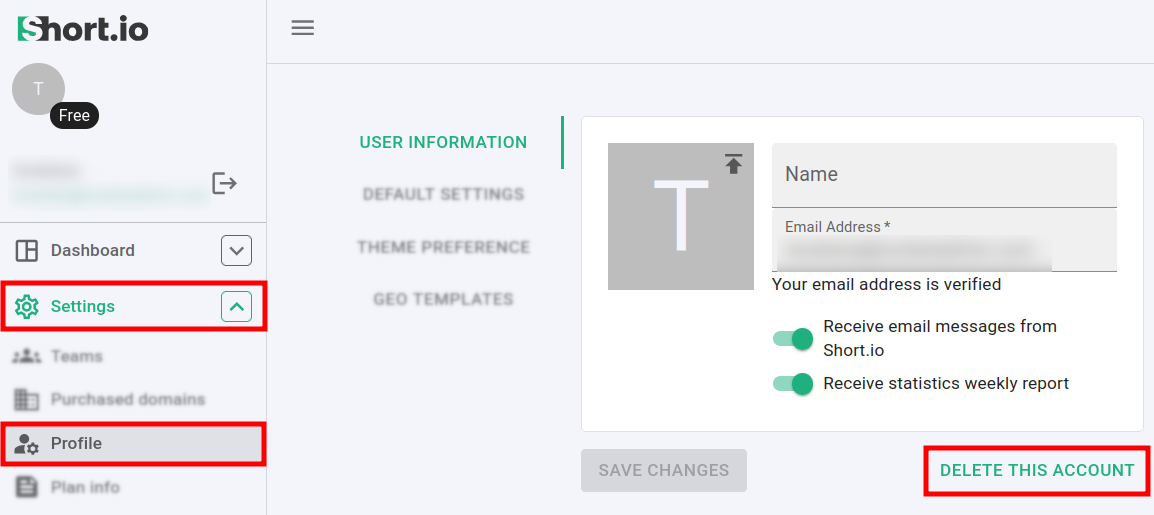
Navigate to the Settings menu and click on Profile:
-
In the User information section click on Delete this account.
-
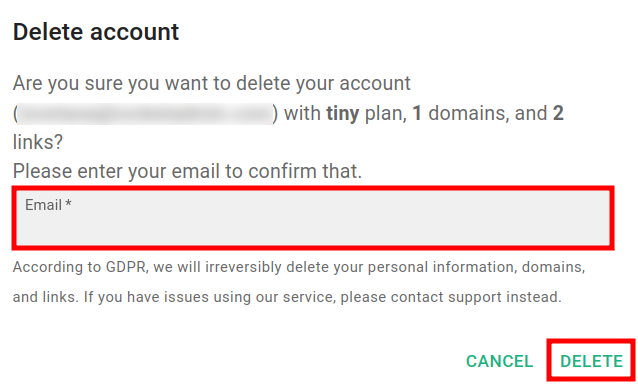
In the next screen enter the email address with which you have registered to Short.io:
-
Click on Delete.
Your account is permanently deleted.