How to connect my Godaddy domain with Short.io
For shortening links in Short.io, you have to add your domain name or, if you do not have a domain, you can acquire one from Short.io or any domain registrar. The advantage of buying a domain from Short.io is that the domain will be active at once.
If you acquire a domain from the registrar, you have to follow some activation steps.
Learn the instruction below on how to add a Godaddy domain to Short.io account.
Godaddy configurations
-
Sign in to your Godaddy account and buy an available domain.
-
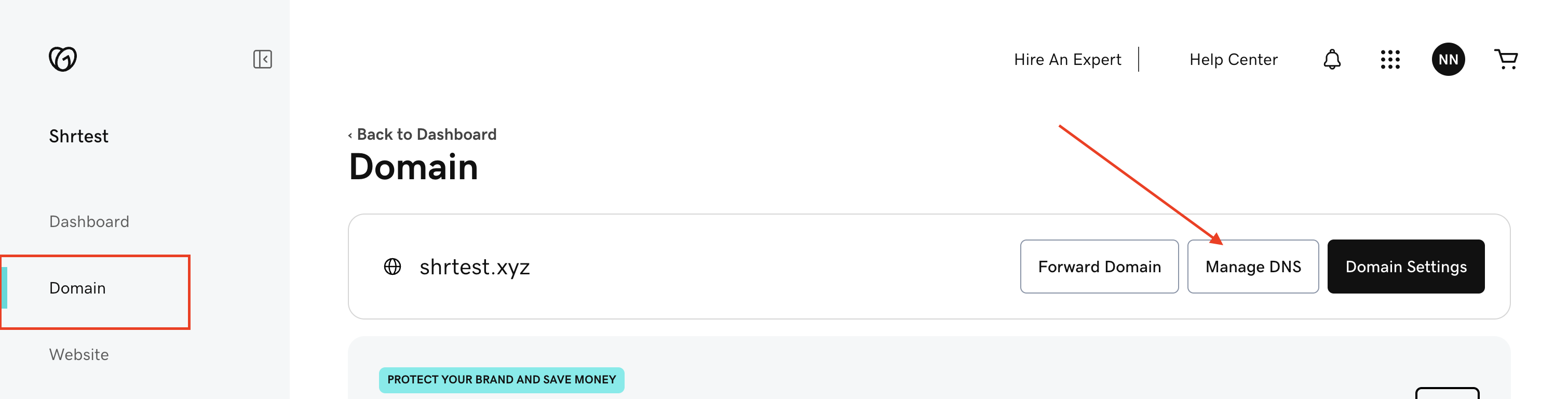
Open the Domain tab and click on Manage DNS next to your domain name:
-
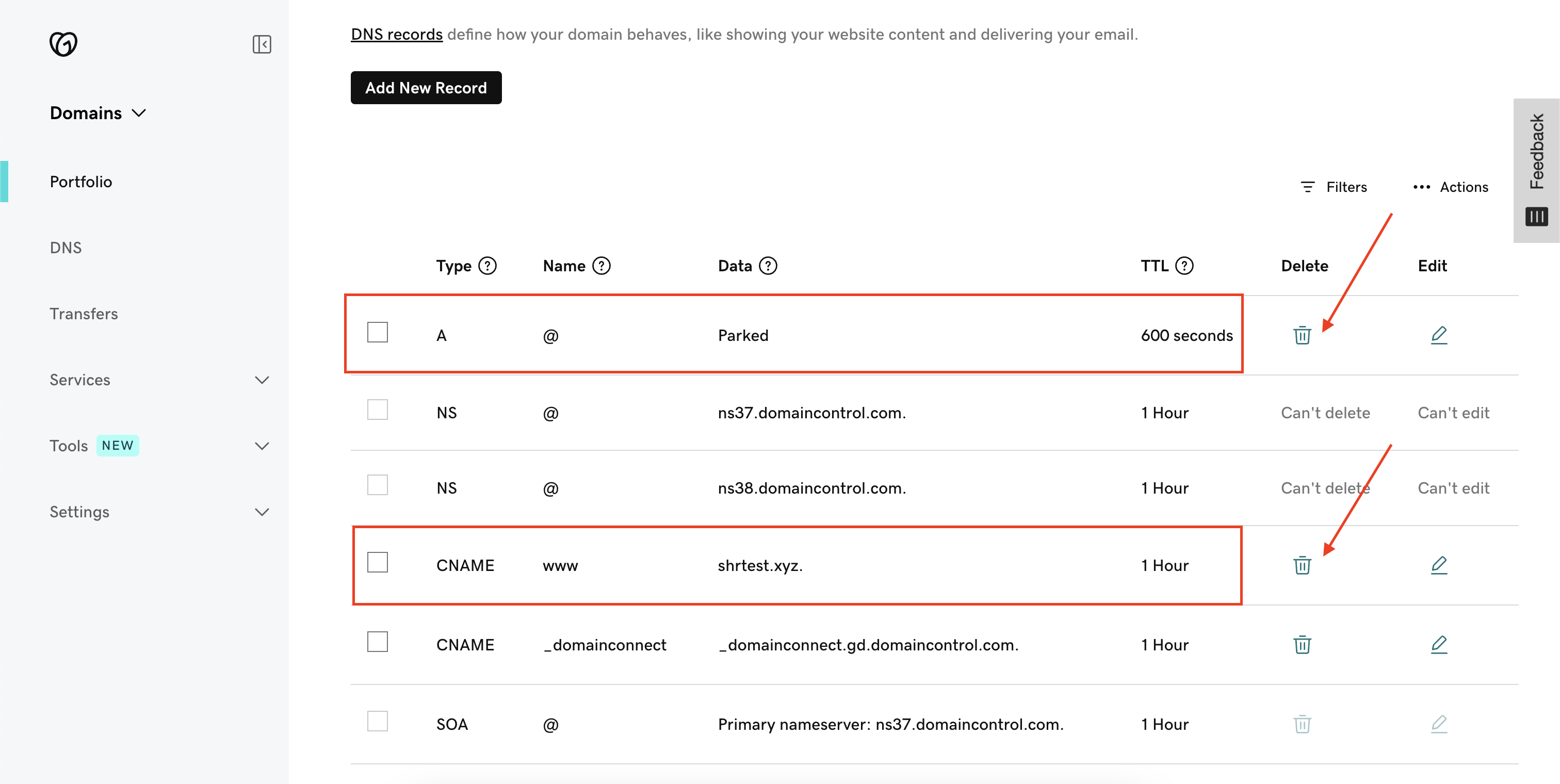
If you configure:
-
a domain — delete all unnecessary records of the domain
-
a subdomain — learn the GoDaddy subdomain setup guide
-
-
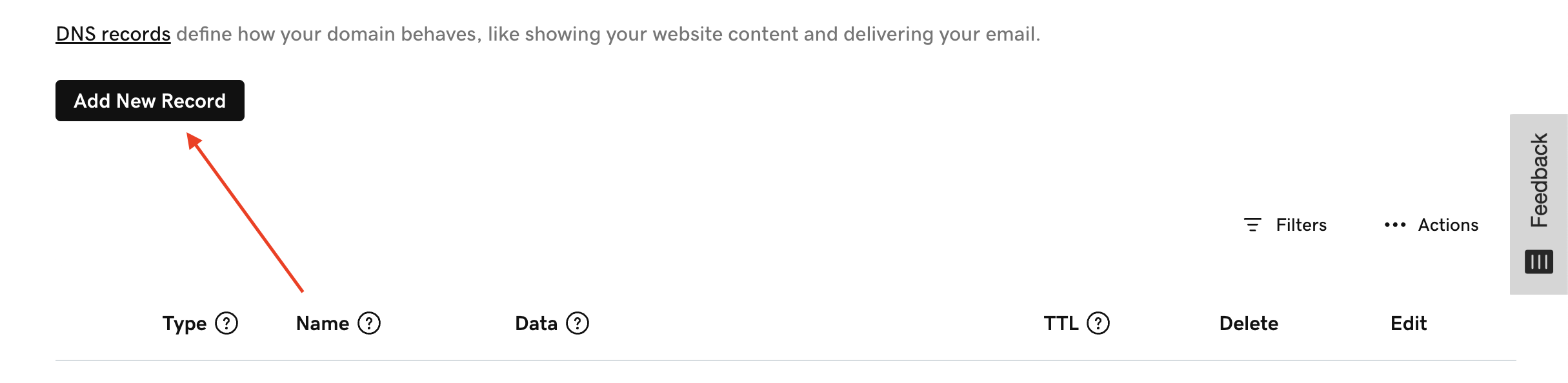
Click Add New Record:
-
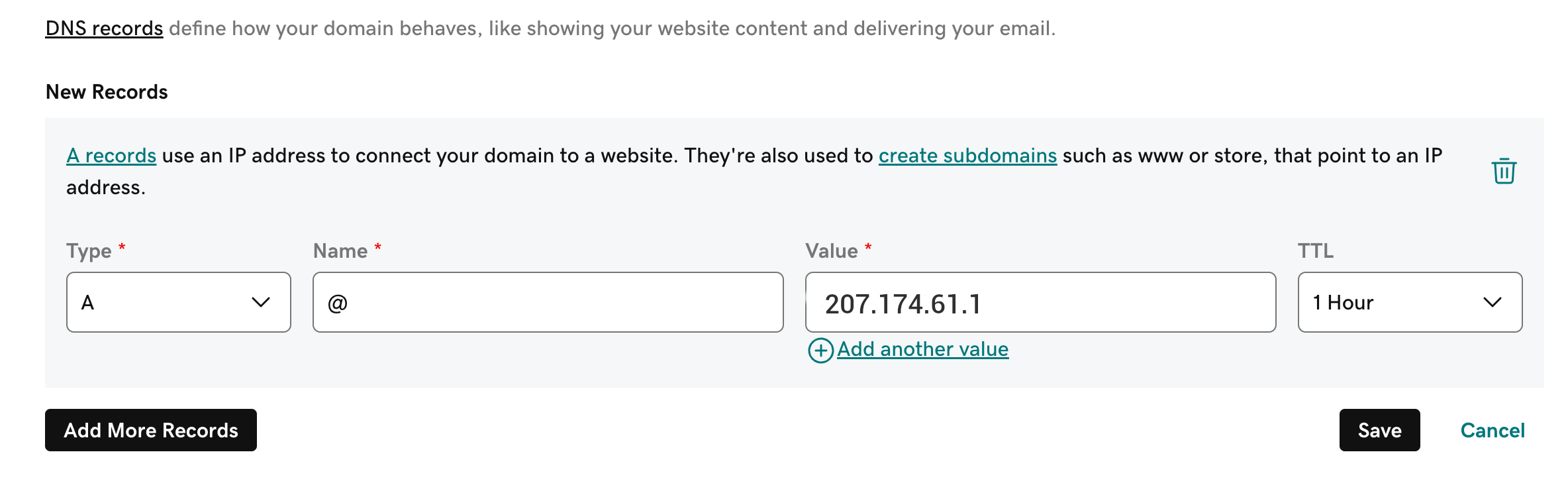
Add one record:
-
Type: A
-
Name: @
-
Value: 207.174.61.1
-
-
Click on Save to confirm your changes.
Short.io configurations
-
Sign in to your Short.io account.
-
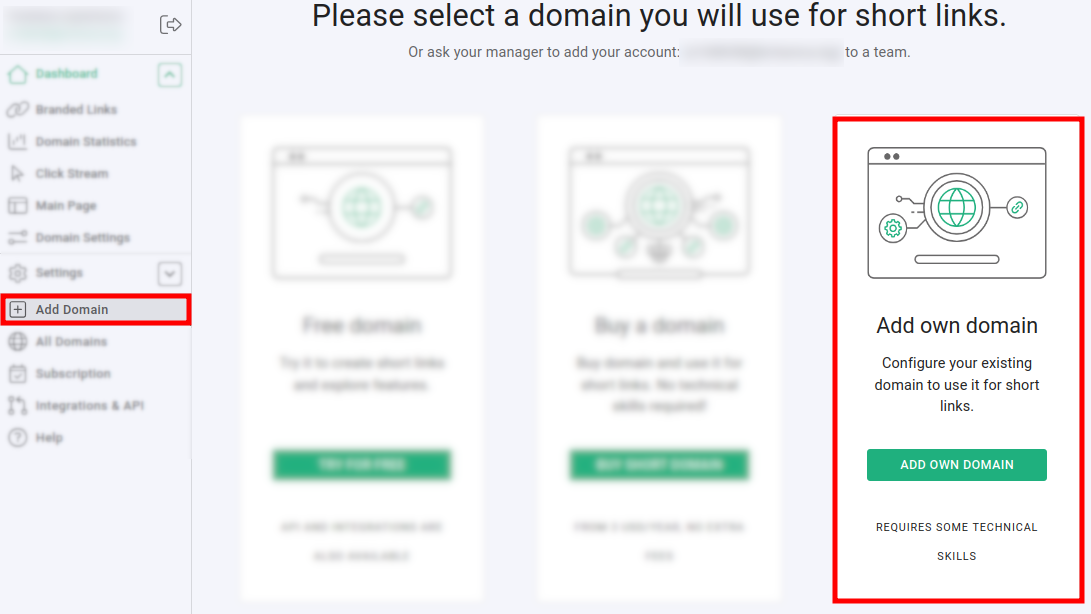
Click on Add domain and then on Add own domain:
-
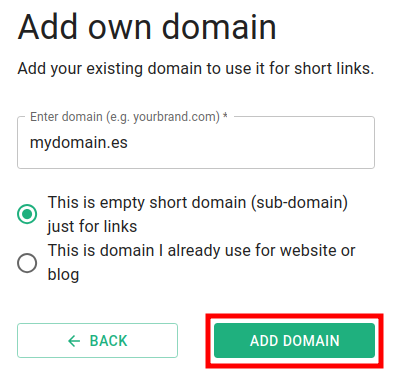
Enter your domain name and click on This is empty short domain (sub-domain) just for links:
-
Click on Add domain.
-
Open the Domain settings and check if the domain is in status Active:
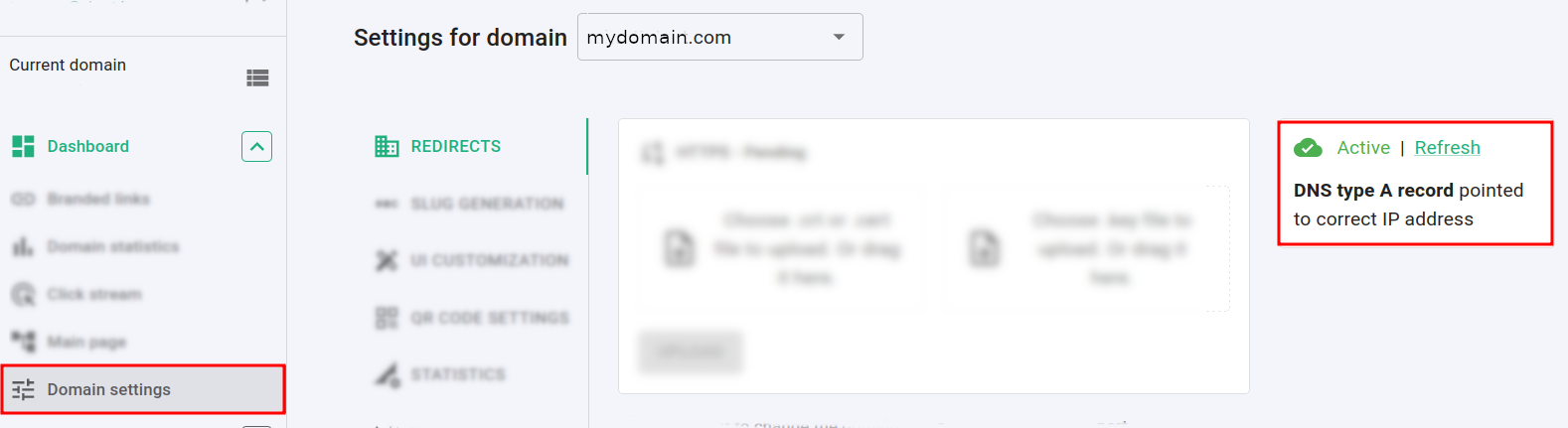
If the domain is Inactive then wait for a few hours and click on Refresh to check if the status has changed.
If after 24 hours your domain is still inactive, please delete the Godaddy domain forwarding as described here: https://uk.godaddy.com/help/delete-my-domain-forwarding-19979
You will receive an email from the Short.io team informing you that the domain is now configured. Feel free to shorten your links and enjoy Short.io.