How to change the HTTP settings of a folder
You can choose the type of redirect for all links in a folder.
Changing folder's HTTP settings
-
Sign in to your Short.io account.
-
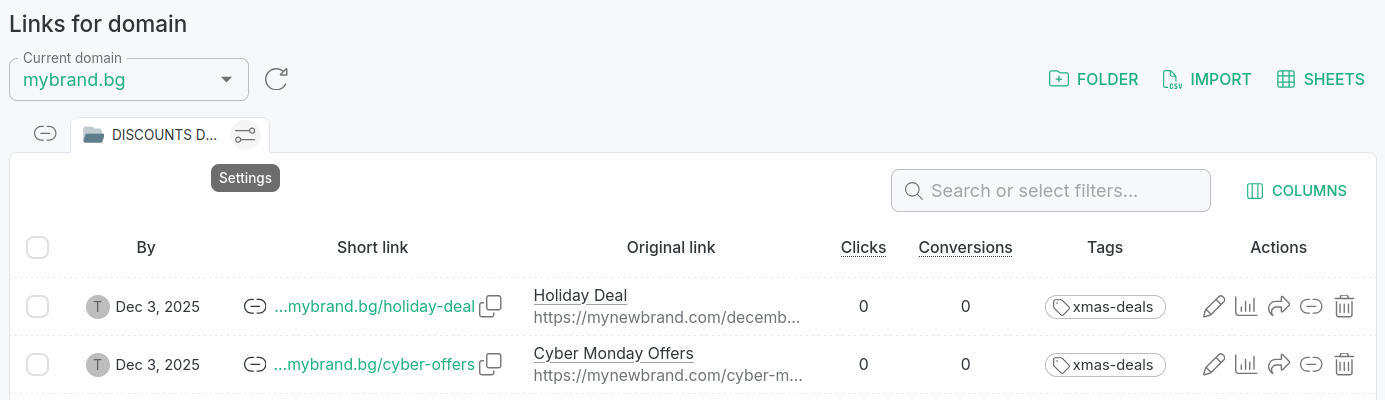
In the Dashboard navigate to the Branded links panel and select your folder.
-
Click the icon to open the folder settings:
-
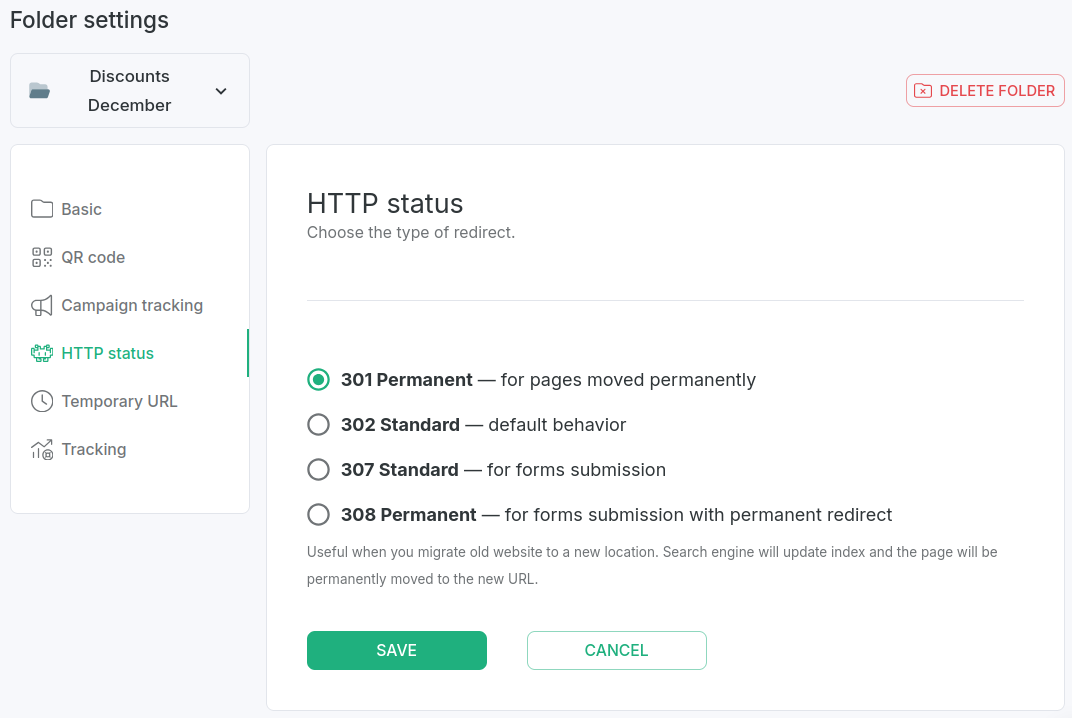
In the HTTP status section select the type of redirect that meets your requirements:
-
Save.
Hereafter, links created within this folder will have the specified settings applied automatically.