How to create a subdomain for a domain that you purchased from Short.io
You can configure a subdomain for a domain that you acquired from Short.io and shorten links with it.
To create a subdomain
-
Sign in to your Short.io account.
-
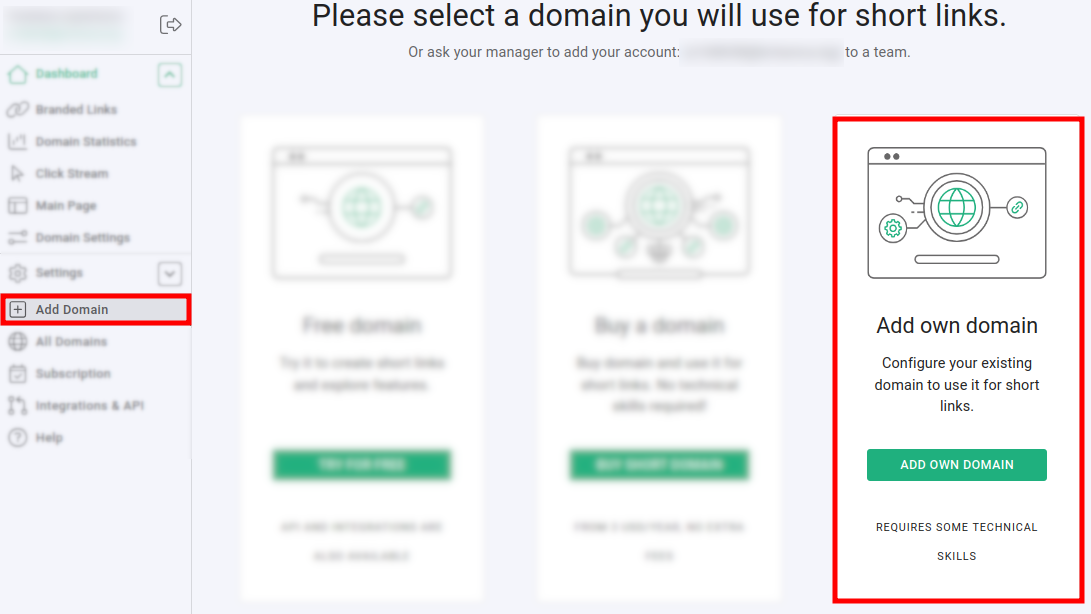
Click on Add domain and then on Add own domain:
-
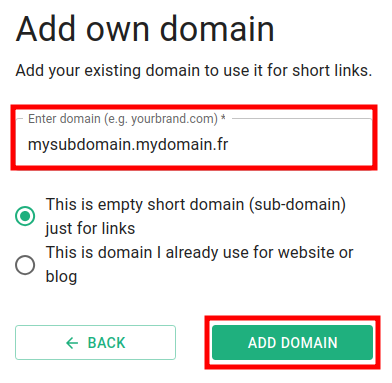
Select This is empty short domain (sub-domain) just for links and enter your subdomain name followed by a dot and then your domain name, for example, mysubdomain.mydomain.fr:
-
Click on Add domain.
The subdomain is created and you can review its status by clicking on Domain settings:
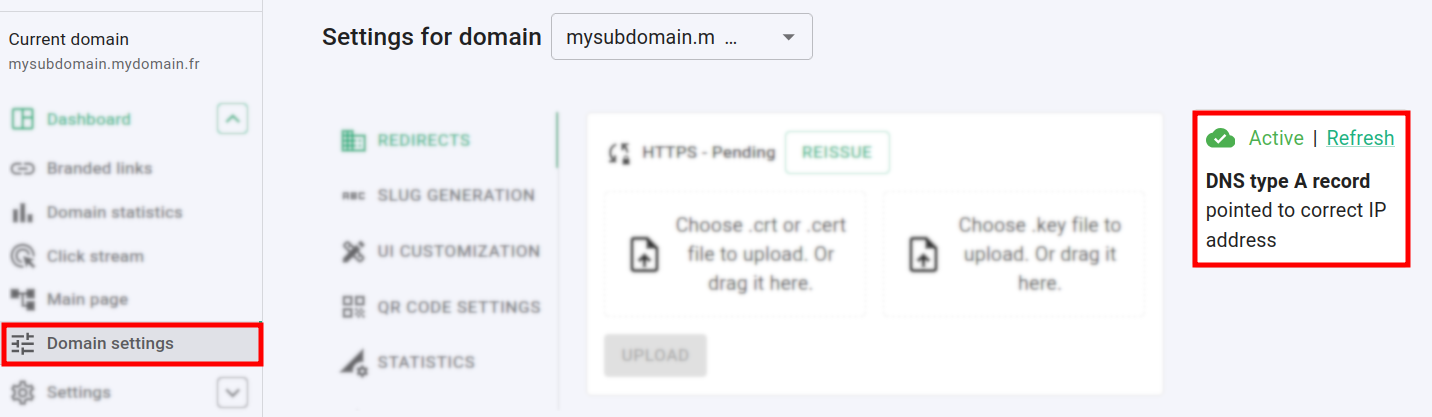
Once the subdomain is active, you will receive an email from our team. Feel free to shorten your links and enjoy Short.io.