How to connect my Hostinger subdomain with Short.io
It is not necessary to register a new domain name for shortening links if you own one that works properly. Create a subdomain using a domain you already have.
Before using Hostinger for a subdomain, enable the service for your main domain.
When your main domain is active in Hostinger, add a subdomain.
Hostinger configurations
-
Sign in to your Hostinger account.
-
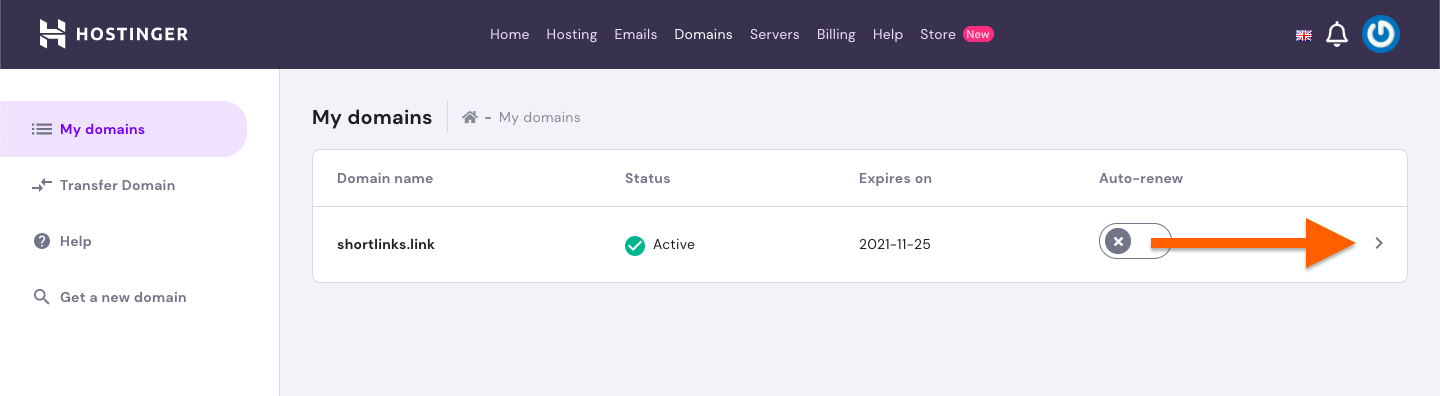
Click on the arrow icon next to your domain:
-
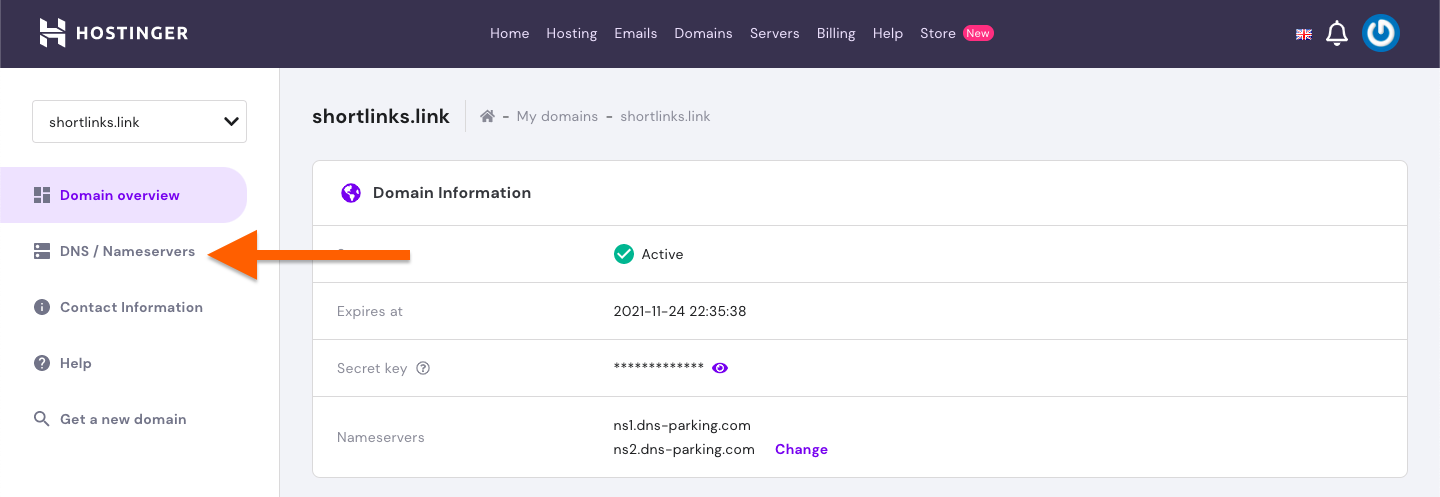
Click on DNS/Nameservers tab:
-
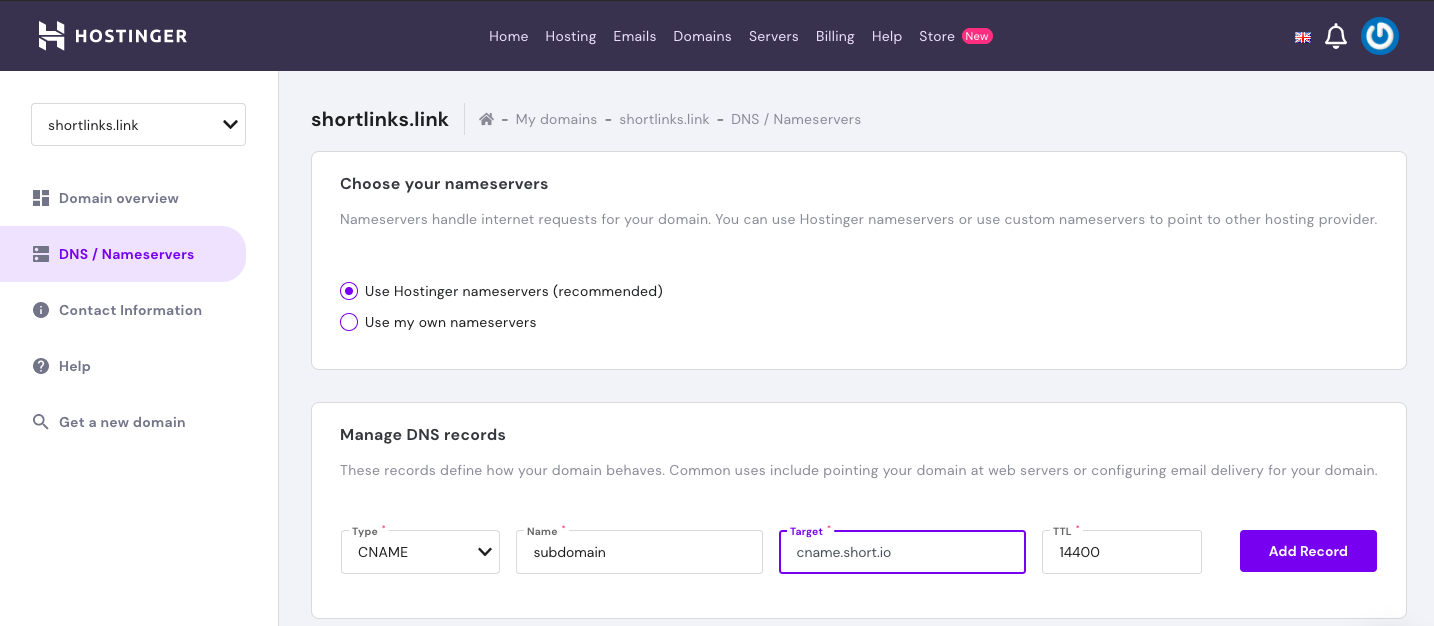
In the section Manage DNS records enter the following values:
-
Type: CNAME
-
Name:
<your-subdomain-name> -
Target: cname.short.io
-
TTL: 3600
-
-
Click on Add Record to confirm your changes.
Short.io configurations
-
Sign in to your Short.io account.
-
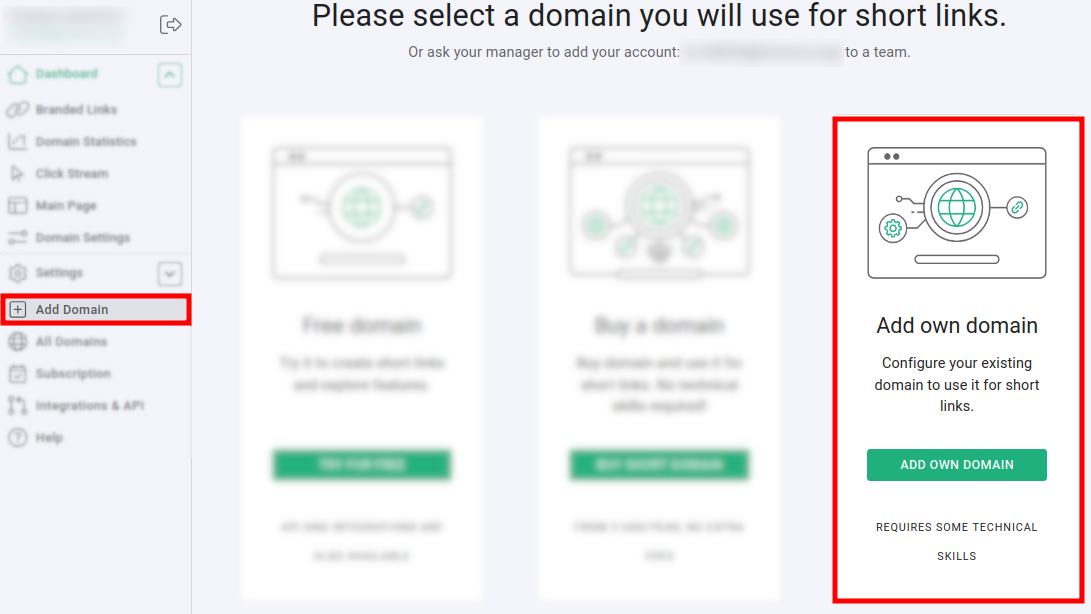
Click on Add domain and then on Add own domain:
-
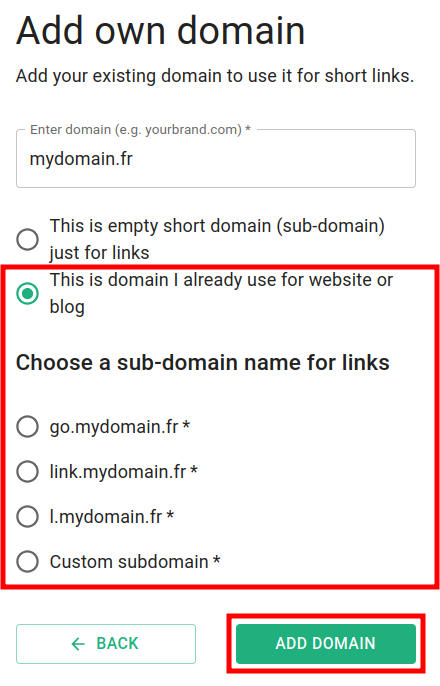
Enter your domain name and click on This is domain I already use for website or blog:
-
Select an option according to your subdomain name and click on Add domain.
-
Open the Domain settings and check if the domain is in status Active:
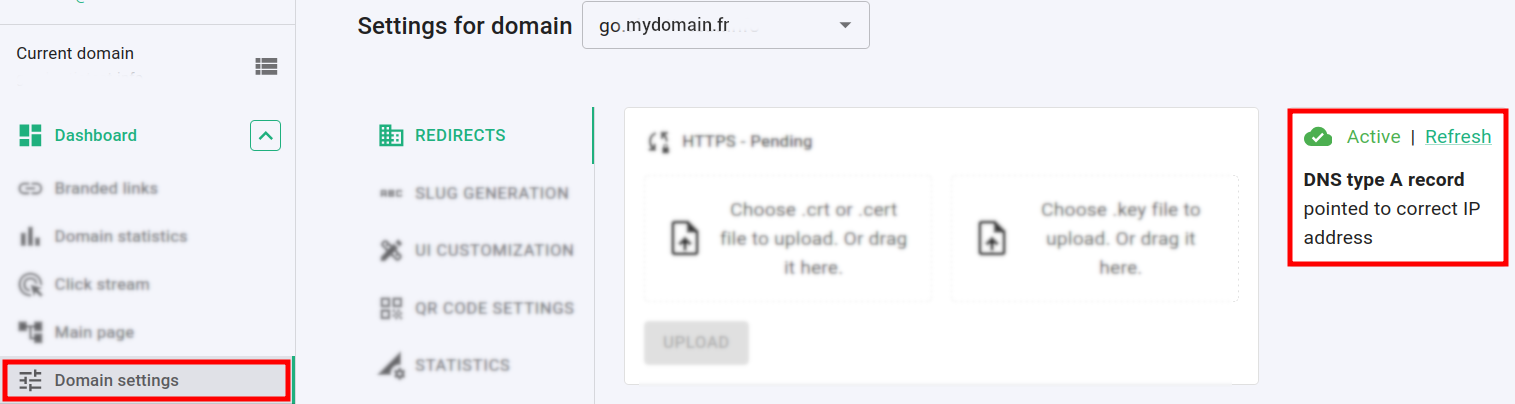
If the domain is Inactive then wait for a few hours and click on Refresh to check if the status has changed.
You will receive an email from the Short.io team informing you that the domain is now configured. Feel free to shorten your links and enjoy Short.io.