How to add UTM tags to a folder
This guide will show you how to automatically apply UTMs for the new links, created in a selected folder.
To add UTM tags to a folder
-
Sign in to your Short.io account.
-
In the Dashboard navigate to the Branded links panel and click on

to expand the view:

-
Click on
 next to the folder which you want to customize: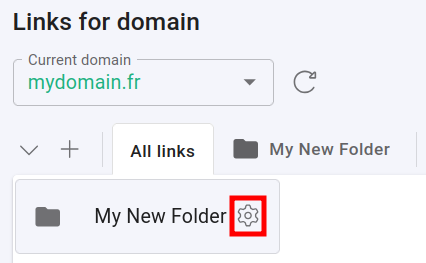
-
In the next screen click on Campaign tracking and fill the needed information:
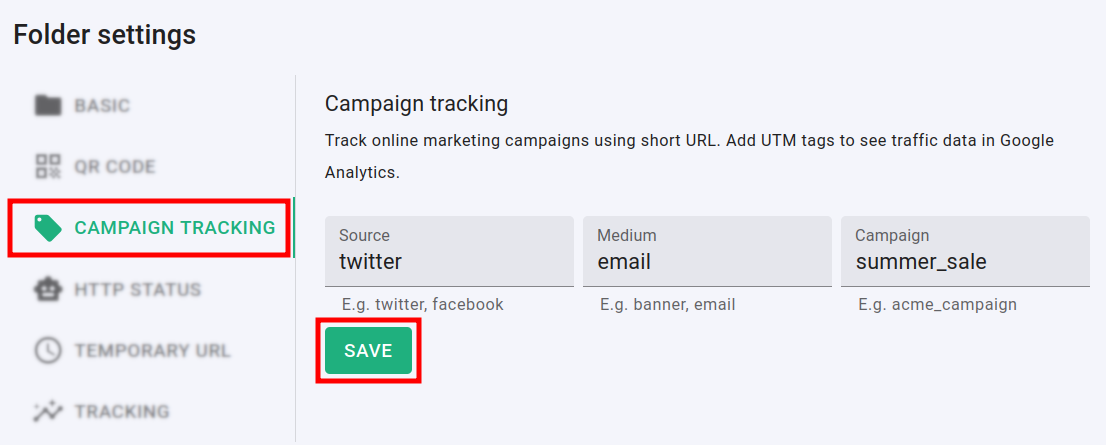
-
Click on Save.
Hereafter, links created within this folder will have the specified UTMs applied automatically.
* * *