General SSO (Single Sign-On) set up instructions
As a corporate administrator, you have the option to permit members of a corporate email to access Short.io without the need for registration. Through SSO (Single Sign-On), Short.io streamlines the identity verification process, enabling your Organization/Team members to log in without having to set up another password.
Short.io currently supports Google Workspace, Microsoft Azure Active Directory services**, Broadcom SiteMinder, PingFederate, Office 365, OneLogin, Okta, Salesforce, SSOCircle** and other SAML providers.
SSO is available on the Enterprise Plan.
SSO login video demo
Configuring Short.io SSO
Before you begin
You need to create and enable a SAML configuration in Short.io before setting up SSO with your idP provider.
Follow these steps:
-
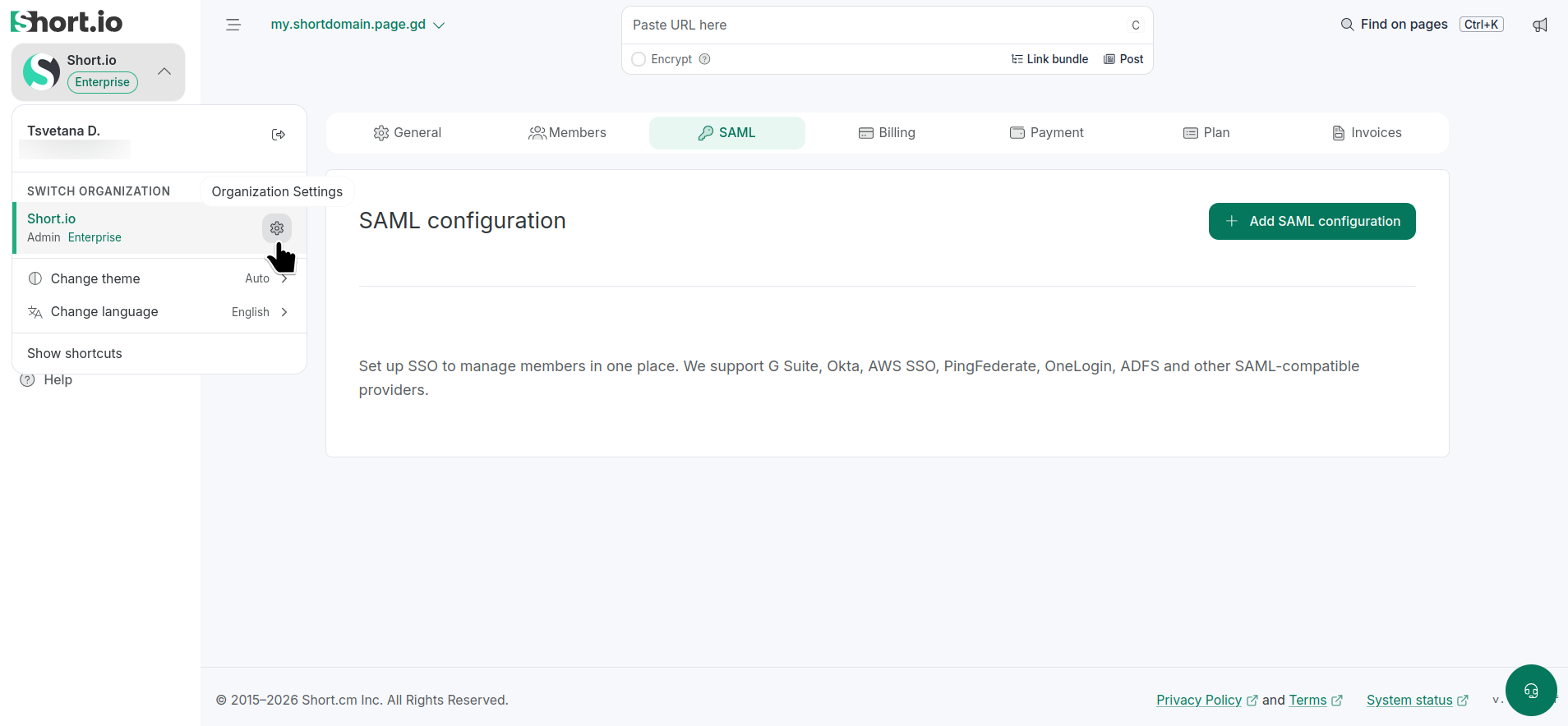
From Short.io's left panel, expand the Organizations settings.
-
Click the icon next to the Organization where you want to configure SAML:
-
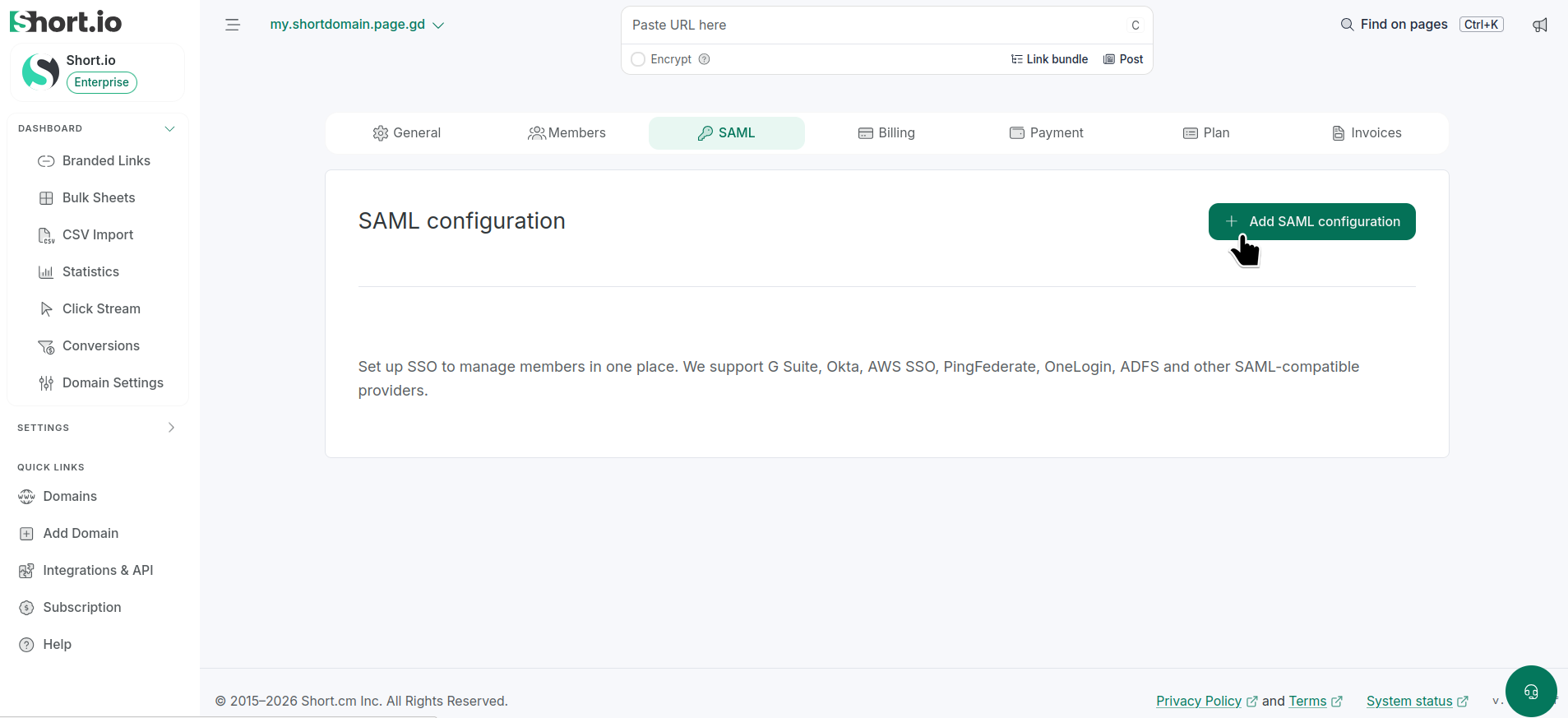
Navigate to the SAML tab:
-
Click Add SAML configuration.
-
-
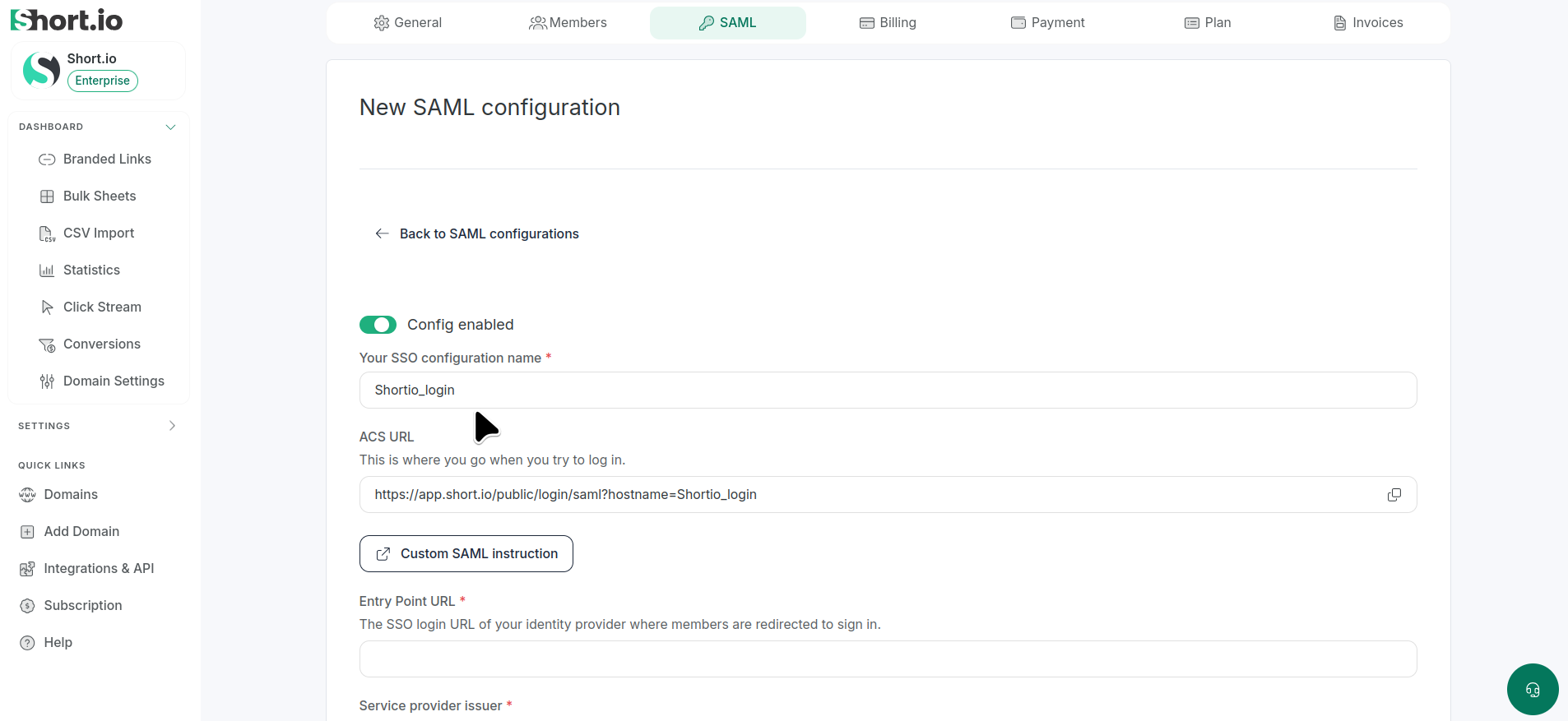
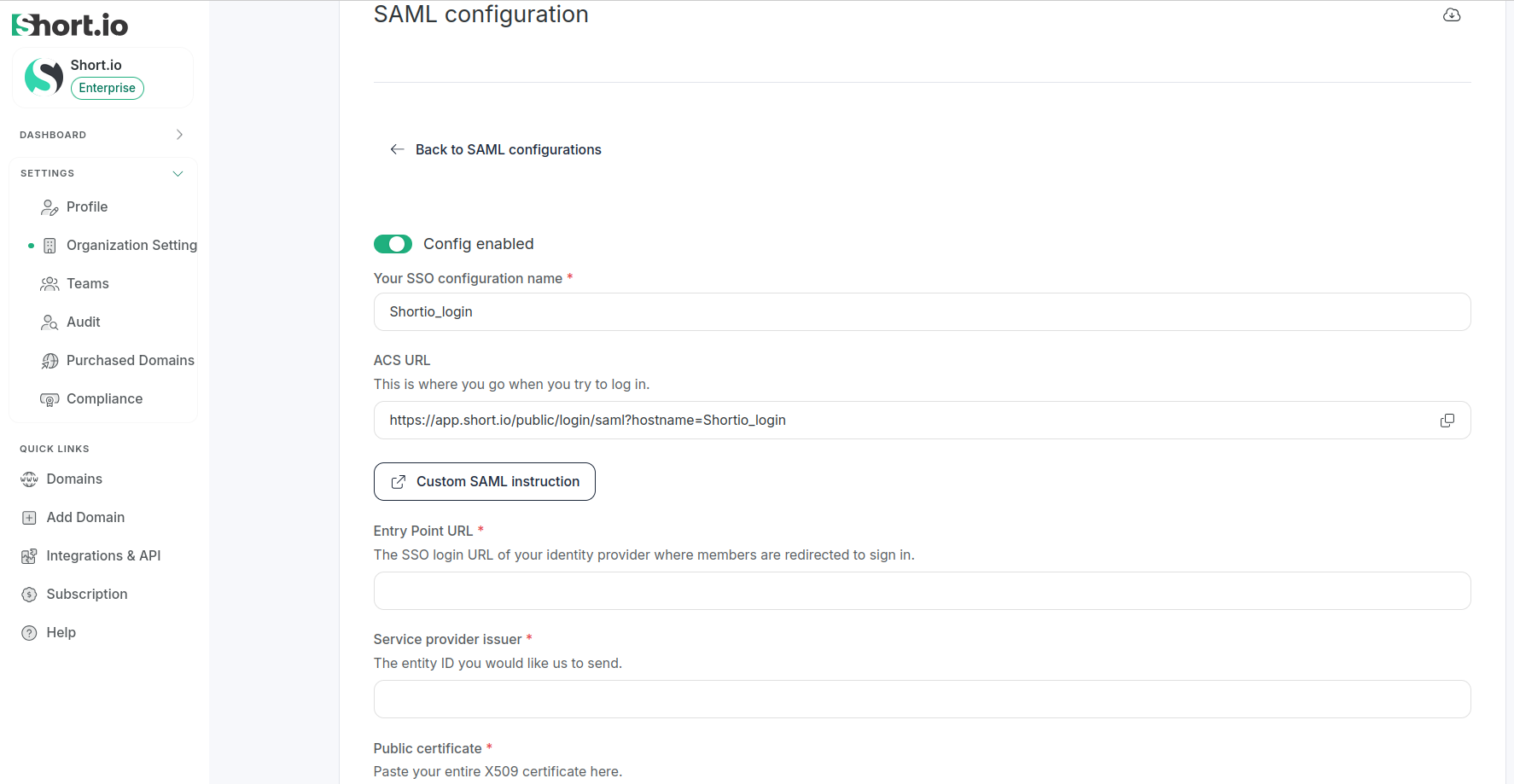
set Config enabled
-
enter Your SSO configuration name (or your company name)
-
-
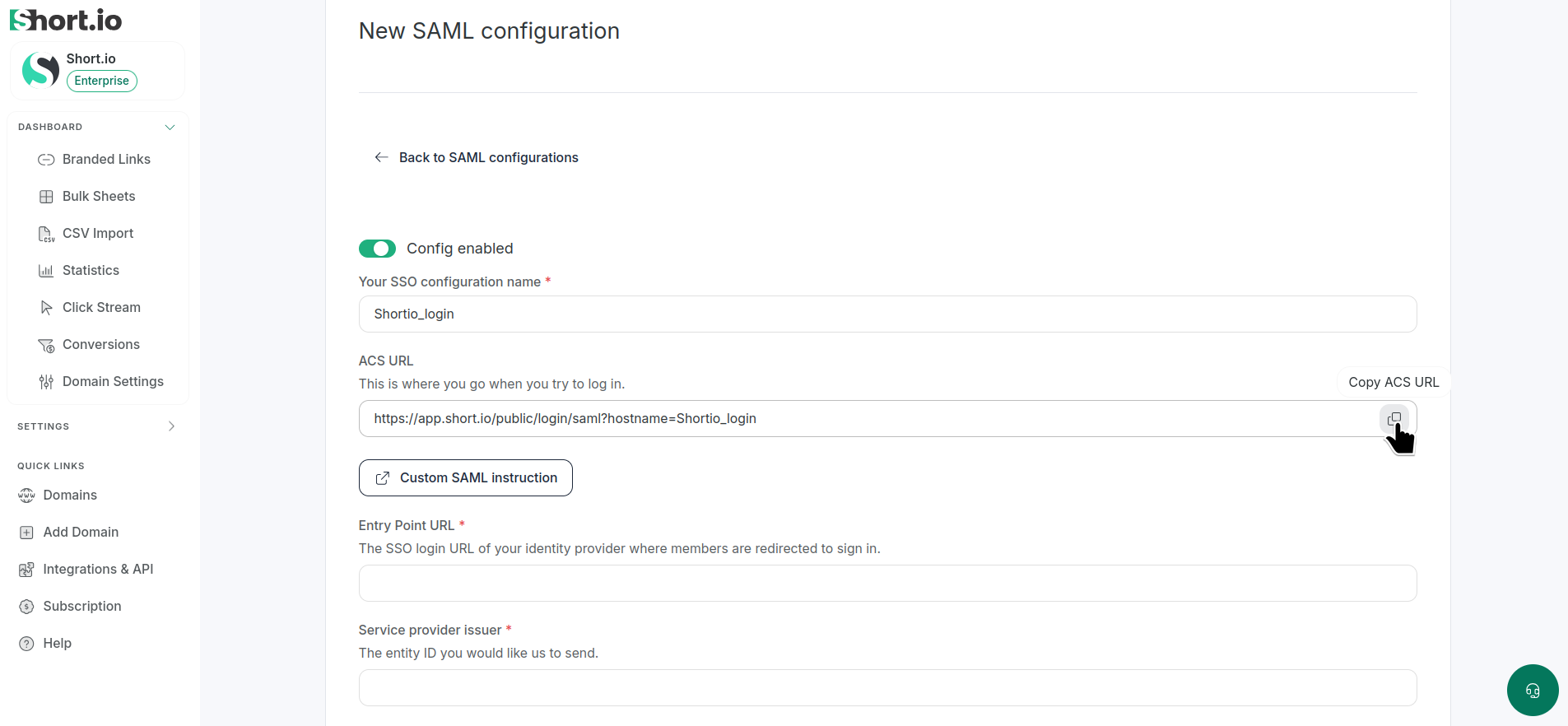
Copy the ACS URL (this is where you go when trying to log in using SSO) and save it for later:
-
Save.
idP configuration
Using a SAML provider supported by Short.io, you need to:
-
Enter the following link where you substitute <yourcompanyname> with Your SSO configuration name:
https://authorizer.short.io/auth/saml/<yourcompanyname>into the respective field of the provider's settings.
-
Copy and save the following data: Identity Provider Single Sign-On URL (or similar name), Identity Provider Issuer (or similar name) and the X.509 certificate.
Short.io configuration
-
Paste the copied values into the respective Short.io Organization SAML fields as follows:
-
Identity Provider Single Sign-On URL into the Entry point URL field
-
Identity Provider Issuer into the Service provider issuer field
-
X.509 certificate content into the Public certificate field
-
-
Optionally, you can add members to sign in to a team using this SSO configuration. Expand the list and select one of the teams:

-
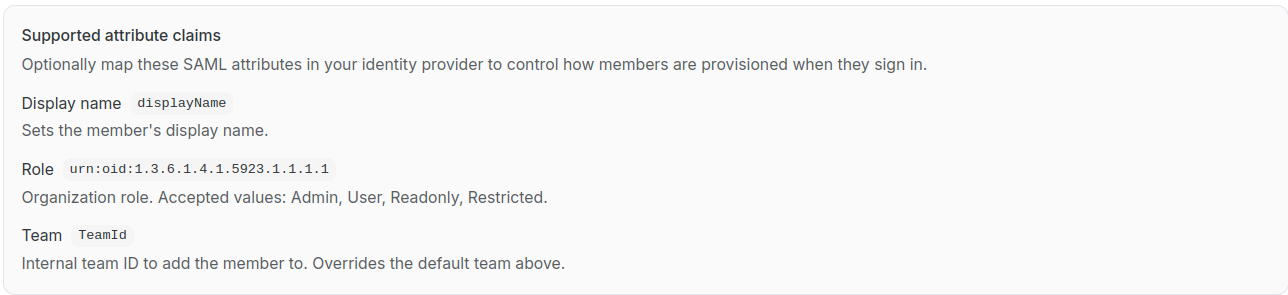
Optionally, you can map SAML attributes in your identity provider to control how members are provisioned when they sign in. Here is the list of available settings:
-
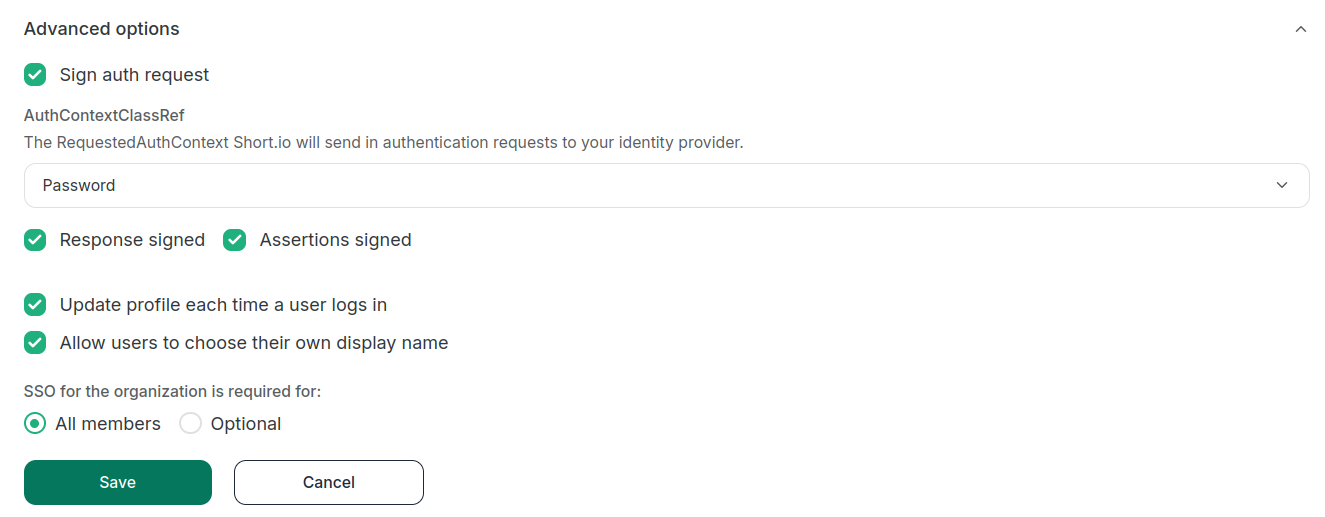
Expand the Advanced options where you can:
-
add an extra layer of security with Sign auth request enabled
-
specify which RequestedAuthContext Short.io should send in authentication requests to your identity provider (select one from the list) - Password, Kerberos, X.509, TLS or FederationAuthWindows
-
define whether the Response and Assertions should be signed
-
enable profile update each time users log in
-
allow users to choose their own display name
-
specify whether SSO is optional or is required for all members of the Organization:
-
-
Save.
The Short.io team configures SSO within 24 hours.
In case you need further assistance, please contact the Short.io support team at [email protected].
First-time logging in with SSO
With the SAML configuration set up, your Organization members can use the Short.io's ACS URL or the page https://app.short.io/public/login (button SSO) to log in.
Short.io automatically creates a SAML-based login in the given Organization with the role Member for each user who logs in via SSO for the first time:
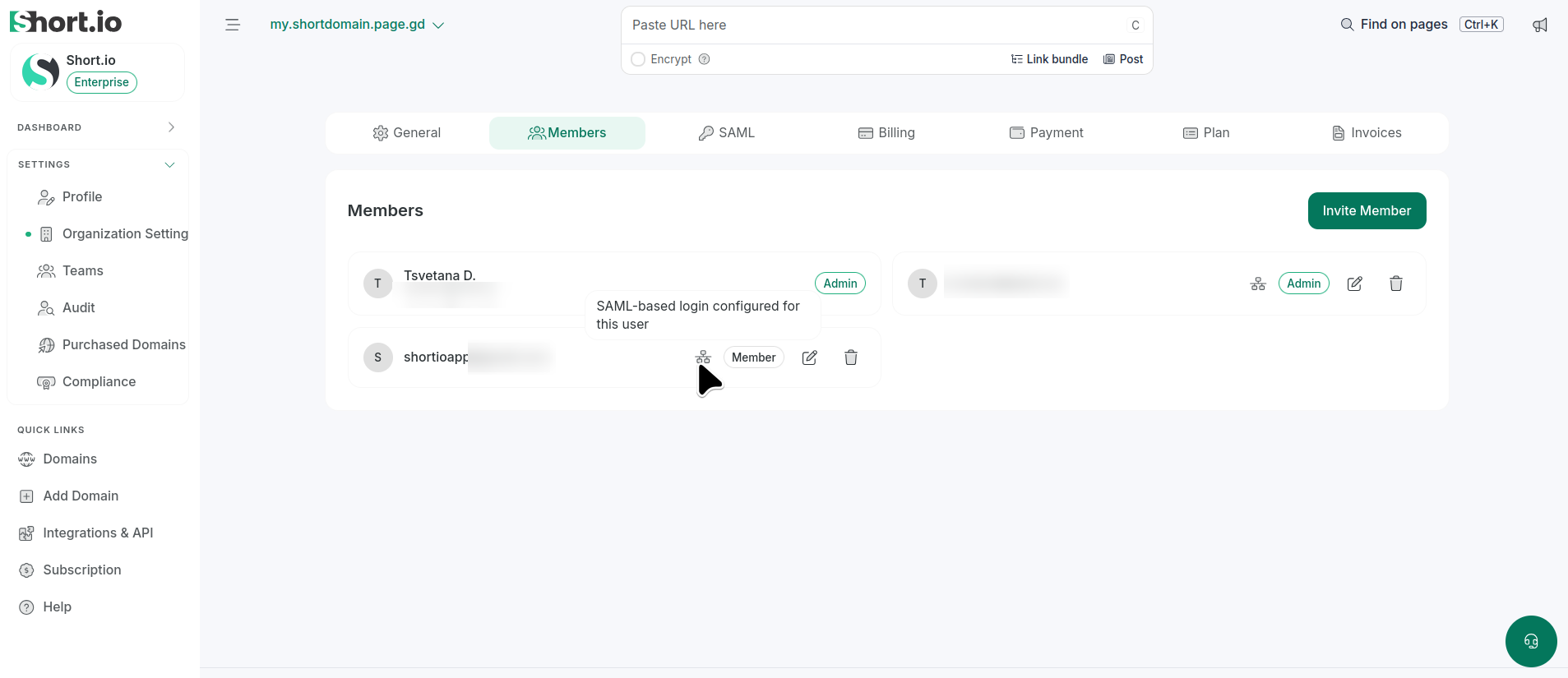
In case you have added a user without specifying a team, the Organization admin(s) should grant this user access to the resources they are authorized to use:
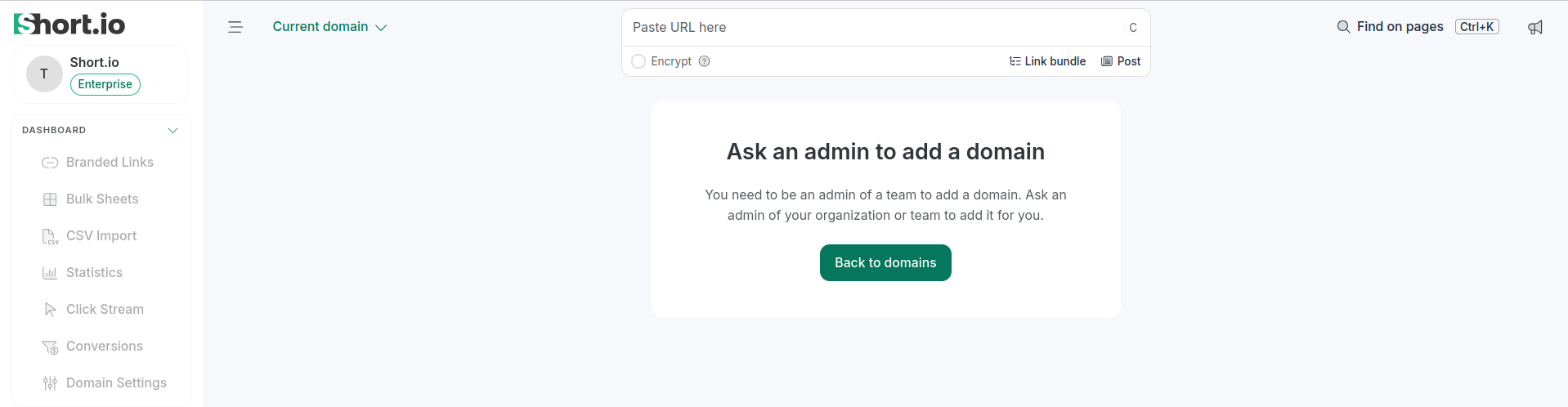
Otherwise, when team members log in through SSO, they are redirected to the dashboards and settings they usually have permission to access.