Getting a list of domains
📘 Information below might be outdated - please visit our recently updated API Reference
The instruction below shows how to get a list of domains of your Short.io account.
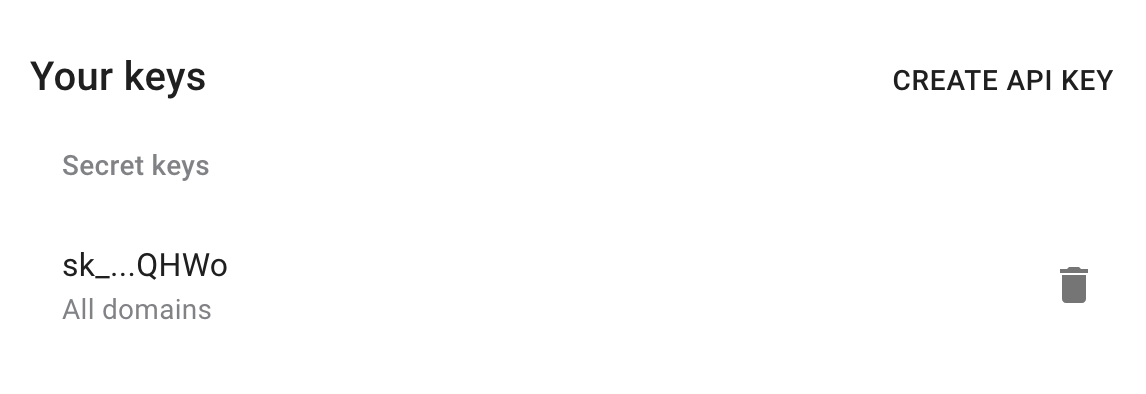
1) Get your secret API key here: https://app.short.io/settings/integrations/api-key
- Click "Create API key".
- Add a Secret key.
2) Install prerequisites for requests.
- Python
- Node.js
pip install requests
npm install @short.io/client-node
Now everything is ready to run the following snippet.
3) Create a file: filename.py/ .js/ .rb. Use the code snippet below.
- Python
- Node.js
- Ruby
import requests

url = "https://api.short.io/api/domains"

headers = {
    'accept': "application/json",
    'authorization': "<<apiKey>>"
    }

response = requests.request("GET", url, headers=headers)

print(response.text)
import { setApiKey, listDomains } from "@short.io/client-node";

setApiKey("<<apiKey>>");

const result = await listDomains();

console.log(result.data);
require 'uri'
require 'net/http'
require 'openssl'

url = URI("https://api.short.io/api/domains")

http = Net::HTTP.new(url.host, url.port)
http.use_ssl = true
http.verify_mode = OpenSSL::SSL::VERIFY_NONE

request = Net::HTTP::Get.new(url)
request["accept"] = 'application/json'
request["authorization"] = '<<apiKey>>'

response = http.request(request)
puts response.read_body
4) Launch the file.
- Python
- Node.js
- Ruby
python filename.py
node filename.js
ruby filename.rb
5) JSON Response (list of domains).
Once you run the code, you will see the response.
{
    id: 7252,
    hostname: 'yrbrand.co',
    title: null,
    segmentKey: null,
    linkType: 'increment',
    state: 'not_configured',
    provider: 'cloudflare',
    redirect404: 'https://short.cm',
    hideReferer: 1,
    caseSensitive: true,
    exportEnabled: true,
    cloaking: false,
    jsRedir: true,
    incrementCounter: 'A',
    setupType: 'js',
    autodeletePeriod: 1,
    httpsLinks: true,
    clientStorage: '{"configurationHidden":false}',
    integrationGA: null,
    integrationFB: null,
    integrationAdroll: null,
    integrationGTM: null,
    createdAt: '2017-12-07T08:24:41.000Z',
    updatedAt: '2019-12-24T13:08:30.000Z',
    TeamId: 1381,
    unicodeHostname: 'yrbrand.co'
  }