How to create a team
The option for creating teams is available starting from the Team plan which allows you to set up only one team. In case several teams are required, subscribe to the Enterprise plan.
To create a team
-
Sign in to your Short.io account.
-
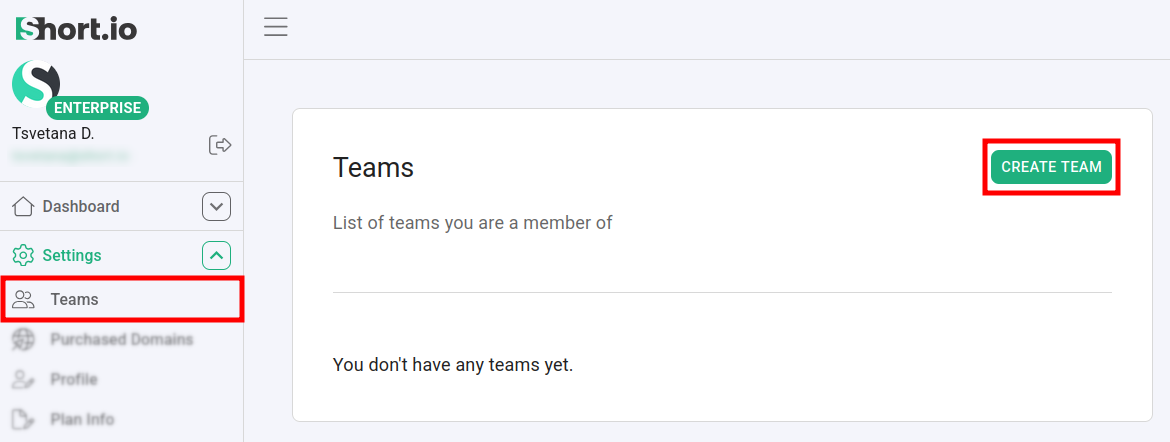
Navigate to the Settings -> Teams menu:
-
Click on Create team.
-
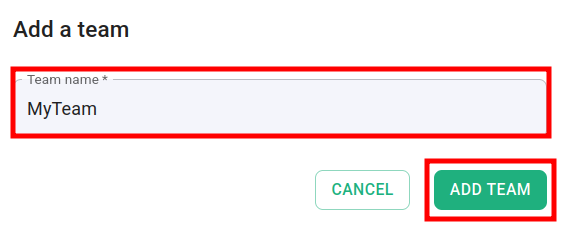
In the next dialog enter a name for your team and click on Add team:
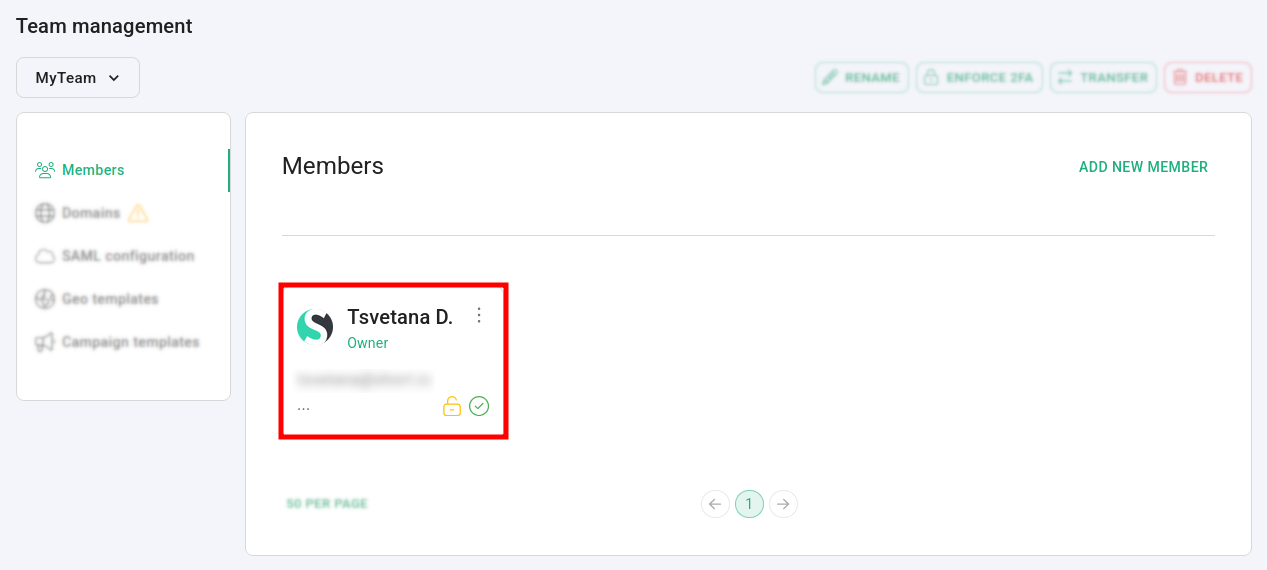
The newly created team is displayed and your account is added as the team Owner:
* * *
Related articles