How to auto-renew a Short.io domain
You can enable automatic renewal of your purchased Short.io domains before they expire, with email notifications on renewal success or failure.
To enable the option:
-
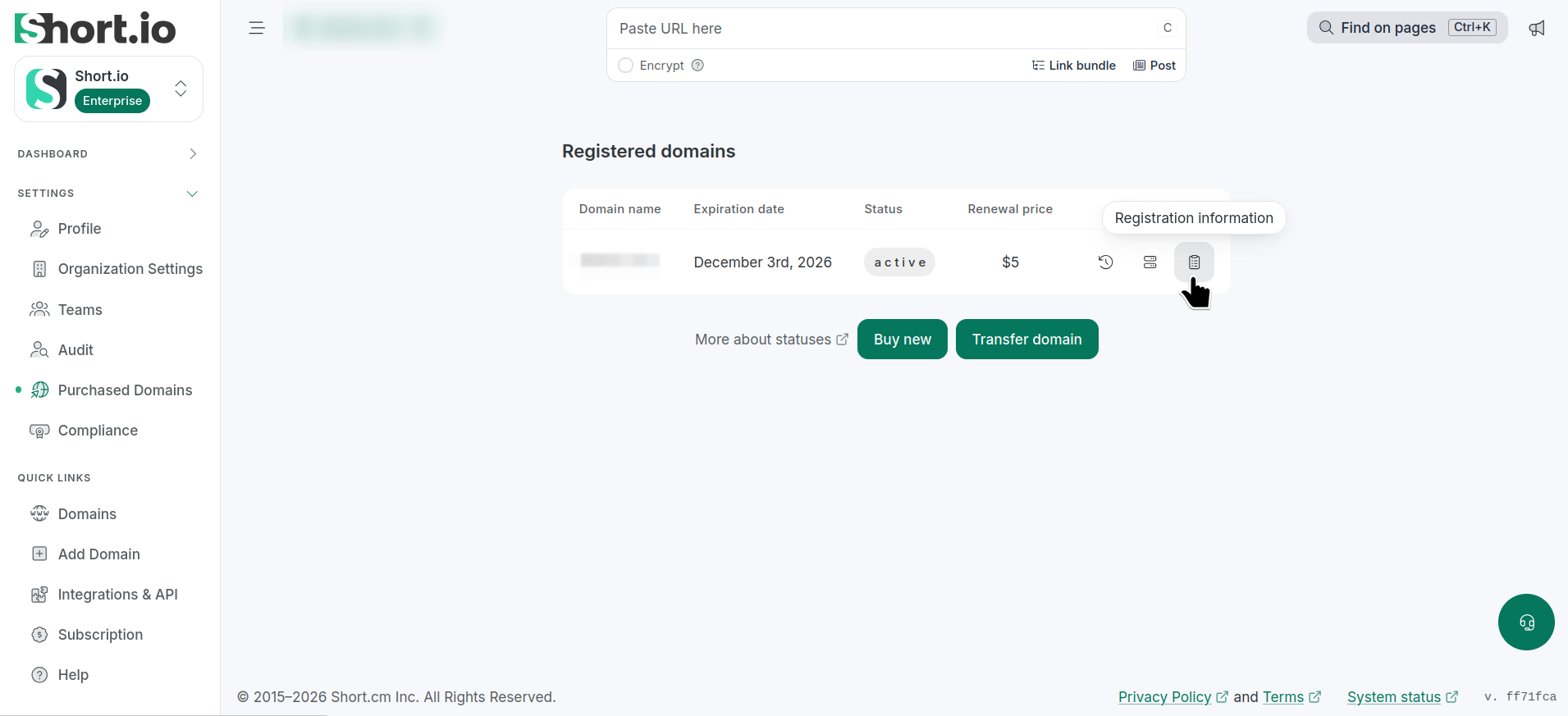
From the Short.io left panel, navigate to Settings -> Purchased domains:
-
Click the icon (Registration information) next to the domain to be renewed.
-
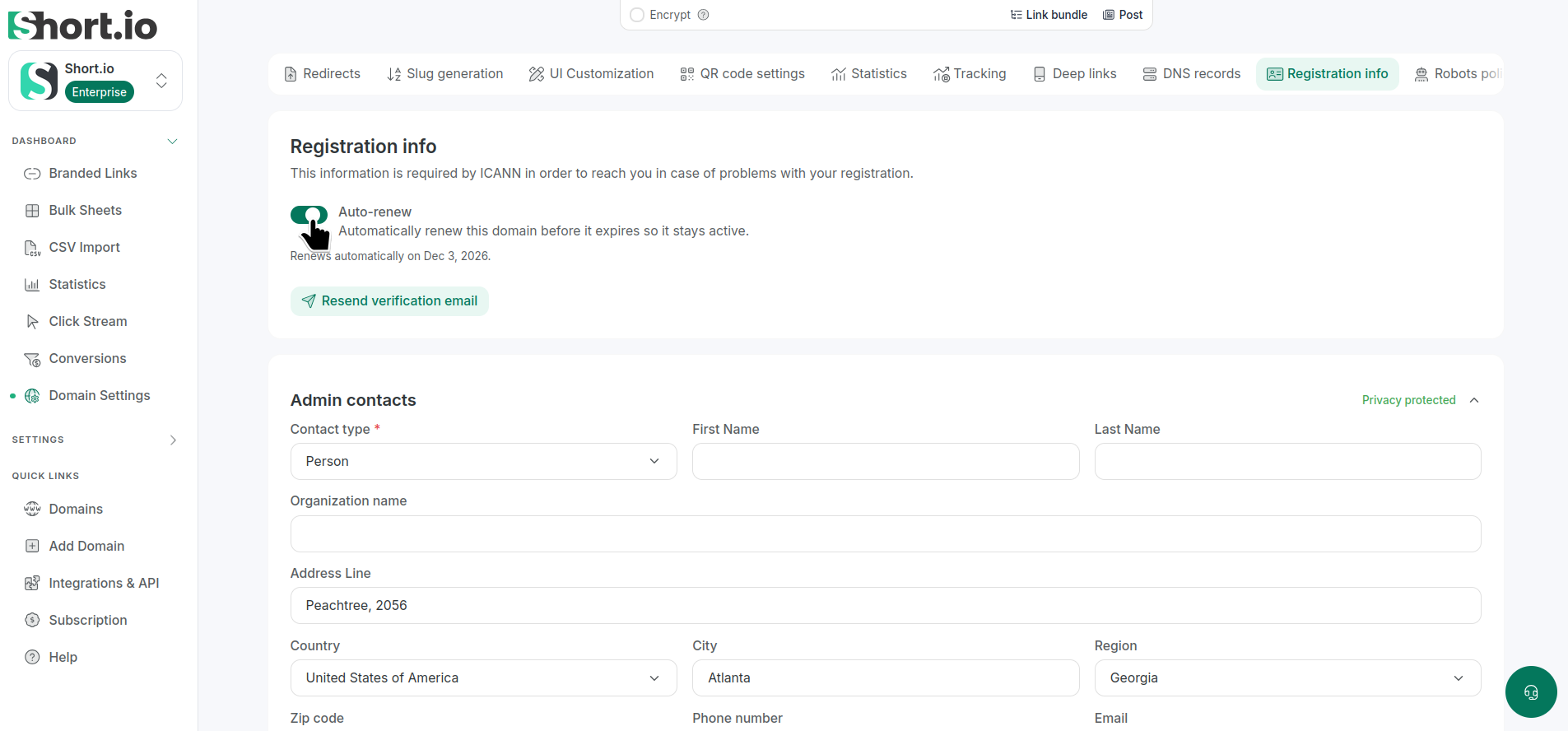
In the next screen, enable the Auto-renew option:
-
You can optionally click Resend verification email.
We will notify you with an email on the domain's new availability.