How to delete old links from a domain
Short.io provides you with the option to delete links older than a specified number of days, with full audit logging of the operation.
Quick video tutorial
Steps to follow:
-
From the Short.io's top menu, select the domain from which you want to remove outdated links.
-
From the left side panel access the Domain settings.
-
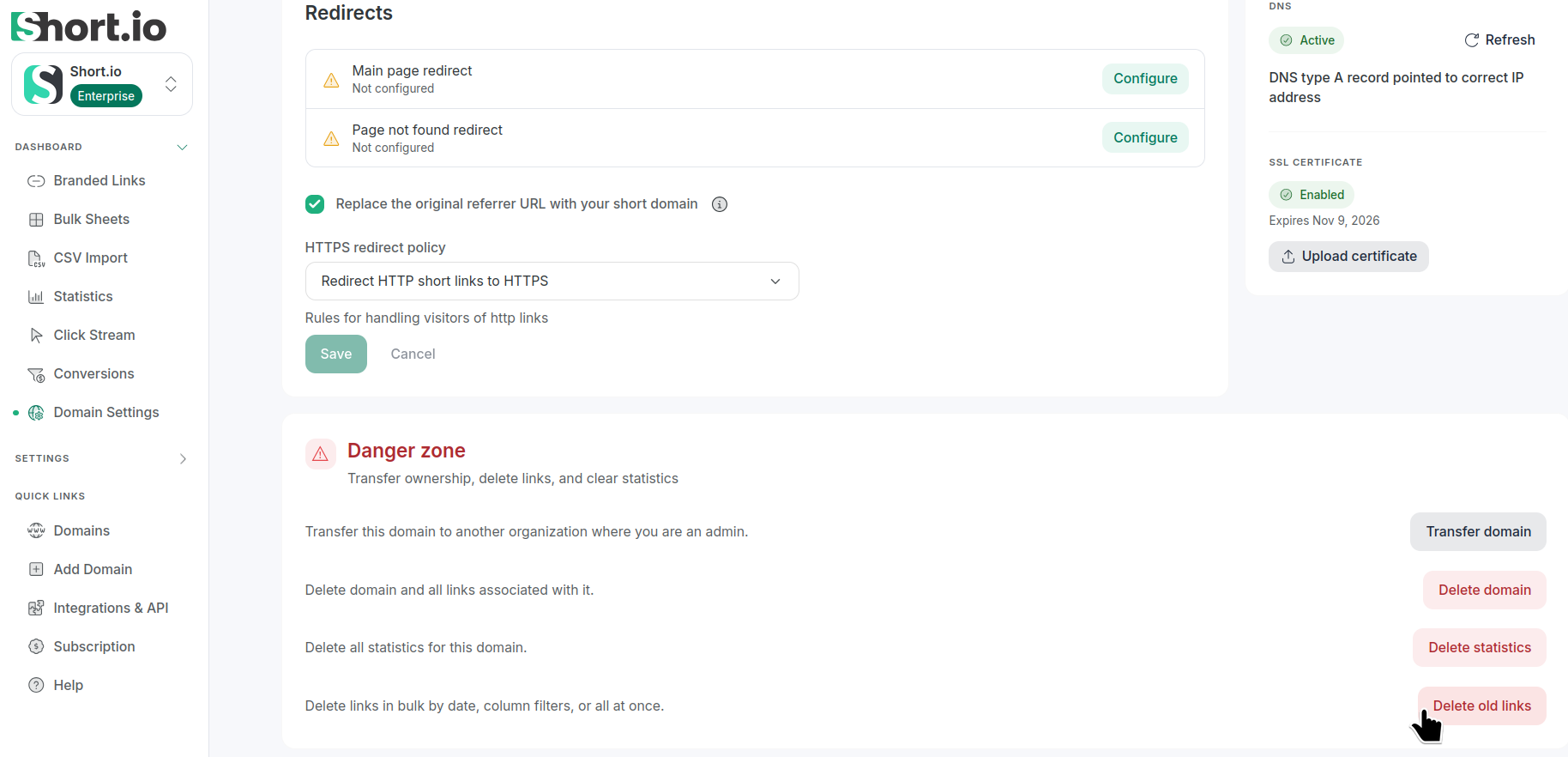
In the Redirects tab, navigate to the Danger zone section:
-
Click Delete old links.
-
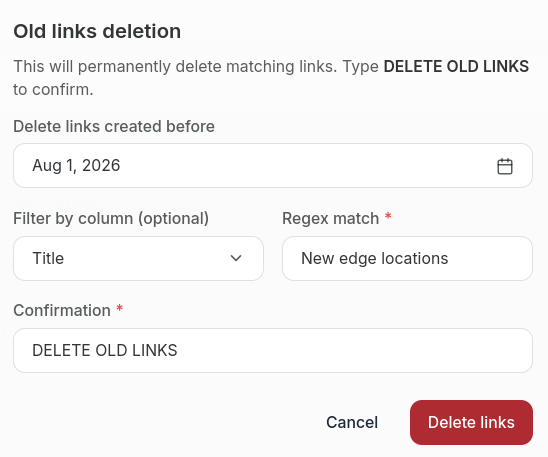
In the next dialog:
-
select a date from the calendar (to delete links created before that date)
-
optionally, filter the links, for example, by Original URL or Title
-
enter DELETE OLD LINKS in the Confirmation field
-
click Delete links
-
The links will be permanently removed.