How to delete short links in bulk
You can remove an unlimited number of short links using the bulk deleting functionality from the Google Sheets screen.
To delete links
-
Sign in to your Short.io account.
-
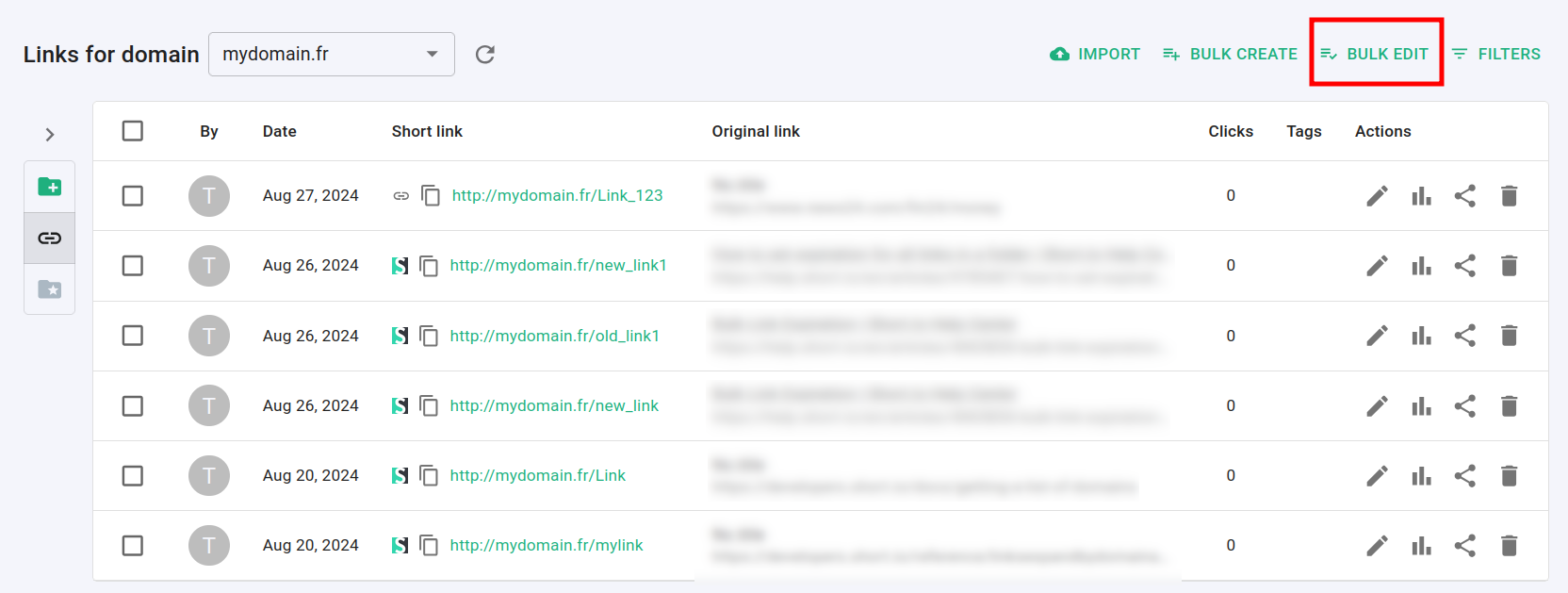
In the Dashboard navigate to the Branded links panel and click on Bulk edit:
-
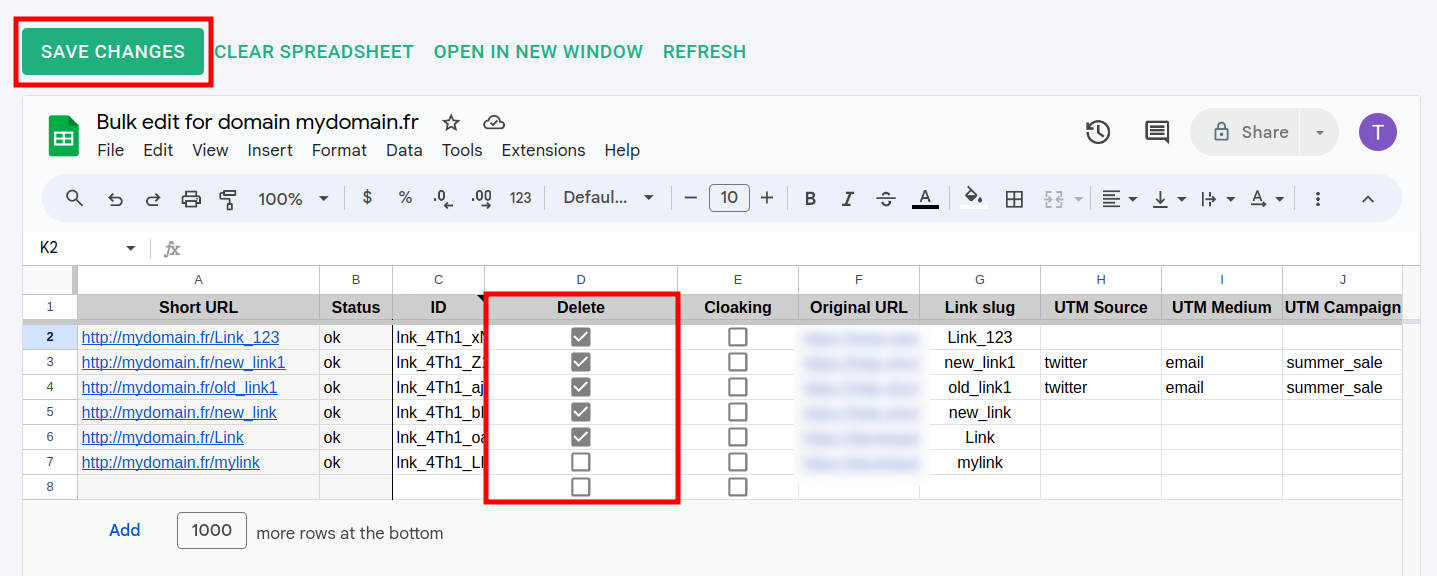
In the Google Sheets screen select the links you want to delete:
-
Click on Save changes. The links are removed:

Note: The links are permanently deleted and redirects will stop working.