How to upgrade my price plan
You can upgrade your current price plan (with the exception of Enterprise) at any time from the Subscription menu as follows.
-
Sign in to your Short.io account.
-
Navigate to Subscription:
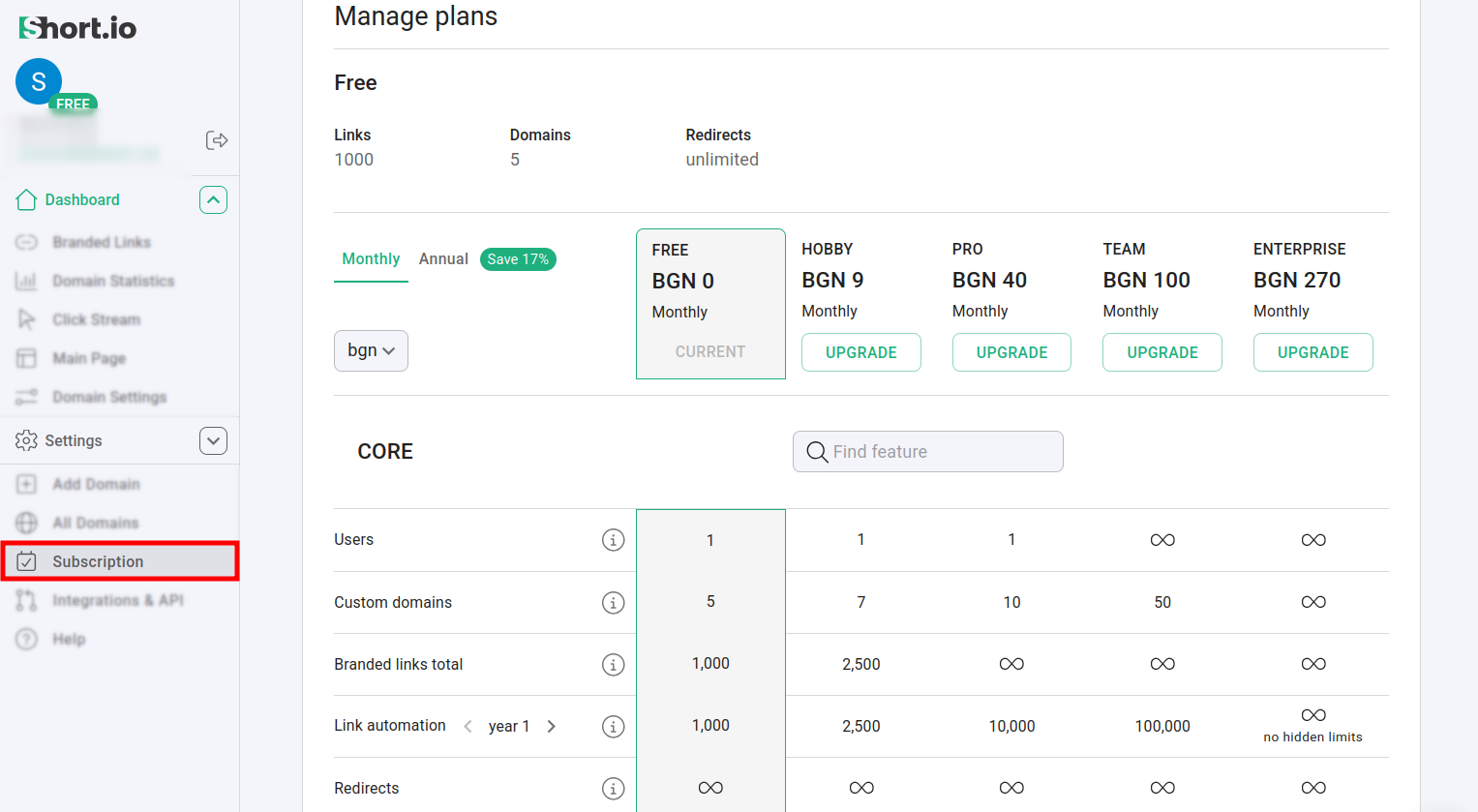
Under each plan title, you can review their core features.
-
Select a plan that works best for you and a payment frequency - Monthly or Annual.
NoteBy choosing annual subscription, you save 17% comparing to a monthly payment. In case of monthly payment, you will be charged the same day every month.
-
Click on Upgrade.
-
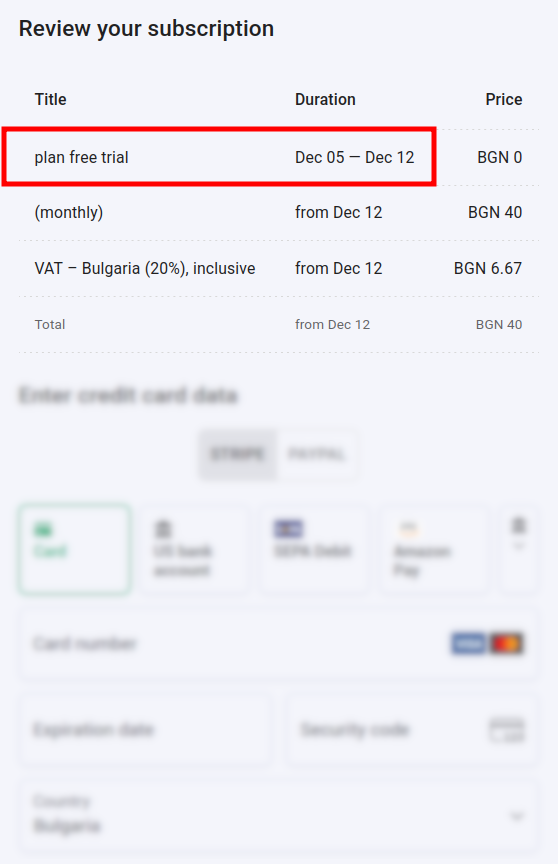
In the next screen you can review the subscription details. In the following example, the Pro plan with monthly payment is selected:
 Note
NoteWe provide a seven-day free trial, which can be extended to thirty days upon request.
-
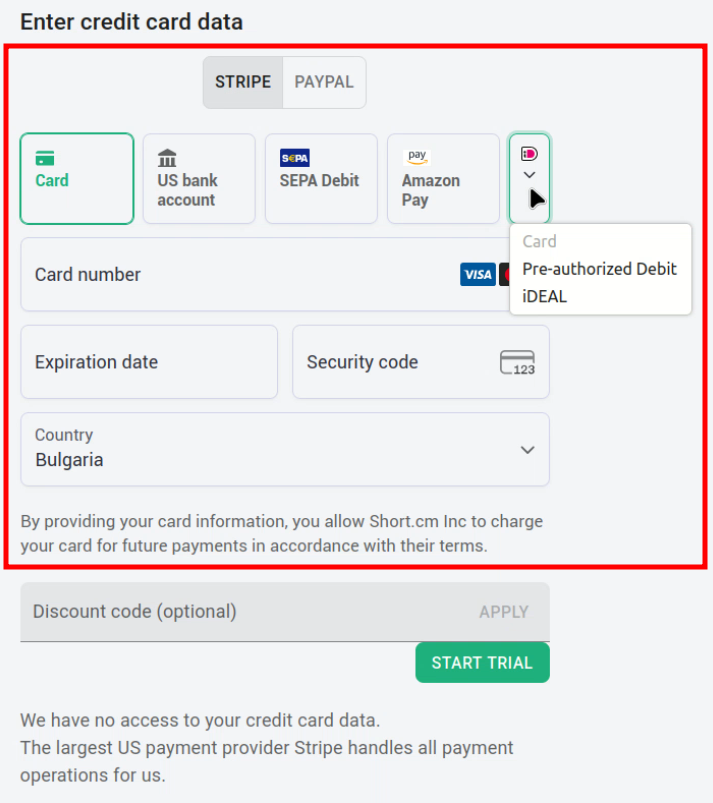
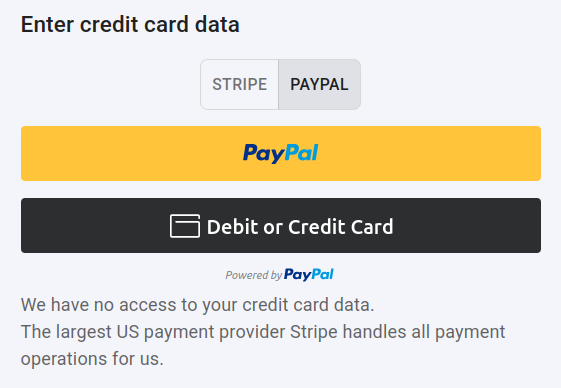
Short.io supports two payment service providers:
-
Stripe with several payment methods - including, but not limited to: Card, US bank account and Amazon Pay
and
-
Paypal
-
-
Select a payment option and provide your details.
-
Optionally, you can apply a discount code if you have one provided by us:
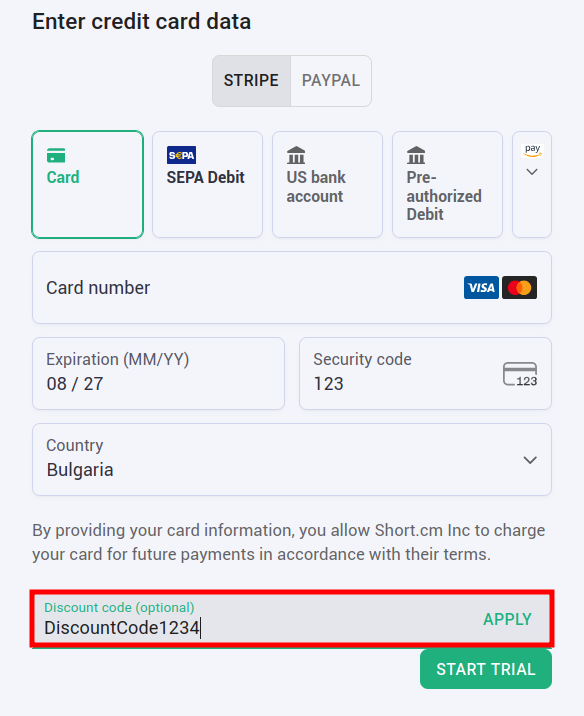
-
Click on Start trial.
Once the payment is processed, your plan will be upgraded automatically.