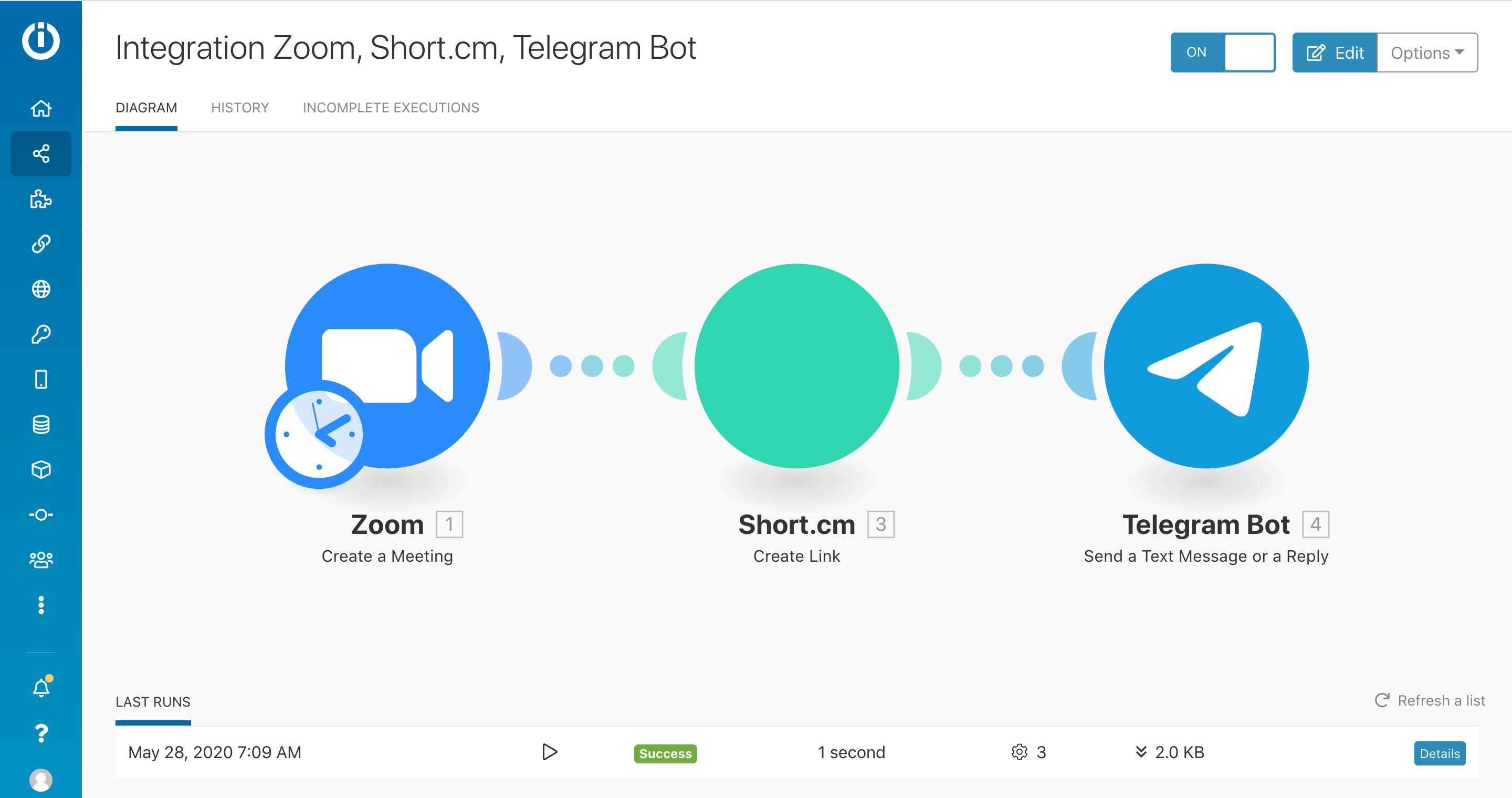
Short.io Integration with Zoom and Telegram bot via Make
Short.io integrates with Zoom and Telegram bot. When a new Zoom meeting is created, a Short.io link for the meeting will be sent to Telegram bot.
This is useful for automating communication with your team. You can schedule meetings and a short join URL will be automatically sent to the team members at a needed time.
Below is the instruction that describes steps on how to customize the integration.
-
Go to Make.
-
Click "Create a new Scenario."

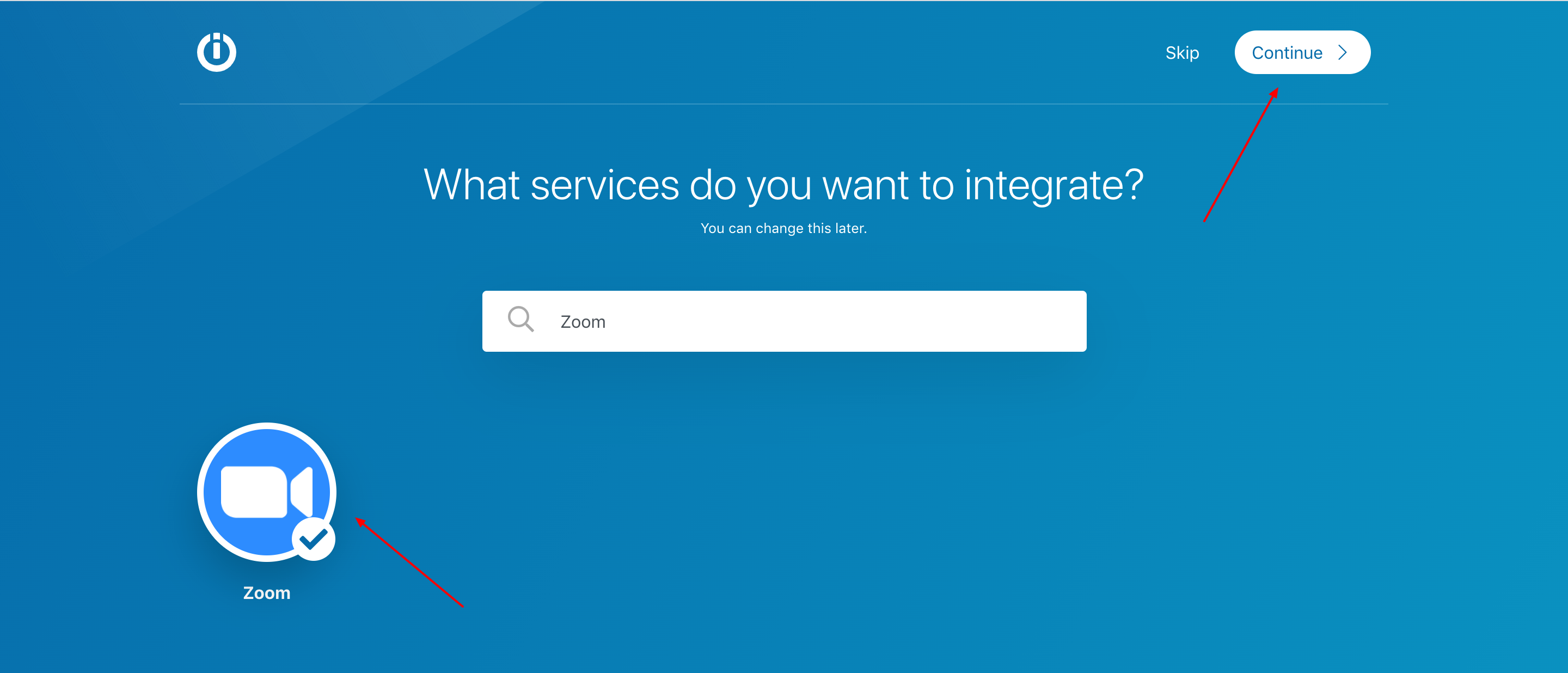
- Look for Zoom, choose it and Continue.
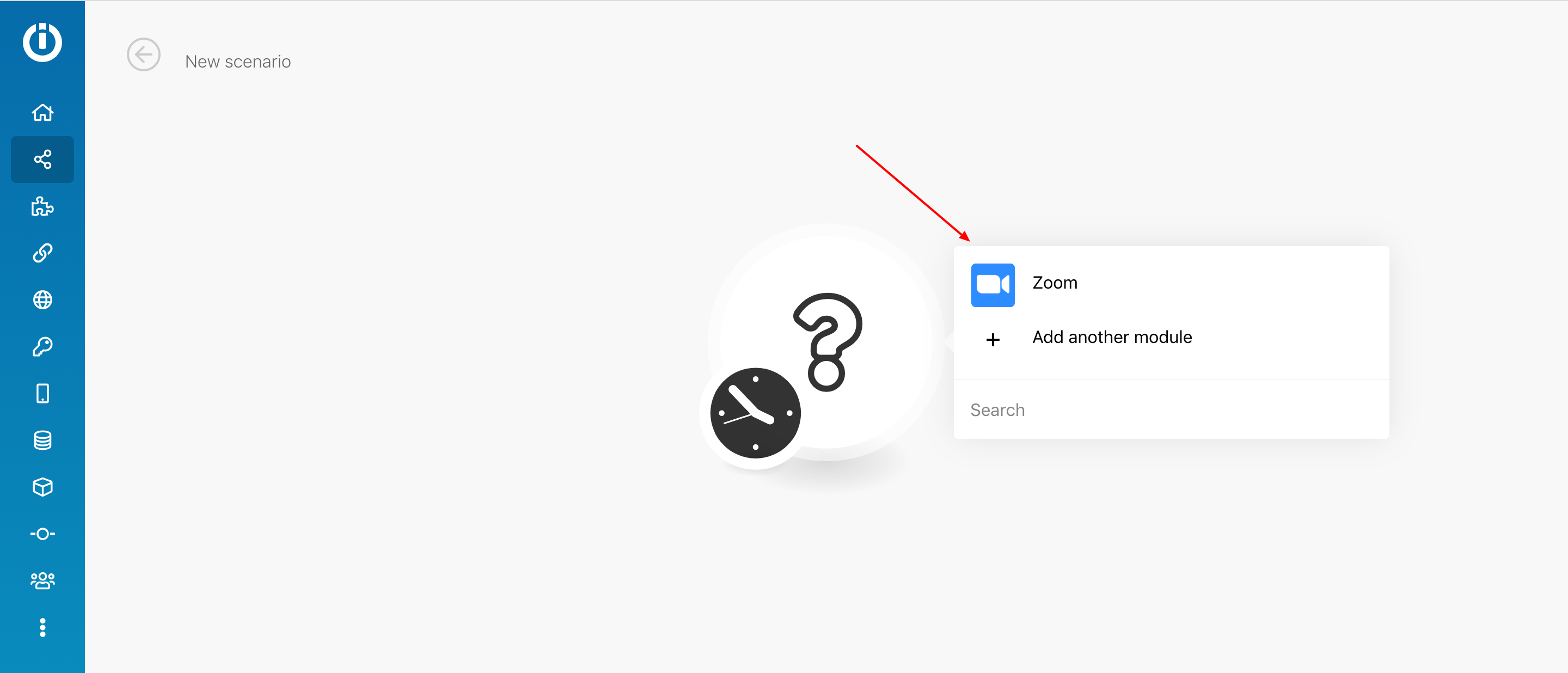
- Click on the circle and opt for Zoom.
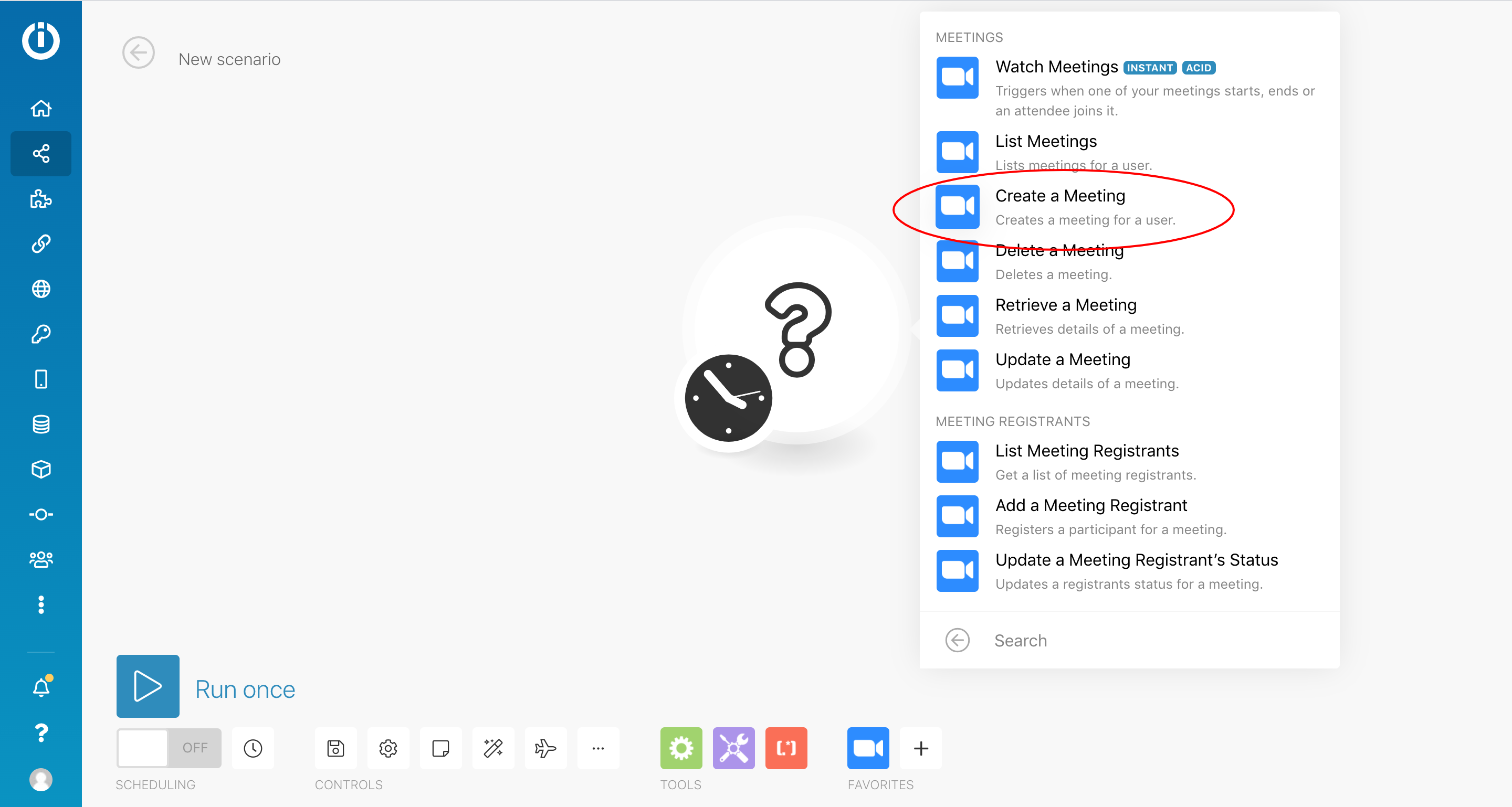
- Choose Create a Meeting.
- Click Add and configure your Zoom account. Learn where to copy your API key and API secret here: https://www.make.com/en/help/app/zoom
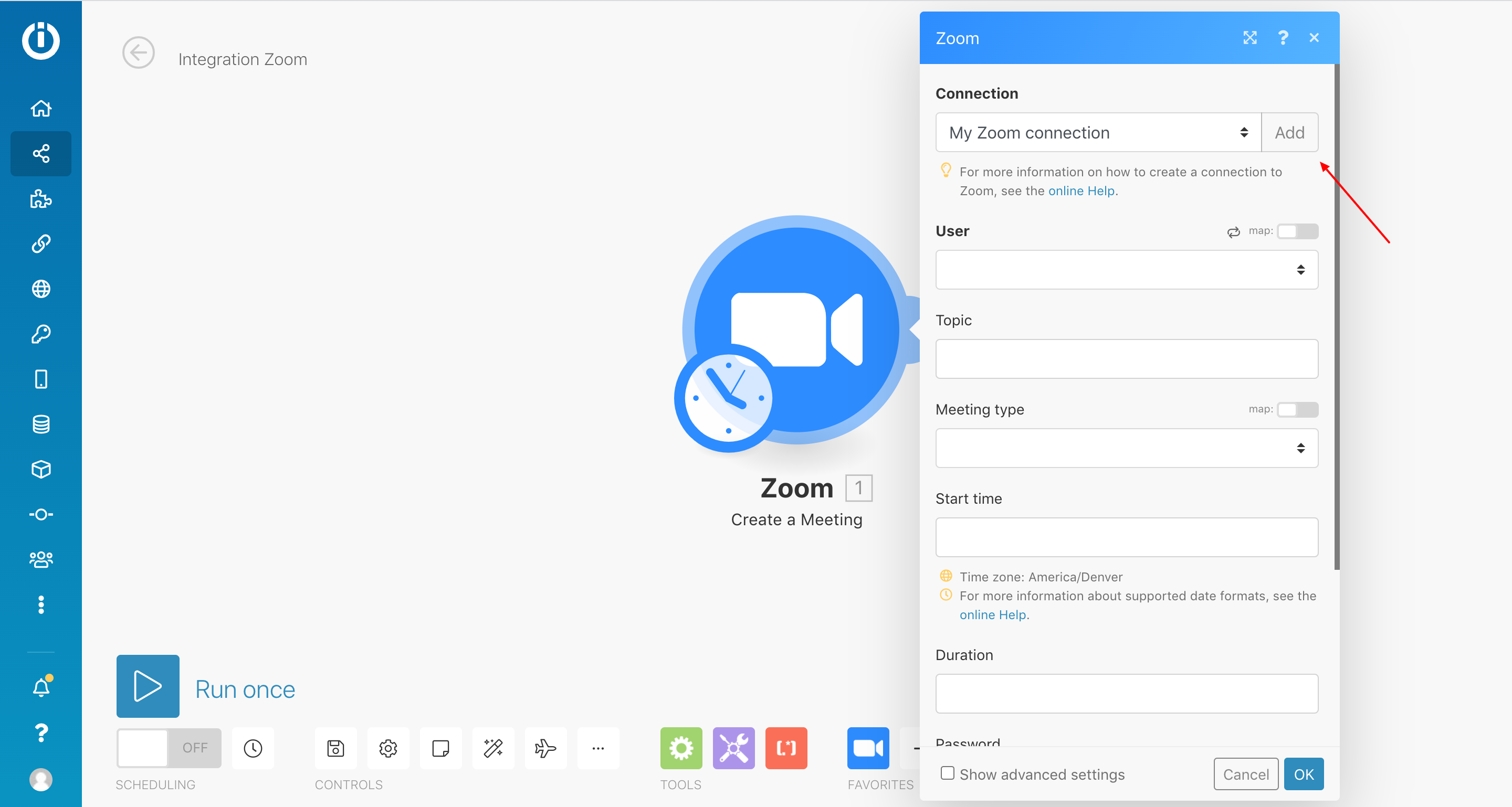
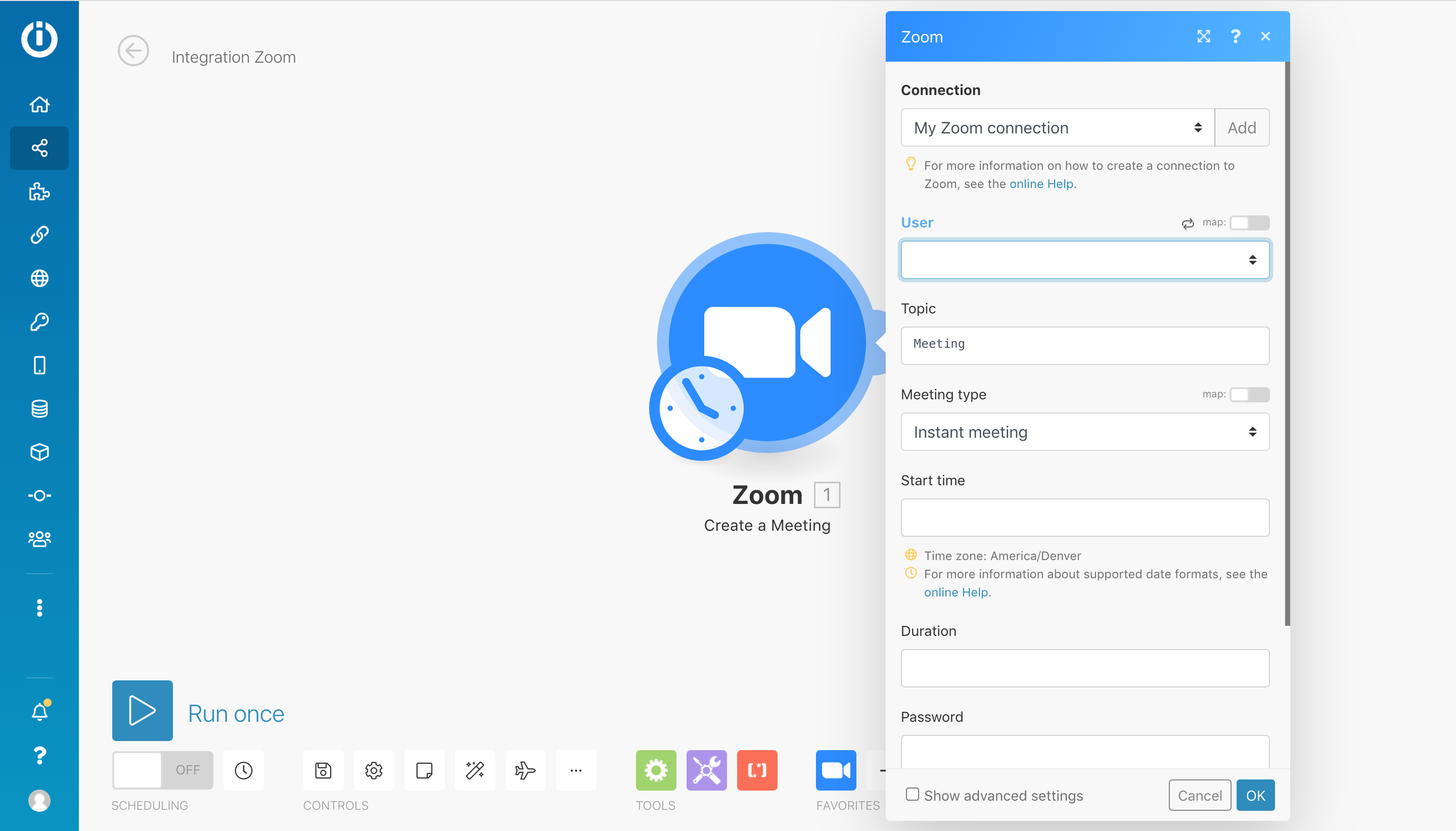
- Fill in necessary fields.
-
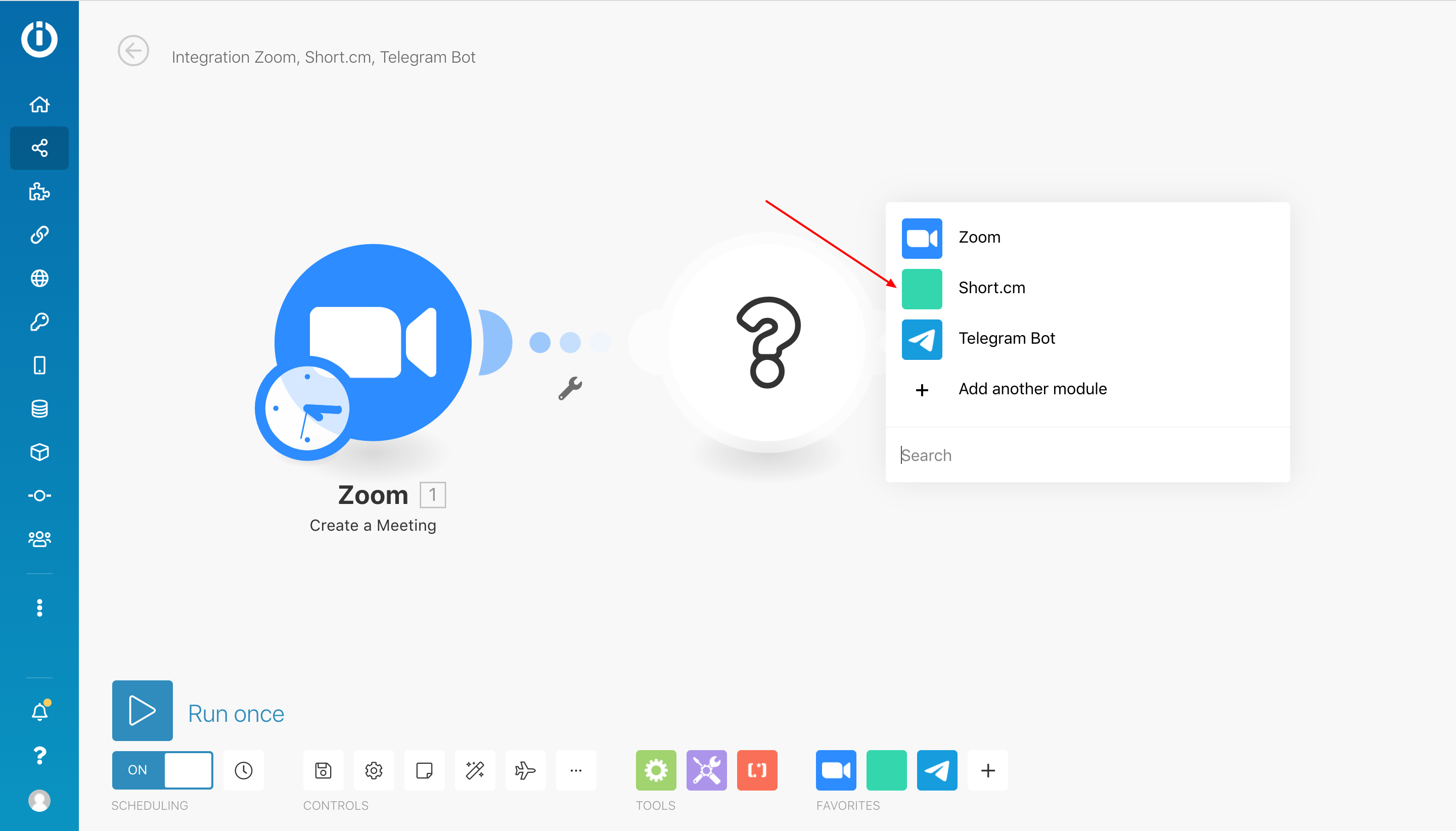
Add new module.
-
Search for Short.cm.
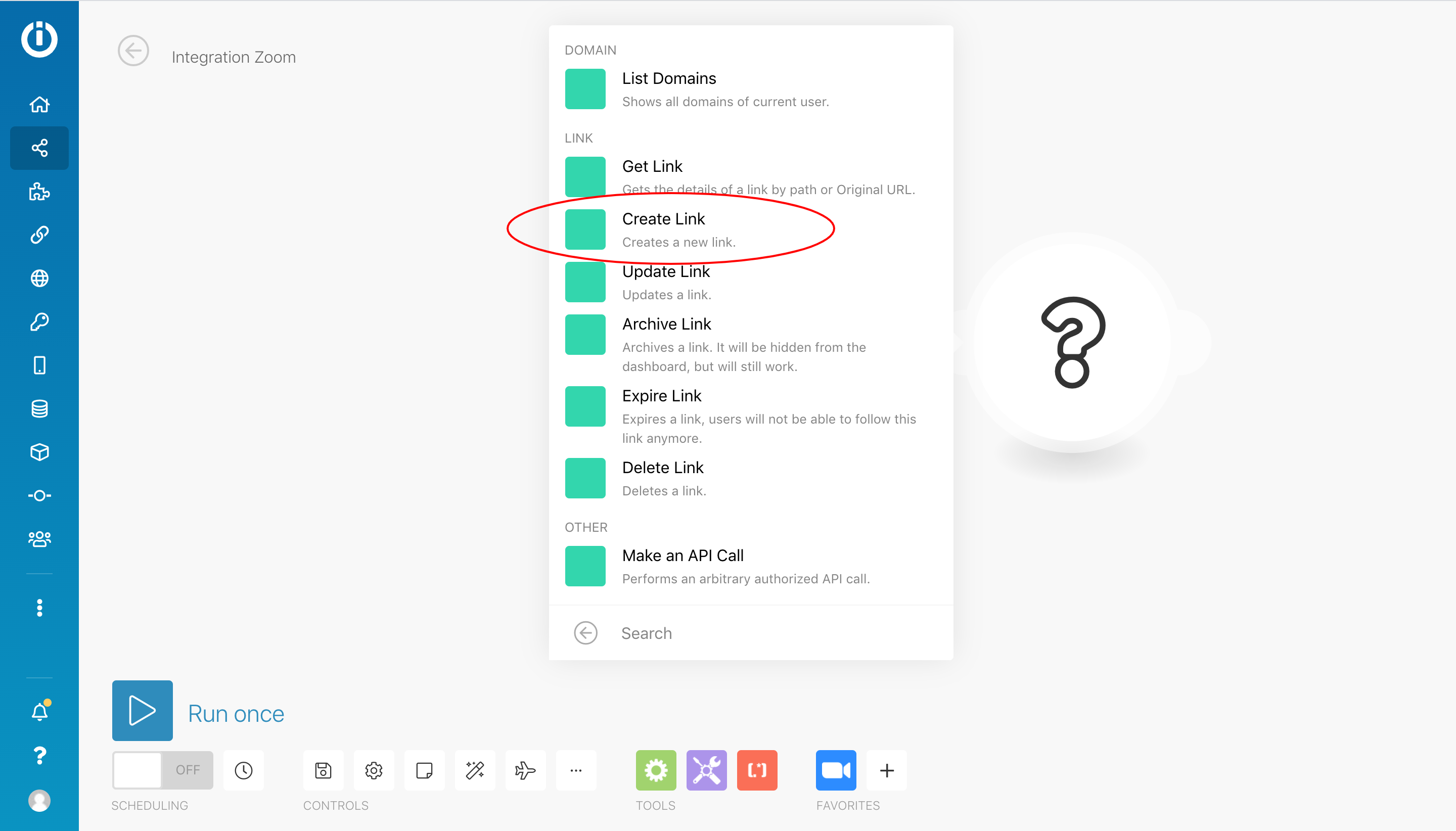
- Opt for Create Link.
- Click Add and specify your Short.io API key: https://app.short.io/settings/integrations/api-key
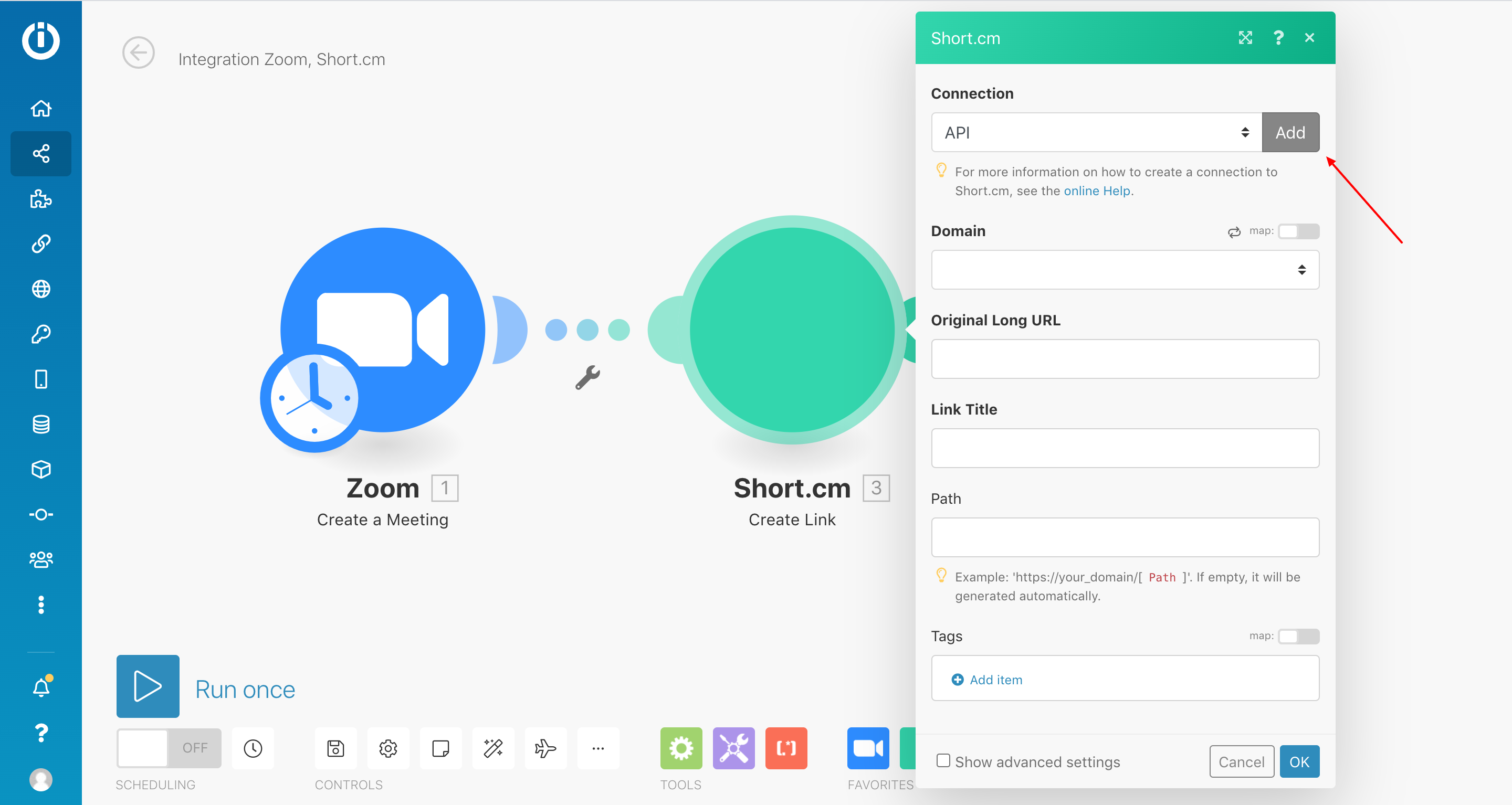
- Fill in the necessary fields > OK.
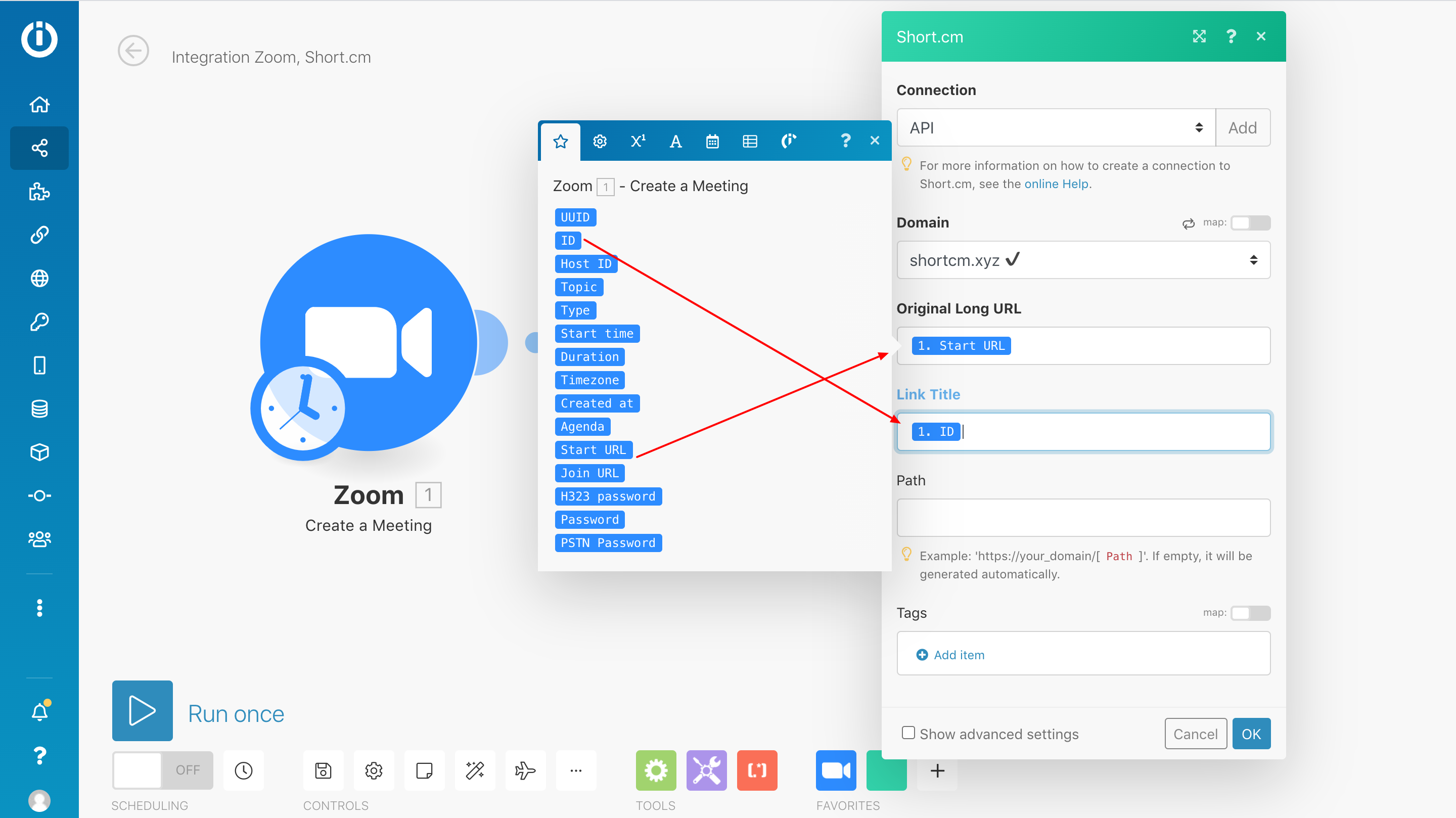
-
Add another Module.
-
Search for Telegram Bot.
-
Select Send a Text Message or Reply action.

-
Here's how to create a Telegram Bot: https://support.make.com/hc/en-us/articles/360007190374-Telegram-Bot
-
Click Add and specify needed values.
-
Fill in the necessary fields > OK. Here's how to find the chat ID: https://docs.influxdata.com/kapacitor/v1.5/event_handlers/telegram/
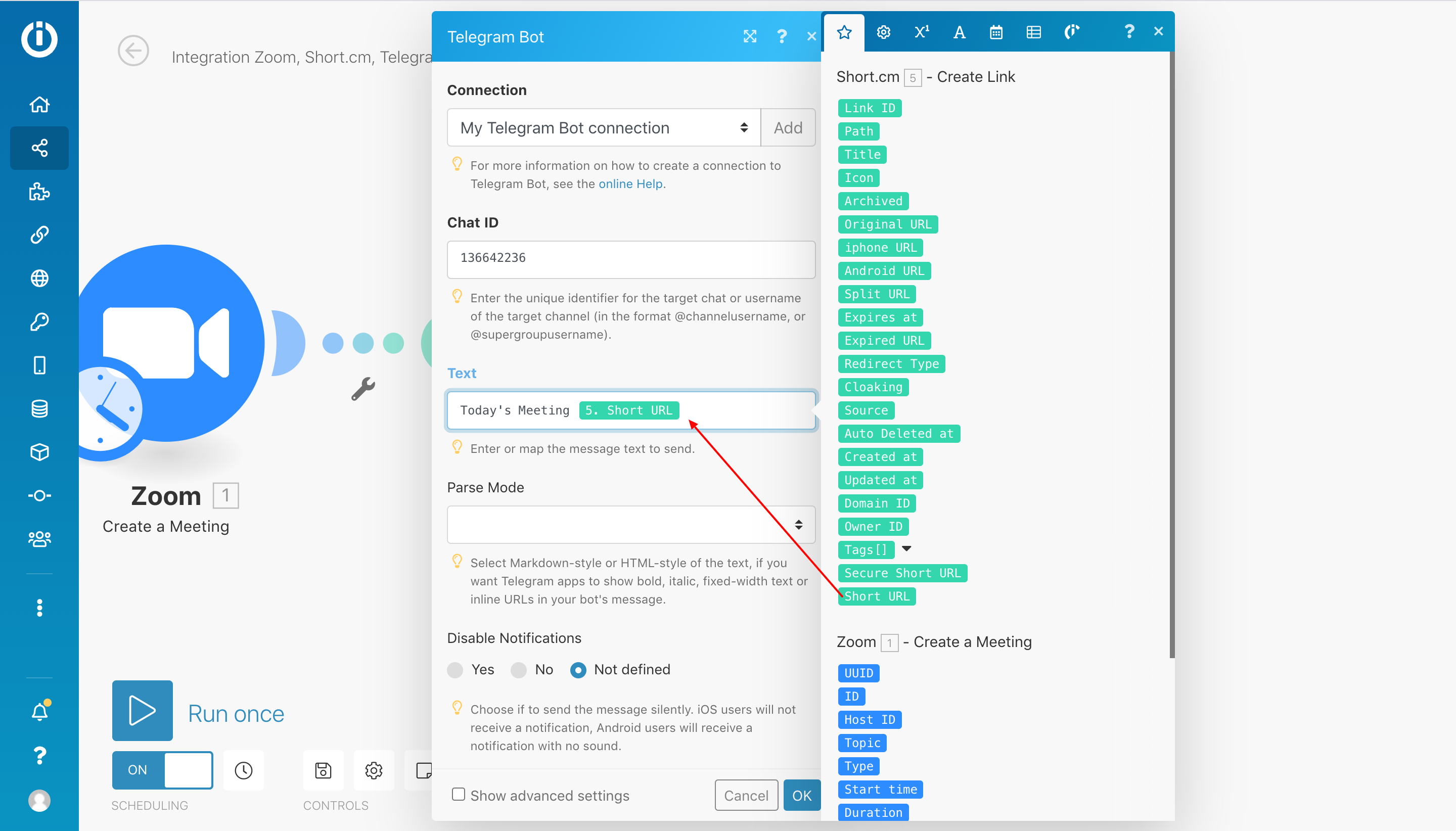
- Run once and remember to turn on the integration.