Share short links (posts) at once to all social networks via Make
Make is a glue for web services. You can integrate more than 2 applications at once. As an example of integration, we present you one that lets shorten a link and share or schedule a post at once to all your social networks.
Follow the instruction below.
The examples of applications are Facebook and Twitter.
-
Go to Make.
-
Click "Create a new Scenario."

- Look for Short.cm and choose it.

- Choose Short.cm > Continue.

- Click on the circle and add Short.io as the first step of the scenario.

- Choose the action — Create a link.

- Click Add.

-
Connect your Short.io account by specifying the API key. You'll find your key here: https://app.short.io/settings/integrations/api-key
-
Paste your API key > Continue.

- Fill in the necessary fields > OK.

- Add the second module.

- Add the second module 2.0.

- Look for Facebook Pages > Click > Choose the action: Create a Post.

- Connect your Facebook Page: Click Add and Allow access to your Facebook Page.

- Fill in the fields > To refer to a link from the first step, you need to add the "Short URL" widget.
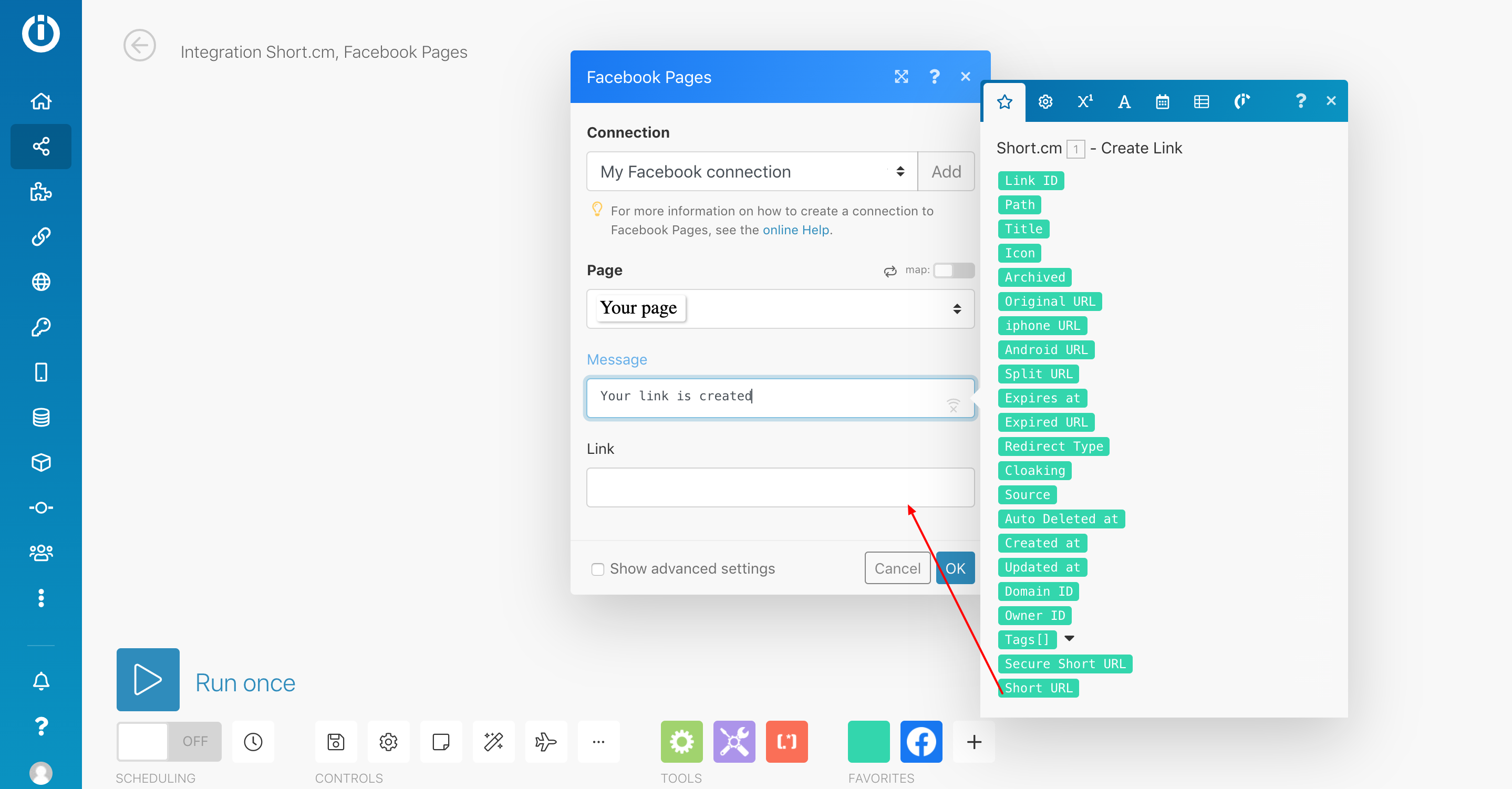
- Here's how it looks.

- Lunch the scenario.

-
The similar way you can add the third step — Twitter, the fourth — LinkedIn and so on.
-
You can also schedule posting to all social networks by activating the Scheduling function.
