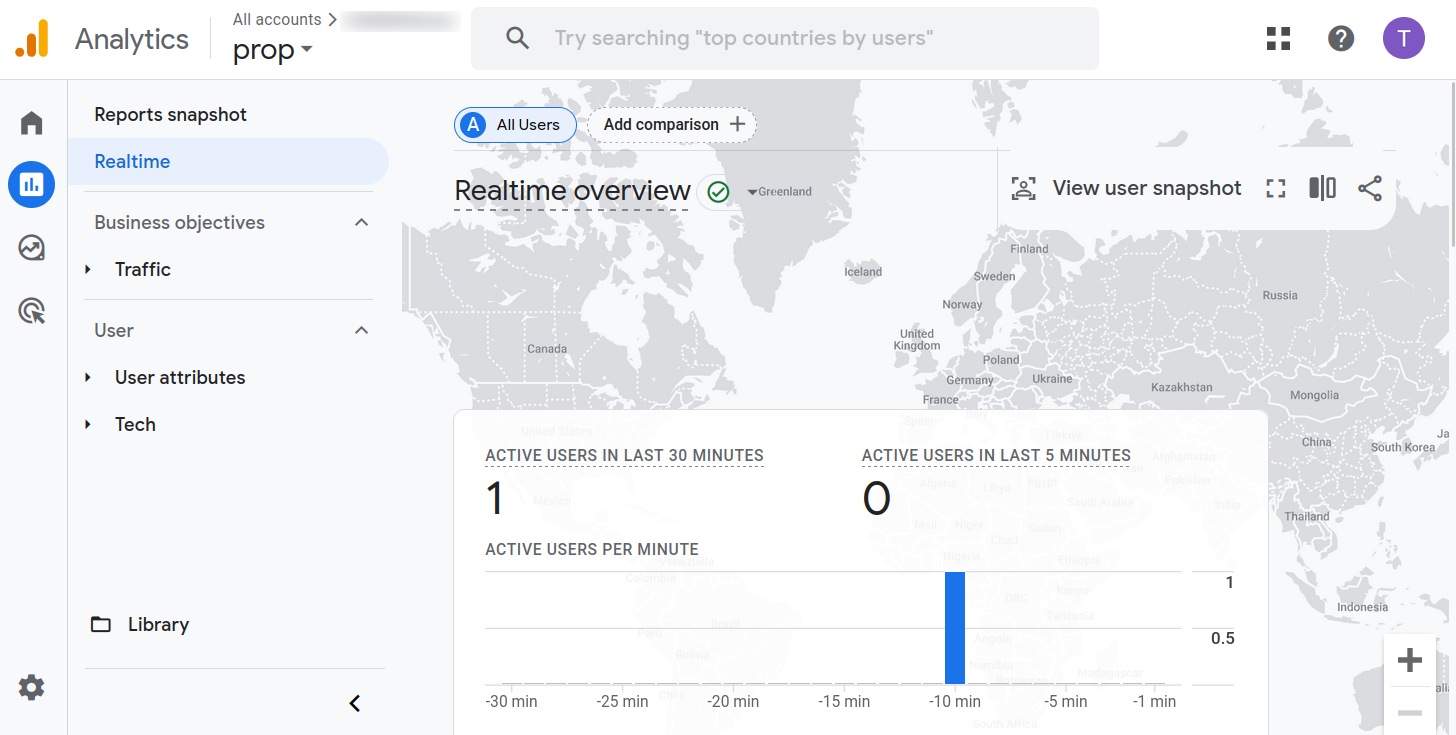
Google Analytics and Short.io direct integration
Short.io integrates with Google Analytics directly. You are not required to implement any third-party service or JavaScript code to the website. Just Input a tracking code to Short.io domain settings, and Google Analytics will get the traffic data**.**
Google Analytics integration requires the Pro plan.
How to integrate with Google Analytics 4
Google Analytics configurations
-
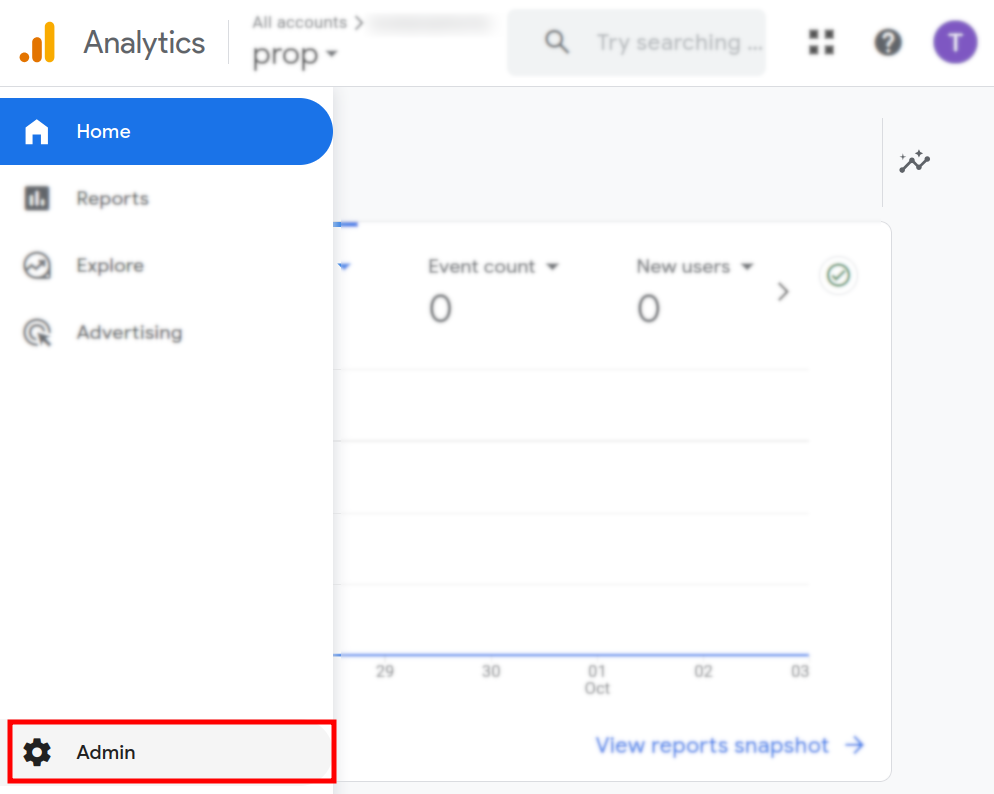
Sign in to your Google Analytics Account and open the Admin menu:
-
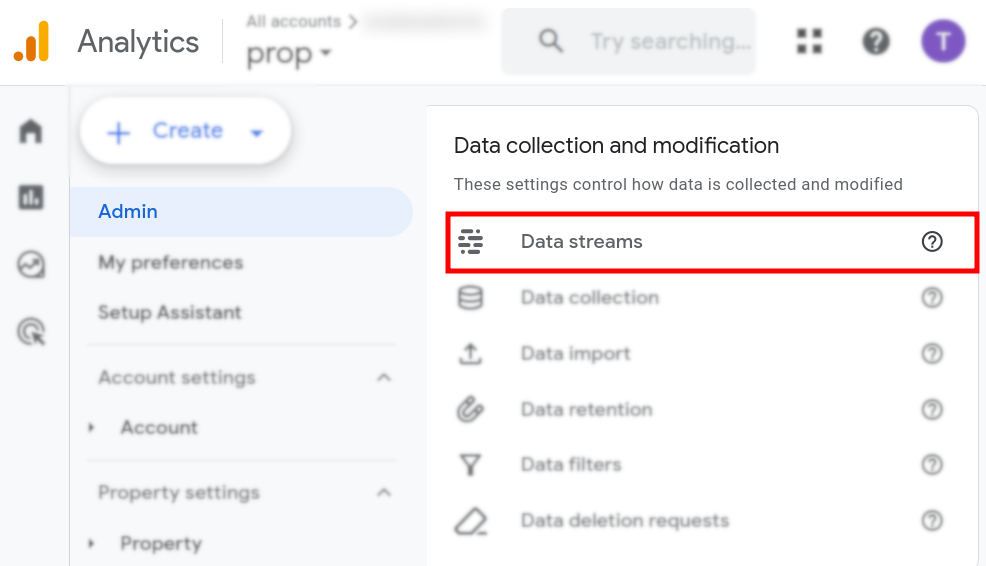
Click on Data streams:
-
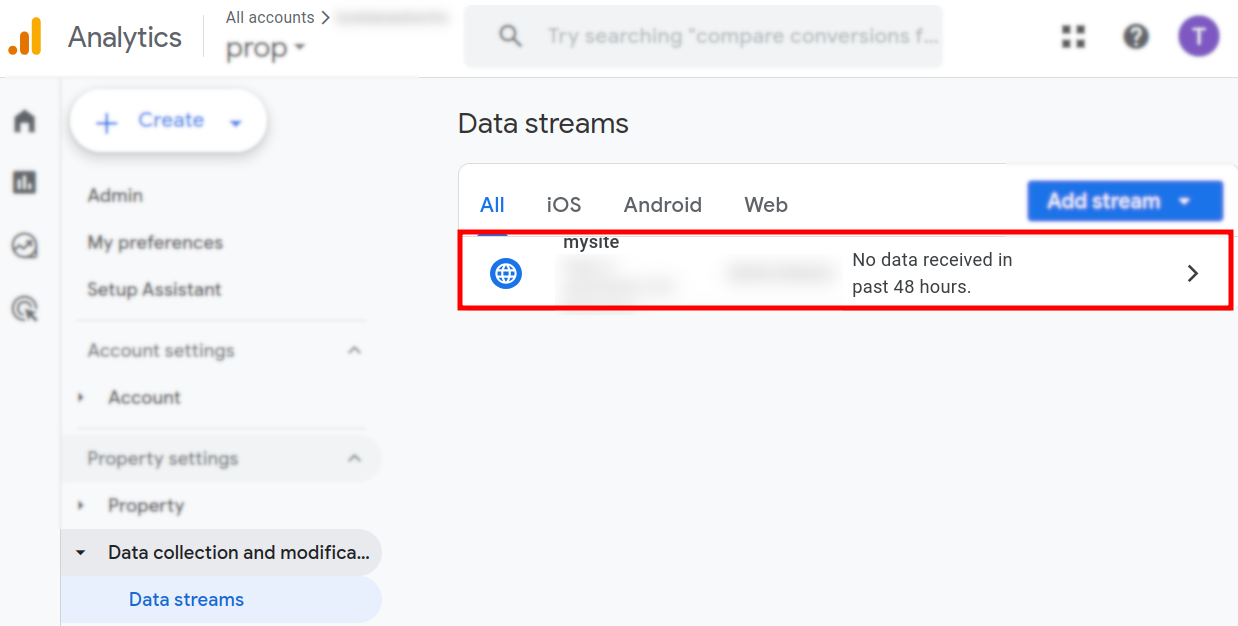
Click on your stream name:
-
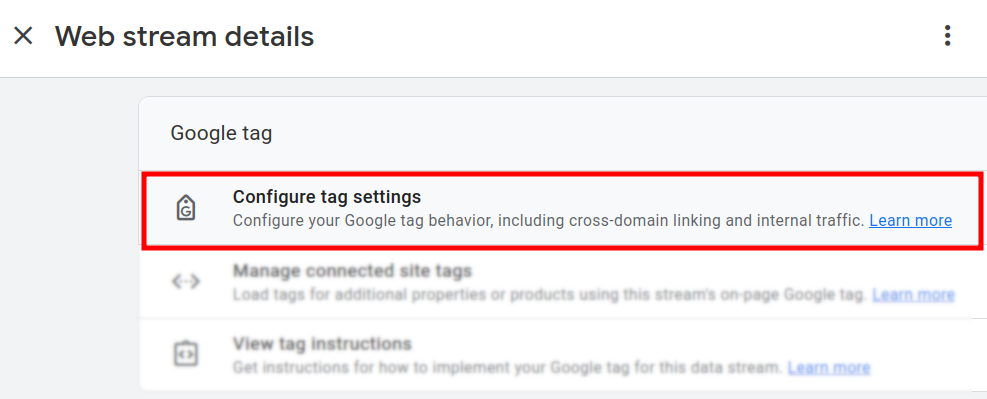
In the next screen navigate to the Google tag section and click on Configure tag settings:
-
You can review and copy your Google tag:
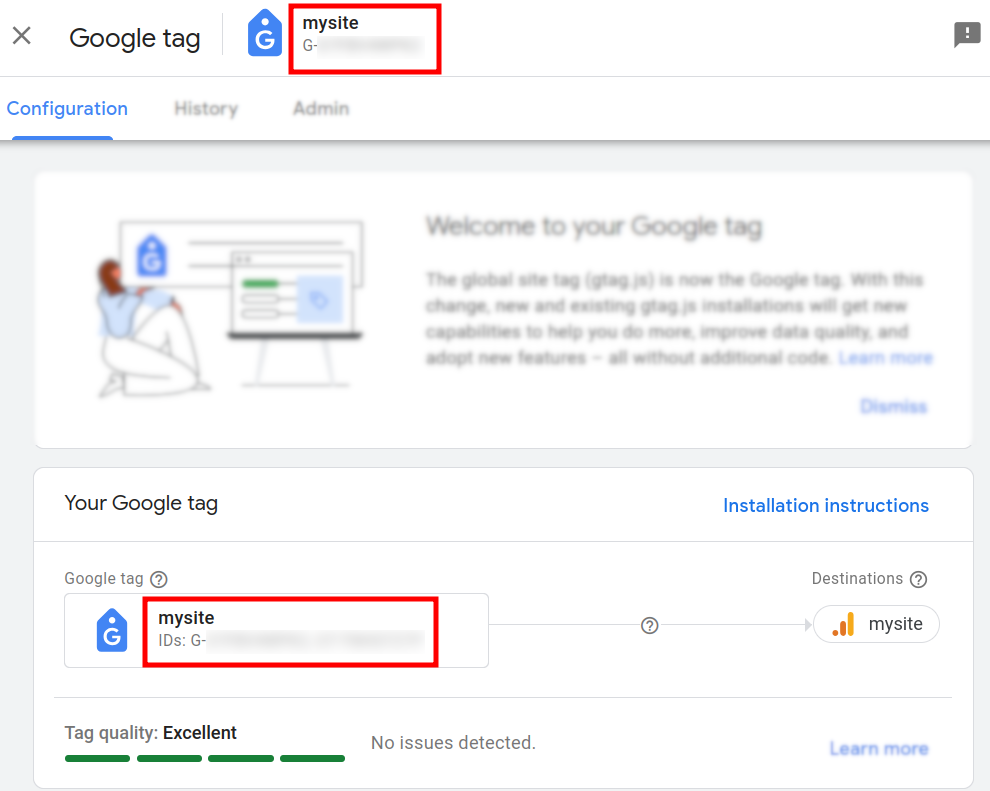
Make sure you complete the data collection activation by following the setup instructions from the Web stream details screen.

Short.io configurations
-
Sign in to your Short.io account.
-
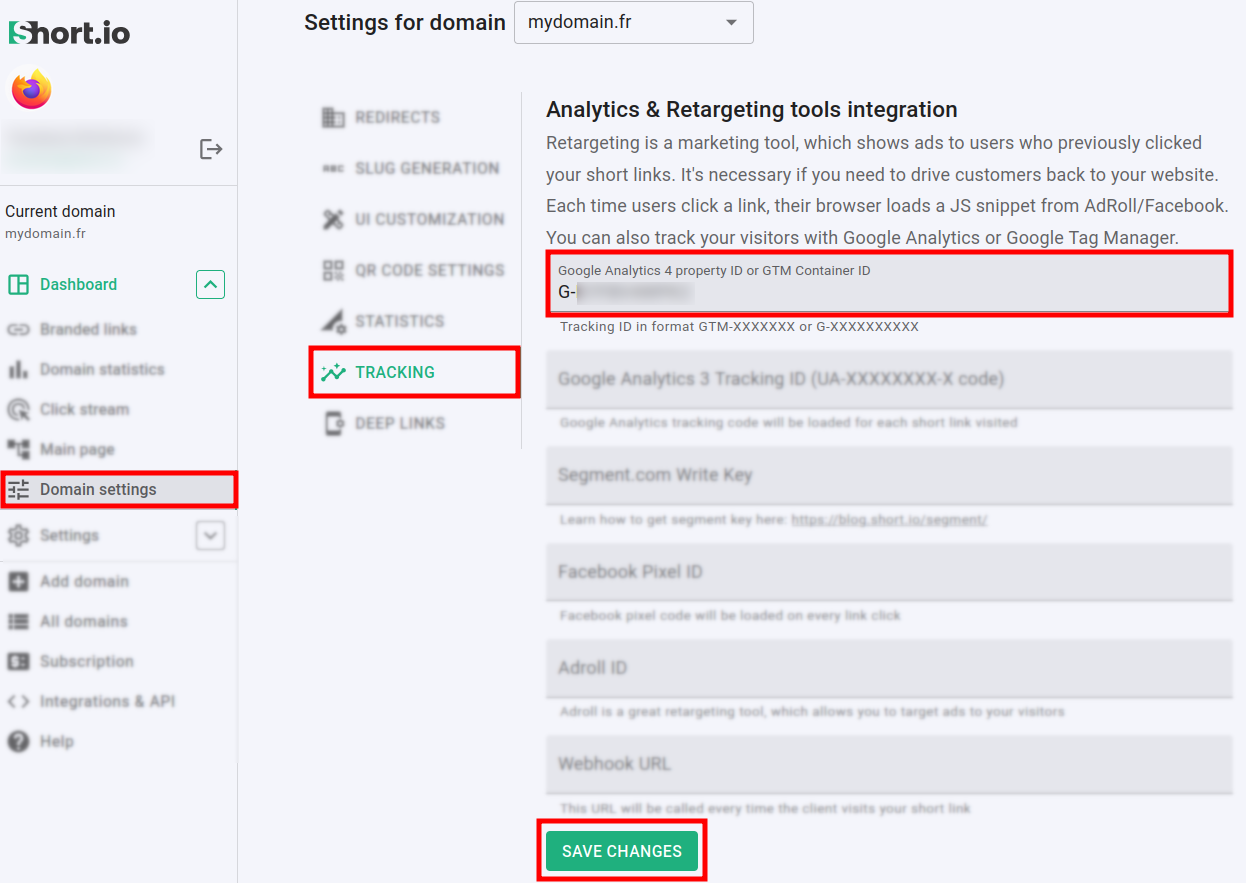
Navigate to the Domain settings.
-
Click on Tracking and in the Google Analytics property ID field enter your tag:
-
Save the changes.
Hereafter, you can review the browsing statistics for your link in the Google Analytics Report section: