How to use the Short.io API
The Short.io API features can only be accessed with an API key that you create for specific domain/team. Furthermore, API keys allow you to determine the purpose for which the API is used and therefore prevent fraud.
Note: The API functionality is available in every price plan. The only prerequisite is that you are a registered Short.io user.
Main API features
Using the Short.io API you can execute the following operations:
-
to request a domain list
-
to add/delete a domain
-
to apply Short.io features
-
to get the original URL
-
to shorten a long link
-
to shorten links in bulk
-
to edit the title or short path of the original URL
-
to delete a URL
-
to observe the statistics of the shortened URL
How to test the code
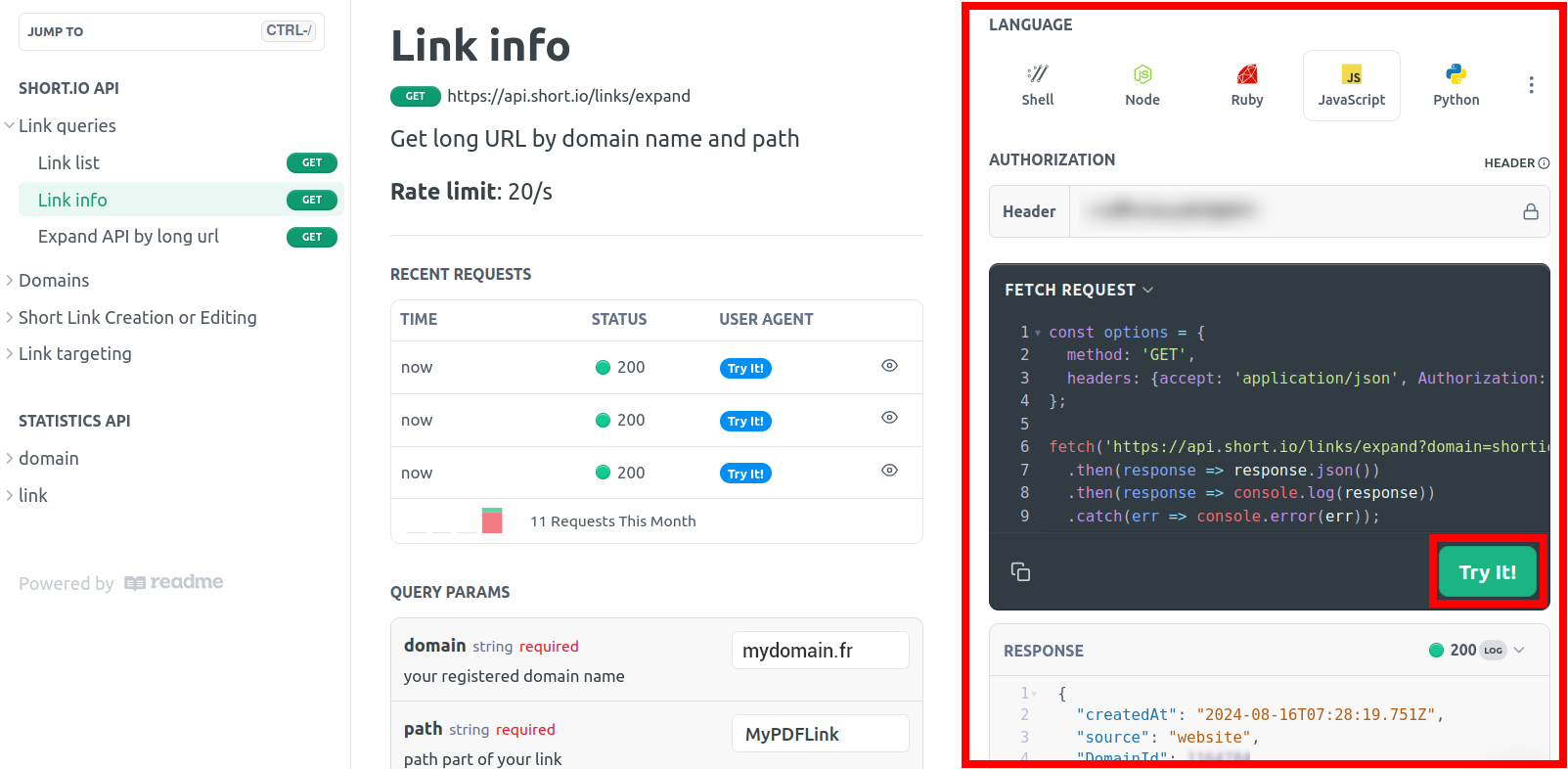
You can also test the code directly in your browser by clicking on Try it out, for example:
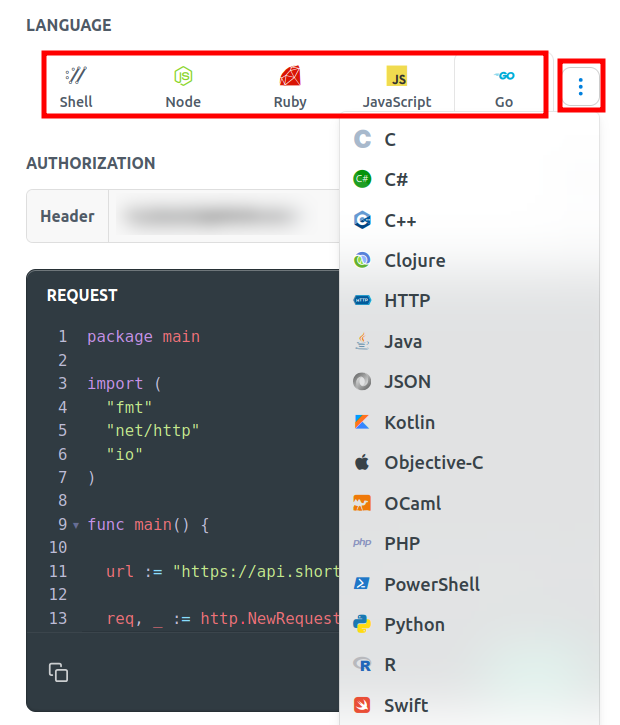
Short.io supports a variety of programming languages to choose from:
API Limits
-
We have 20-50 RPS limit for our API calls to protect Short.io from DoS attack
-
You can create 1000 links per one API call (1 API call per 5 sec)
How to create an API key
To pass the authentication process, you need to send an API key as Authorization header. You can create API keys as follows:
-
Sign in to your Short.io account.
-
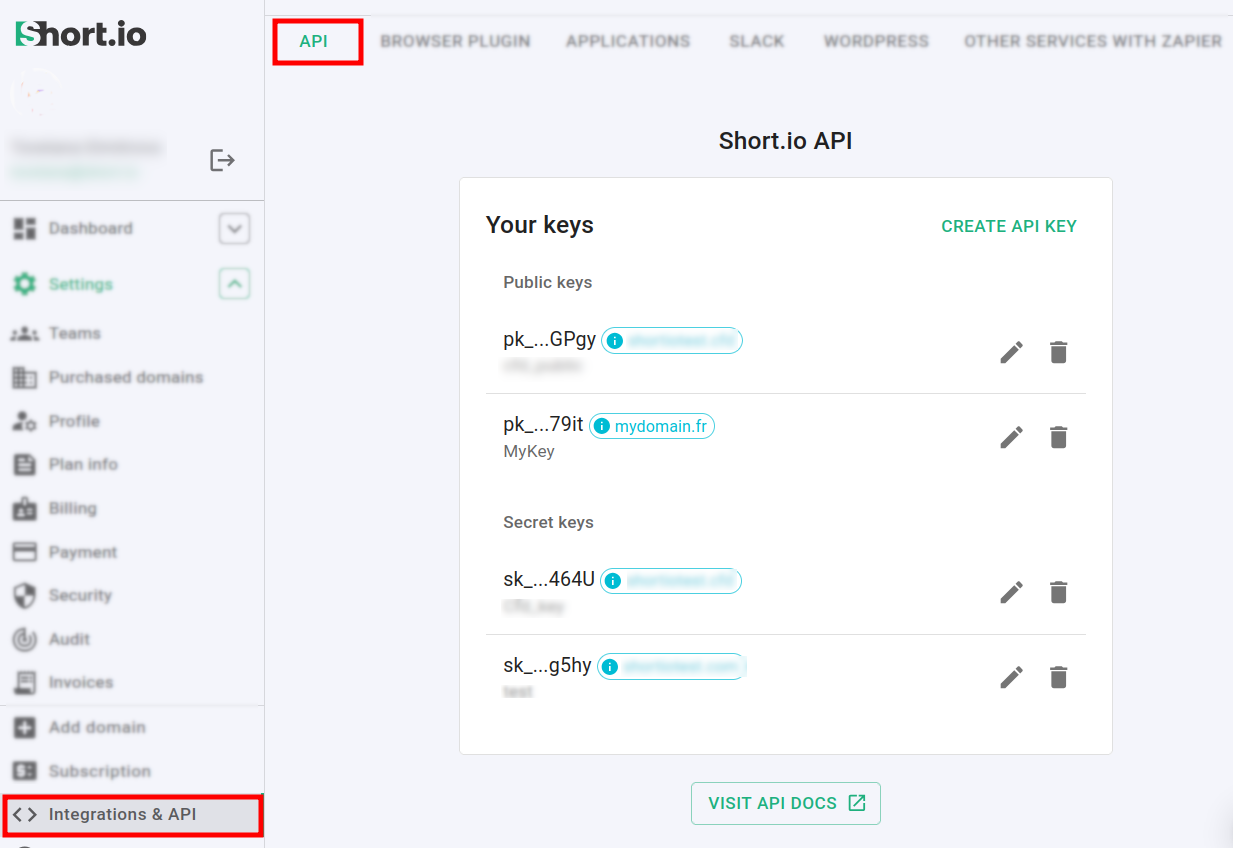
Navigate to the Integrations & API menu -> API:
-
Click on Create API key.
-
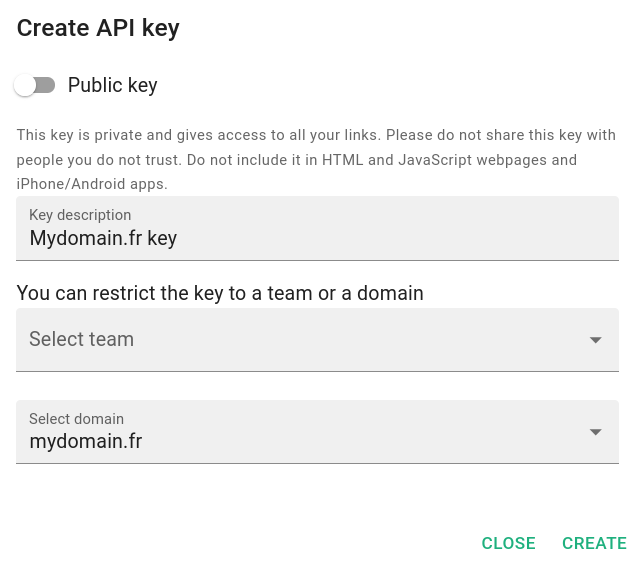
In the next screen you can:
-
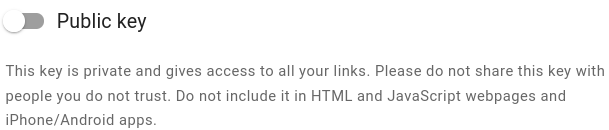
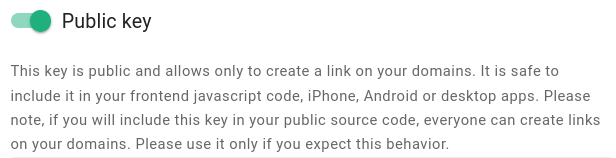
set the API key type:
-
enter a description for your key
-
restrict the key to a team or a domain:
-
-
Click on Create to confirm your settings.
-
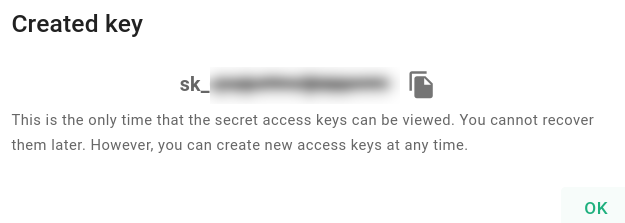
In the next screen you can copy the newly created key and then use it in your requests:
API Guides
You can find detailed instructions on how to make API requests in the following link: https://developers.short.io/docs
Used programming languages: Python, Node.js, and Ruby.
If you have any questions about the Short.io API, contact us directly at support@short.io.