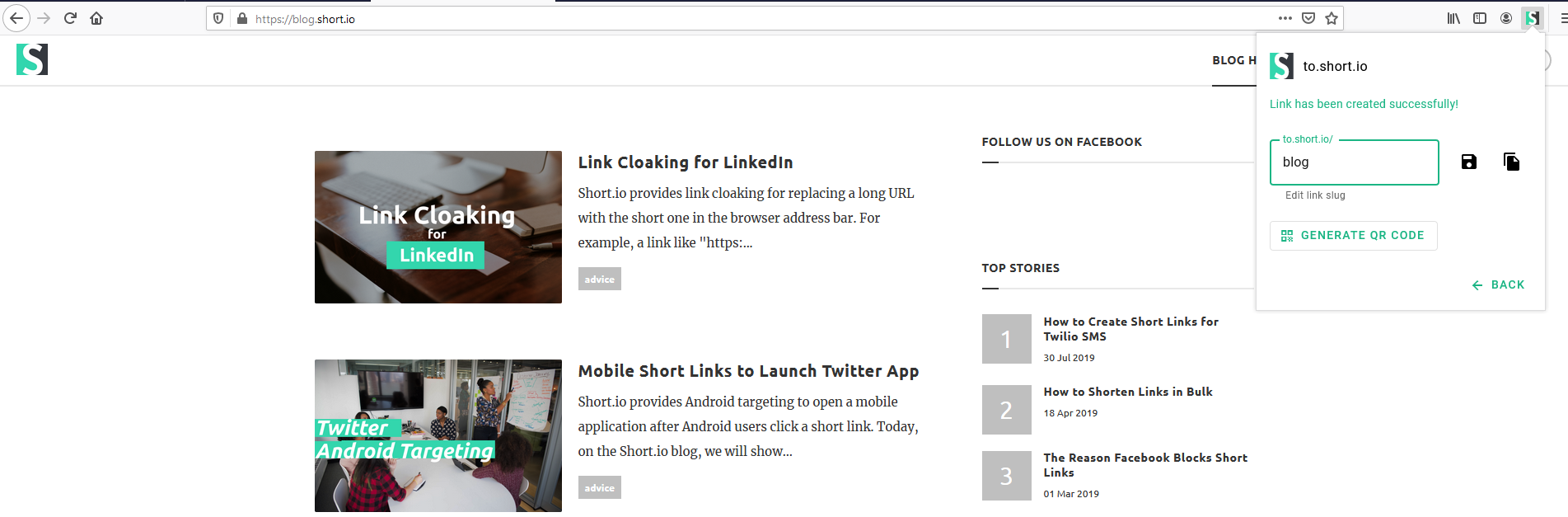
Short.io extension for Firefox
Short.io extension for Firefox lets you shorten links straight from the necessary web-page.
There are some ways you can use the Short.io extension for Firefox.
-
Shorten links.
-
Change a domain.
-
Edit a slug.
-
Take screenshots.
-
Generate QR codes.
Follow the instructions below on how to use the Short.io extension for Firefox:
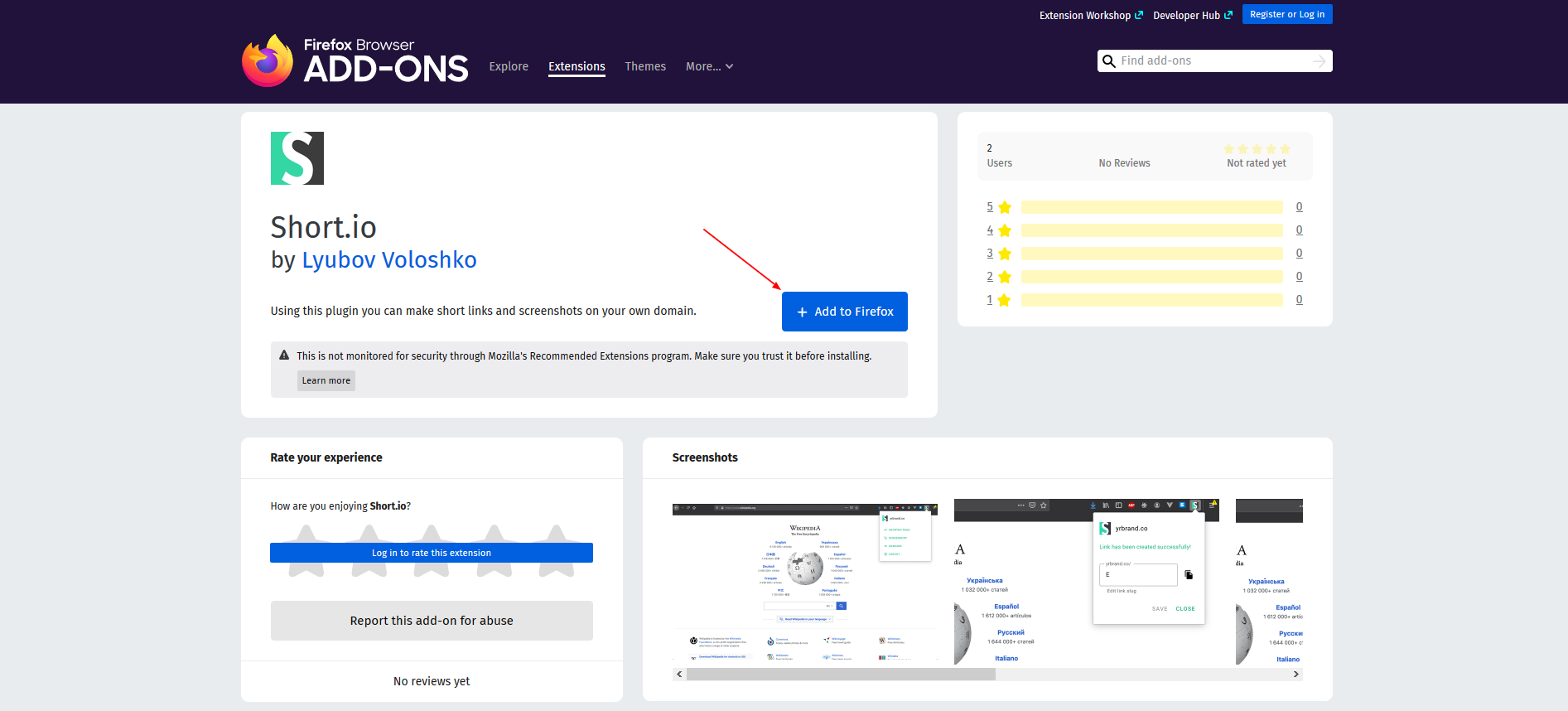
1. Open Firefox Add-ons.
2. Add the extension to Firefox.
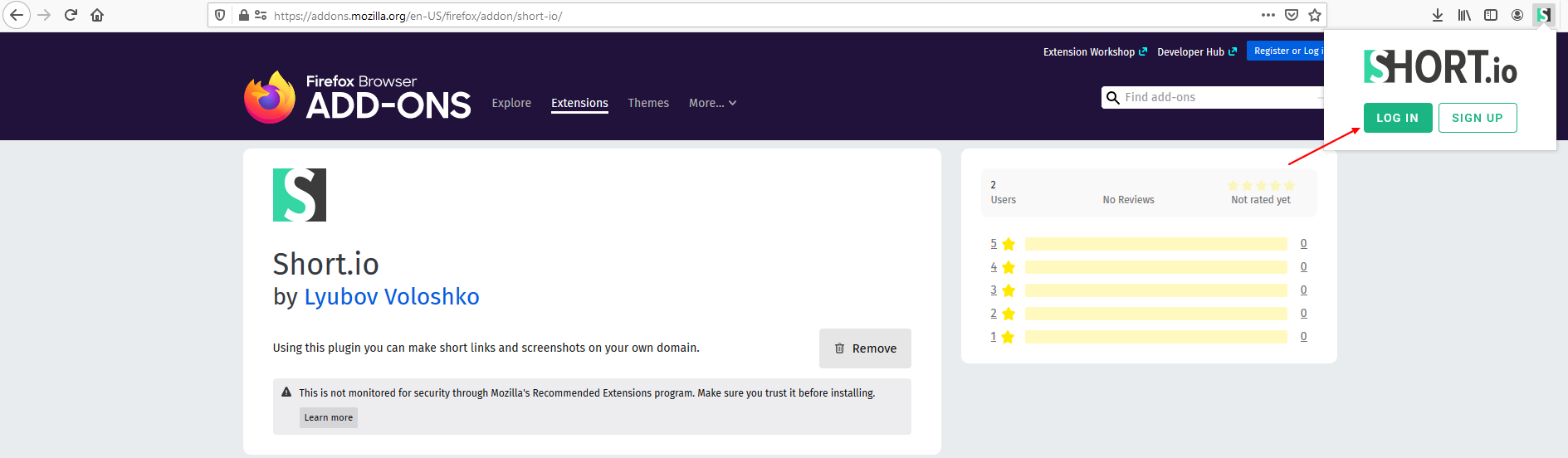
3. Click the Short.io icon and log in.
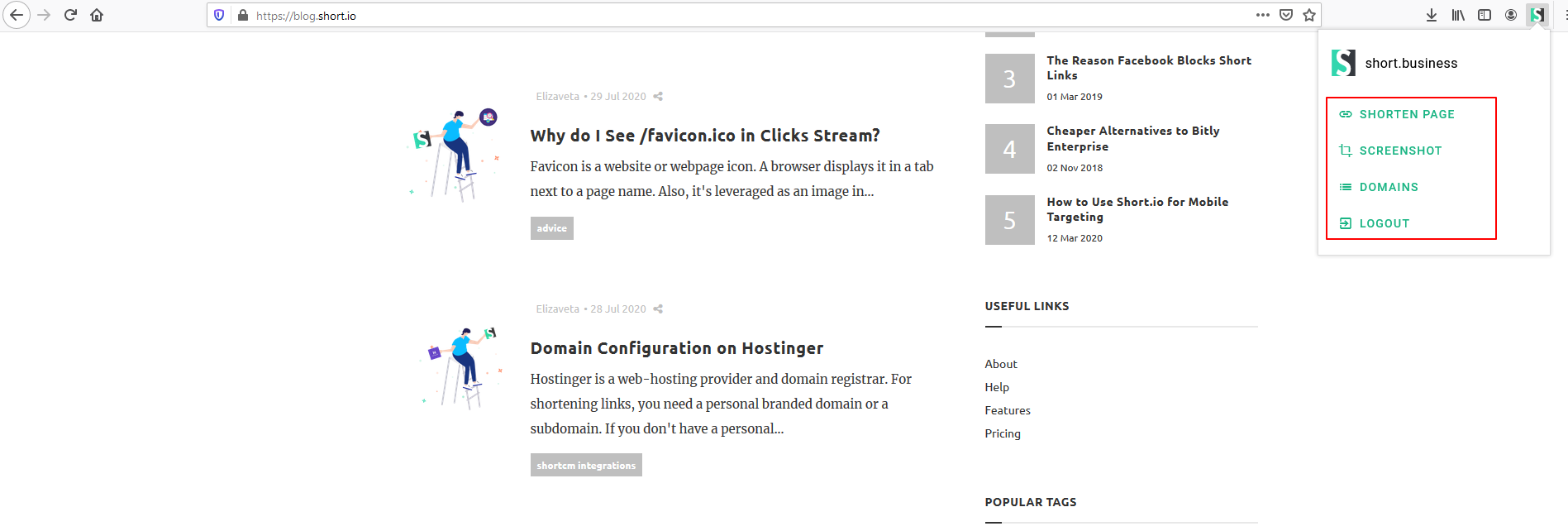
4. Shorten a page, take a screenshot or change a domain.
5. Generate a QR code and download it in 3 different formats (.svg, .png, .pdf).