How to install Short.io iOS shortcut
With Short.io iOS shortcut, you can shorten long URLs just by clicking on the shortcut.
How it works:
- Copy the link you want to shorten
- Click on the Shortcut – it will take original URL from the clipboard
- Once the link was shortened, you will see the notification
- Shortcut will overwrite the clipboard with the short URL.
To work properly Shortcut requires iOS 14 or newer.
How to install:
1. Go to the Shortcuts app.
2. Add any shortcut from the Gallery (if it's your first time).
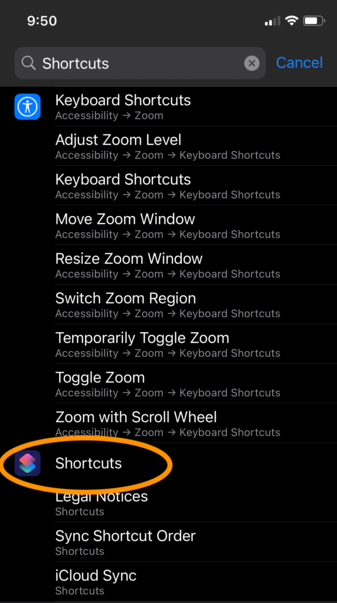
3. Proceed to the system settings, find 'Shortcuts' (works in any system language).
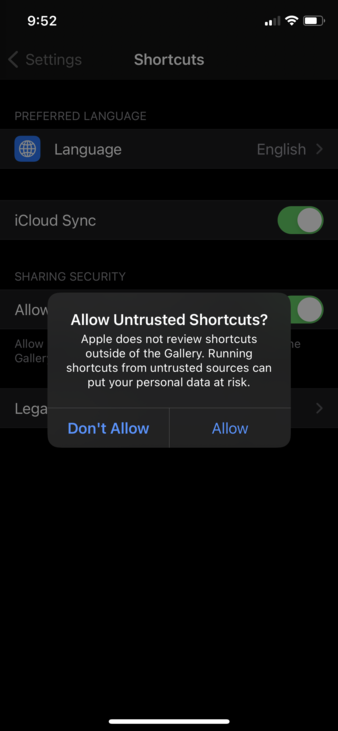
4. Allow untrusted shortcuts.
5. Open the link to the Short.io shortcut:
https://www.icloud.com/shortcuts/1af3bc8acec54574a94694063430a2a4
6. Fill the first text field (1) with your domain or subdomain, and the second field (2) with your secret API key.
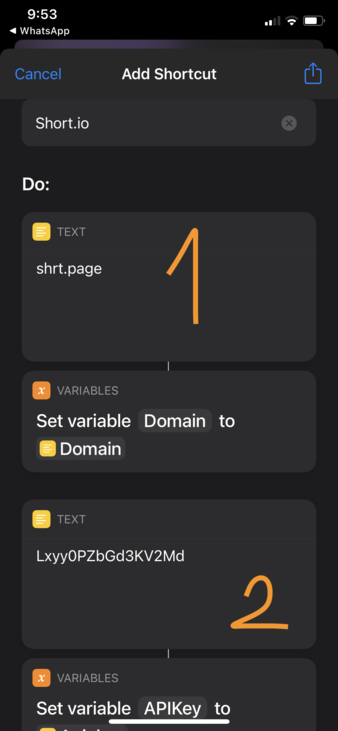
7. Swipe to the end of the shortcut and press 'Add Untrusted Shortcut'
8. Run the shortcut, allow access to the Internet and notifications.
9. Add shortcut to your Home screen: long press on the Home screen, press + icon, choose the Shortcuts widget.