How to automatically connect my Cloudflare subdomain with Short.io
Note: If you want to configure your subdomain manually follow the instructions in the article: https://help.short.io/en/articles/9720643-how-to-connect-my-cloudflare-subdomain-with-short-io
How to automatically connect your subdomain
-
Sign in to your Short.io account.
-
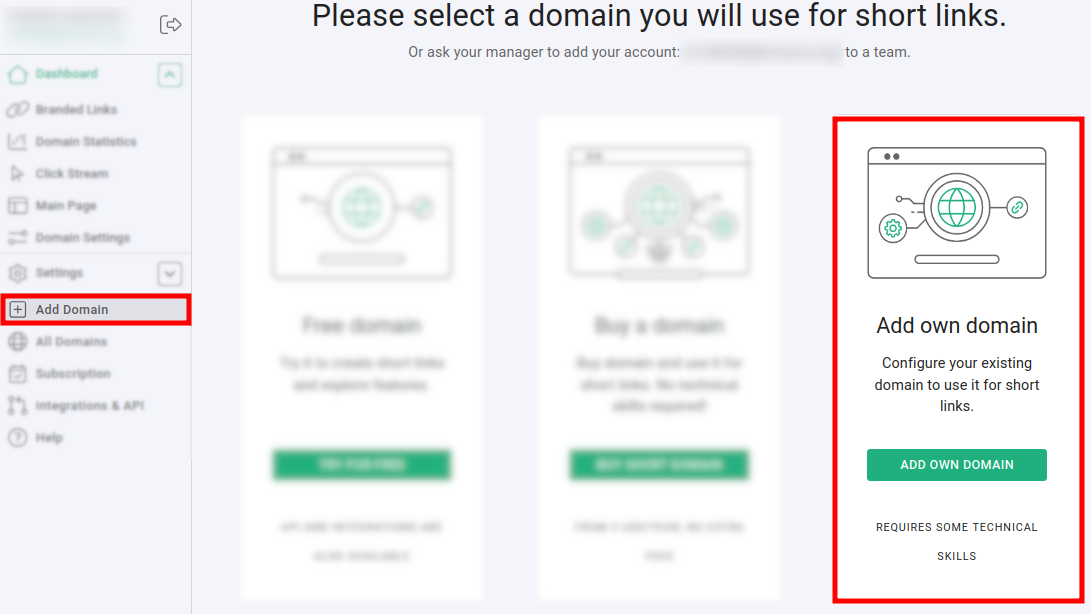
Click on Add domain and then on Add own domain:
-
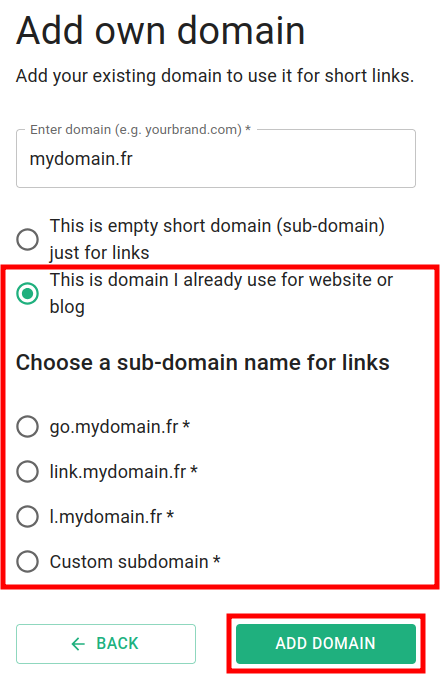
Enter your domain name and click on This is domain I already use for website or blog:
-
Select the option that suits you best for subdomain name and click on Add domain.
-
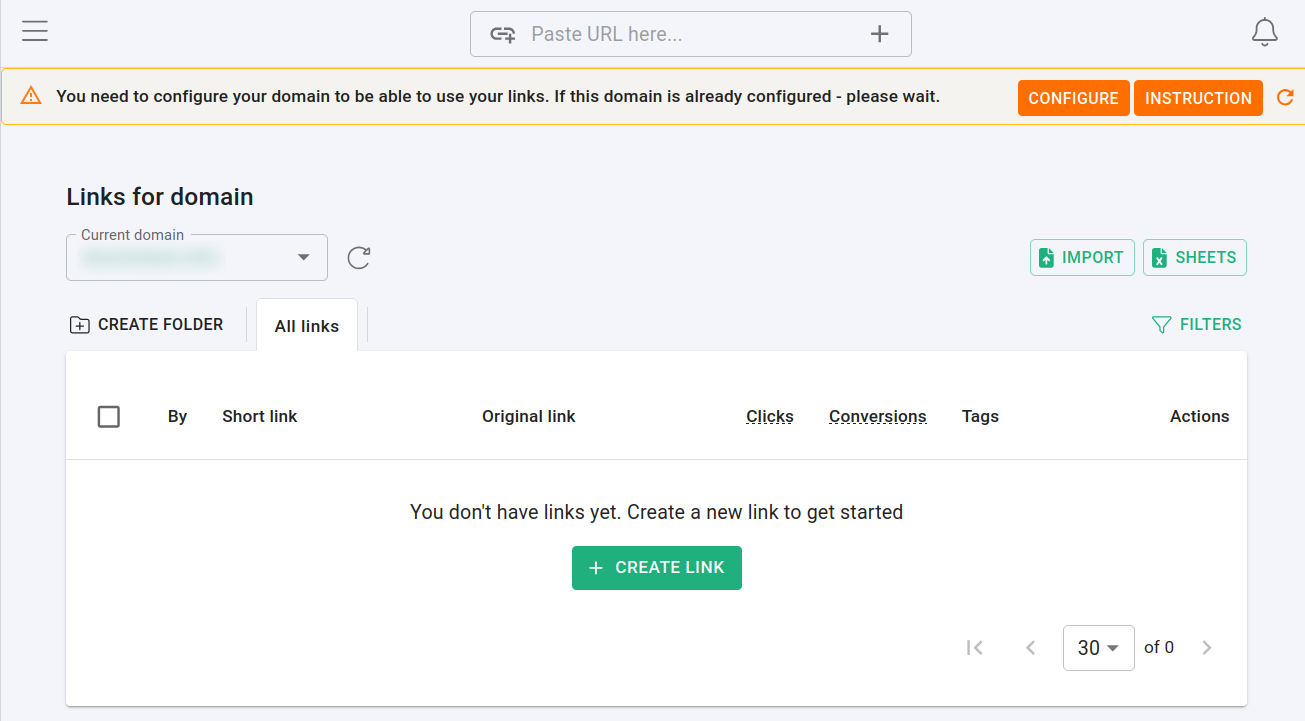
In the next screen, you can click on:
-
Instruction: if you decide to still perform a manual connection
-
Configure: if you want to continue with the automatic presets
-
-
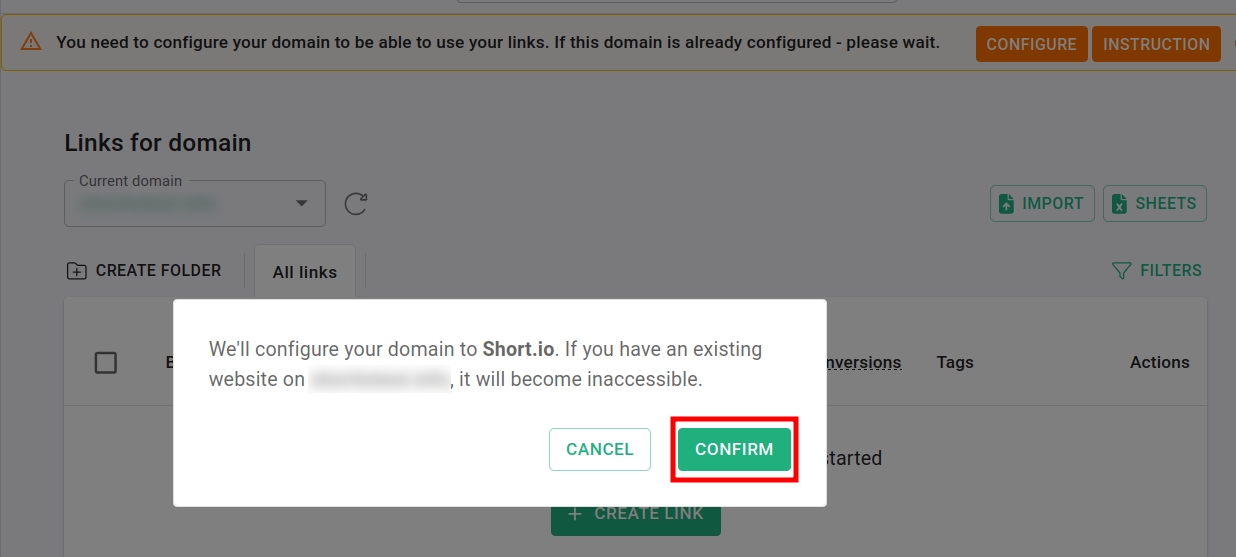
When you click on Configure, the following message appears:
-
Click on Confirm. You are redirected to the Cloudflare login page.
-
After logging in, you can review the automatic presets on your dashboard:
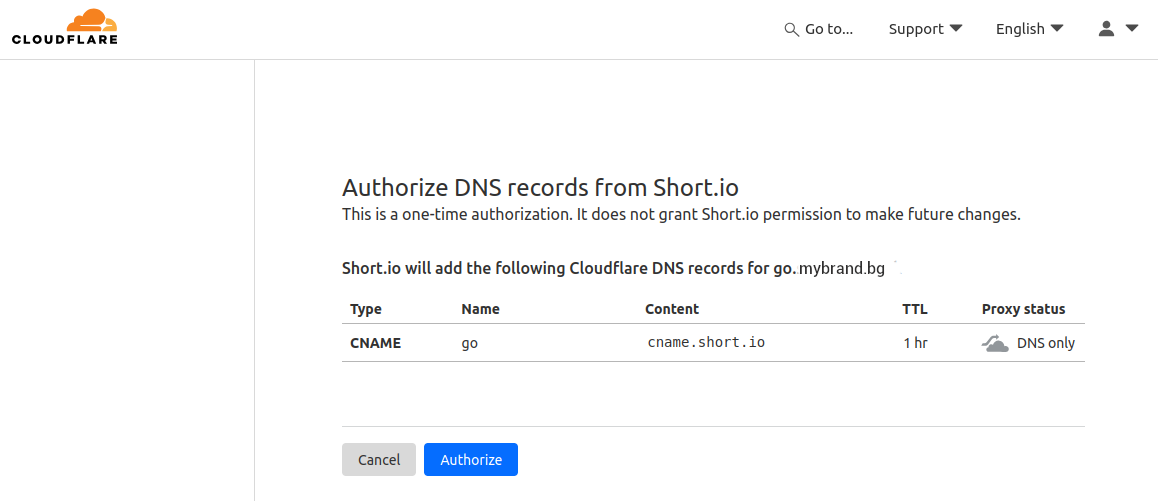
-
Click on Authorize. You are redirected again to the Short.io dashboard.
Configuring the connection takes around 15 minutes and during that time you may still see the following message:

You can click on the refresh icon until the message disappears.
When the domain becomes active, feel free to shorten links and enjoy Short.io.