How to send conversion to Short.io
Overview
If you need to measure when users complete specific valuable actions (such as a signup, purchase, or form submission) after clicking a Short.io link, you can use our Conversion tracking feature. A conversion refers to any defined user action that you want to count toward your campaign goals (e.g., a purchase or lead submission).
By enabling Conversion tracking, Short.io will append a unique clid parameter to your destination URLs. You can then capture this identifier on your site and send it back to Short.io along with conversion events, allowing you to attribute conversions to the correct short links with minimal implementation effort.
Enabling Conversion tracking
-
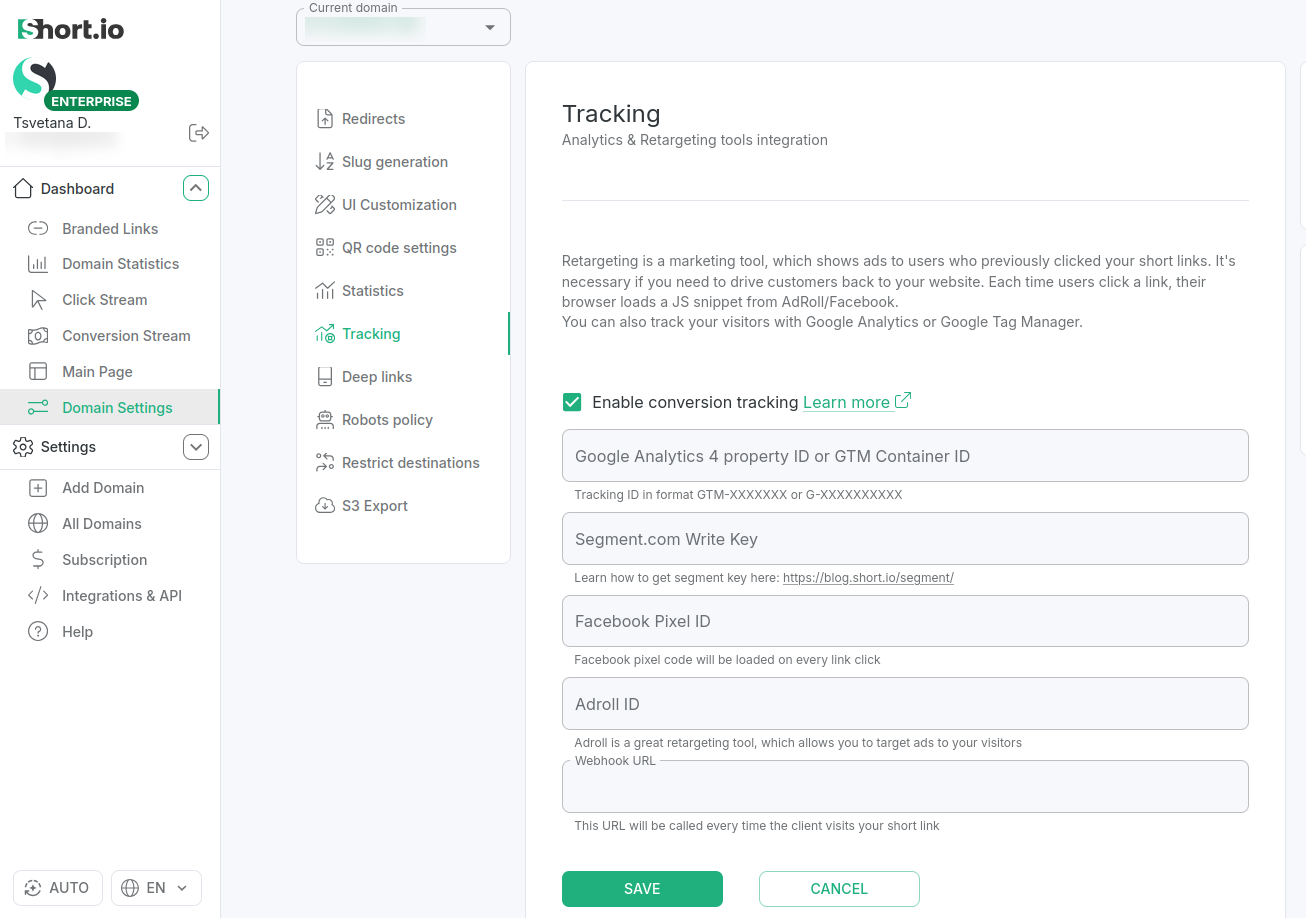
Sign in to your Short.io account and select the domain for which you want to enable conversion tracking.
-
From the Dashboard's left panel select Domain settings and then Tracking.
-
Enable Conversion Tracking.
-
Save.
Capturing the clid parameter
Once conversion tracking is enabled, when users click a short link, Short.io will automatically append the special clid parameter to the link’s destination URL.
For example, the destination link might look similar to the following:
https://your-destination.com/?clid=eyJpIjoiOUJwaU4tUUZqcUppelBLeXVWVVA5IiwiaCI6IiIsInAiOiIvc2hvcnRpbyIsInQiOjE3MzQxMDkzNzV9.B2nqhKIbaDqw7_BHV3_5mfsvoYnjyQtBPXm6PRRU0ys
You can then use the methods of Short.io's Browser SDK to capture the clid parameter from the URL, process it and dynamically observe the conversion events.
Using Short.io Browser SDK methods to send conversion events
Conversion functions are standalone — no client instance needed. You can import them directly:
import { trackConversion, getClickId, observeConversions } from '@short.io/client-browser';
Or via CDN:
<script type="module">
  import { observeConversions } from 'https://cdn.jsdelivr.net/npm/@short.io/client-browser/dist/index.esm.js';
  observeConversions({ domain: 'your-domain.com' });
</script>
Conversion tracking methods
The following methods to manage conversion events are available:
-
trackConversion(options) - tracks a conversion event using navigator.sendBeacon(). Reads the clid (click ID) query parameter from the current page URL to attribute the conversion
-
getClickId() - returns the clid query parameter from the current page URL, or null if not present
-
observeConversions(options) - enables declarative conversion tracking via HTML data- attributes. Scans the DOM for elements with data-shortio-conversion and automatically binds event listeners. Also watches for dynamically added elements using a MutationObserver. Returns a ConversionObserver with a disconnect() method to remove all listeners and stop observing **
How to embed the conversion tracking code
Depending on your specific use case, you can embed the conversion tracking code in different places:
- On form submission - if you want to track successful form submissions, place the code after a successful form validation or server response
- On button click - if the conversion is triggered when users click a button, attach the code to your button’s click event
Here is a complete example of how to capture and then send a conversion event when a user clicks a button. Three buttons are implemented to simulate different conversion types - signup, purchase, and download.
In the code below, replace branded-domain-name with your domain name.
JavaScript
import { observeConversions } from 'https://cdn.jsdelivr.net/npm/@short.io/client-browser/dist/index.esm.js';

observeConversions({ domain: 'branded-domain-name' });
HTML
<!DOCTYPE html>
<html lang="en">
<head>
  <meta charset="UTF-8">
  <meta name="viewport" content="width=device-width, initial-scale=1.0">
  <title>Conversion Tracking</title>
</head>
<body>
  <!-- Declarative conversion tracking via data attributes -->
  <button data-shortio-conversion="signup">signup</button>
  <button data-shortio-conversion="purchase" data-shortio-conversion-value="45.99">purchase</button>
  <button data-shortio-conversion="download">download</button>

  <script type="module" src="conversion.js"></script>
</body>
</html>
Make sure you only send relevant conversion data along with the clid parameter. Do not include any personally identifiable information or sensitive data in the query string.
4. Verifying conversions in Short.io
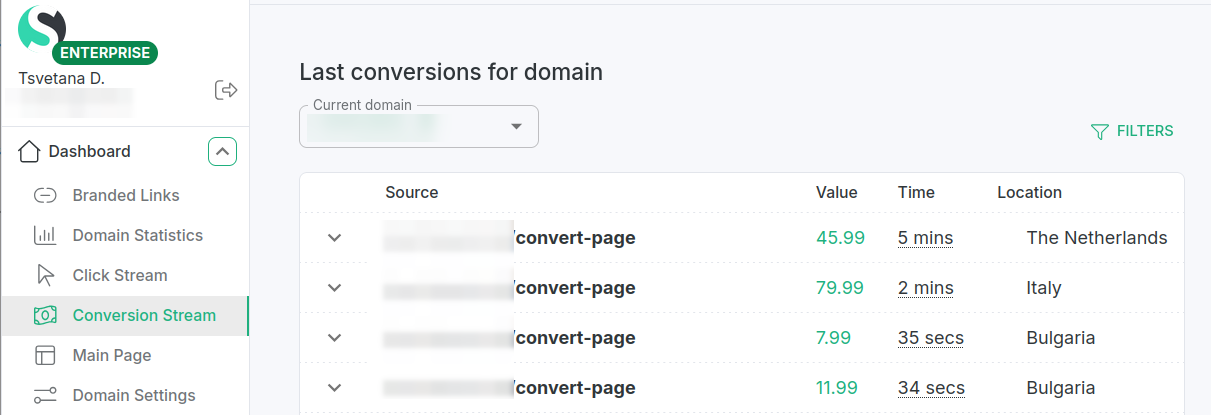
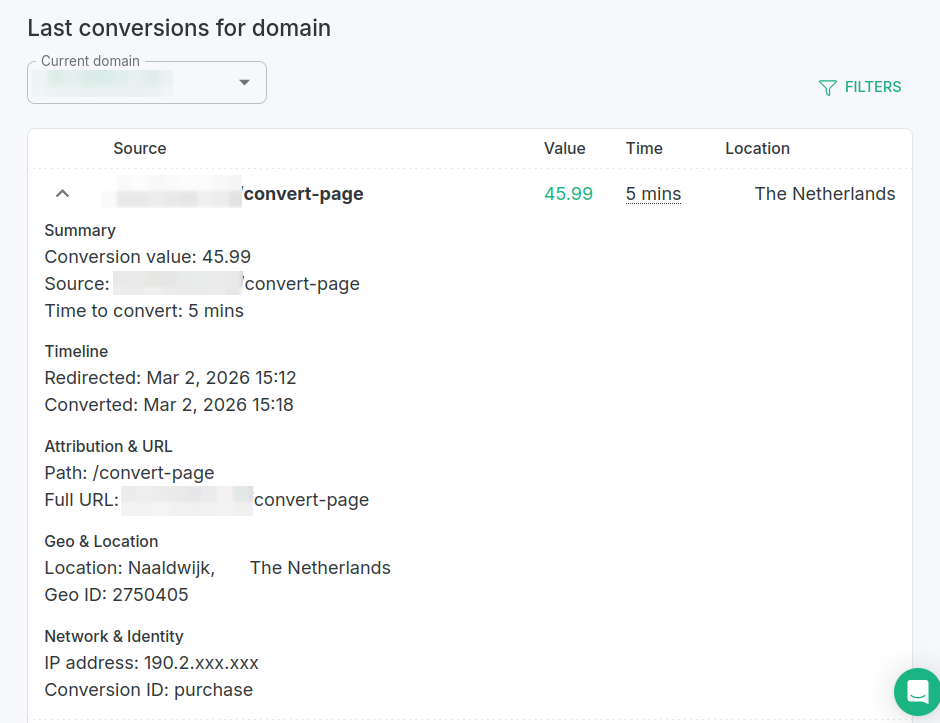
Once you send the conversion events, you can review the Conversion Stream data from your Short.io dashboard.