Creating an API key
The Short.io API features can only be accessed with an API key that you create for specific domain/team. Furthermore, API keys allow you to determine the purpose for which the API is used and therefore prevent fraud.
To create an API key
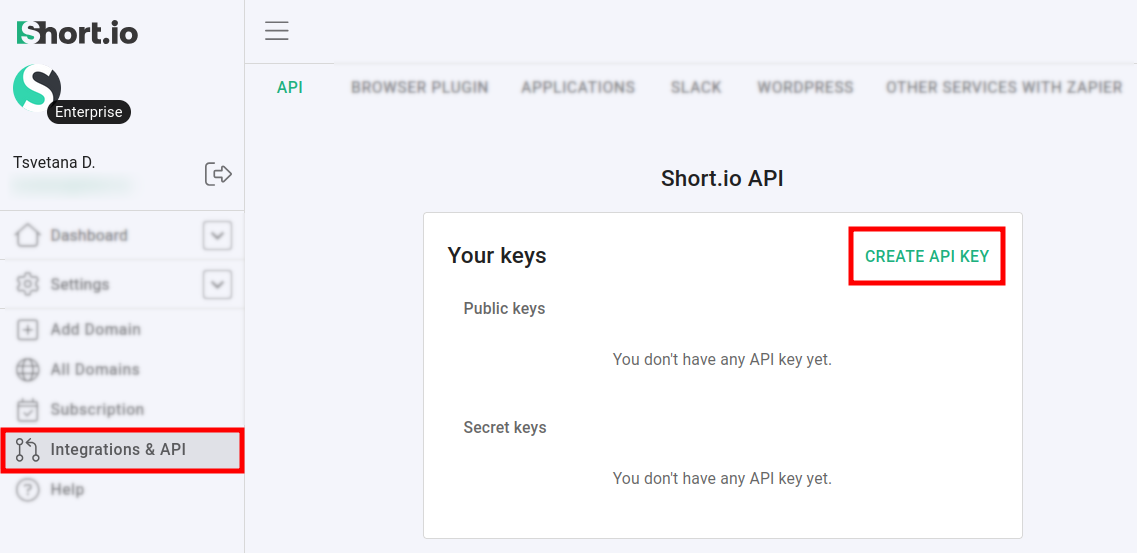
- From the Short.io Dashboard navigate to Integrations and API.
- Click on Create API key :
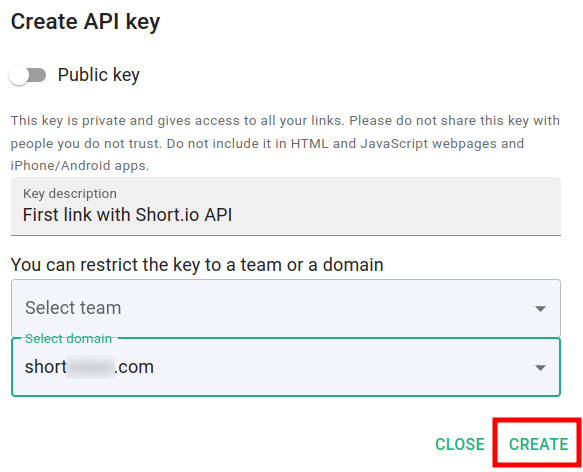
- If you leave the option Public key disabled, this results in the creation of a private (or secret) key. You need to further restrict the scope of the key to a specific team or domain and then click on Create:
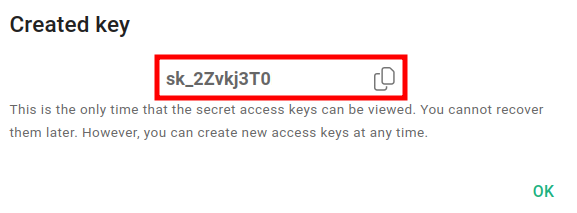
- Copy the key and store it in a safe place for further use:
📘
You cannot recover Short.io secret keys but you can create new ones at any time.